
Produktbeschreibung
Dieses Produkt enthält KI-generierte Inhalte.
Measures your avatar against the PC and Quest rank tables, names the metric that
is actually capping it, then fixes the ones a Blender file can carry. Reads
PhysBones and lights from your Unity project so the number is real.
You decimate. You atlas. You delete half the toggles. The avatar still says Good,
or Poor, and nothing tells you which number did it.
Opti does.
THE METRIC THAT IS ACTUALLY CAPPING YOU
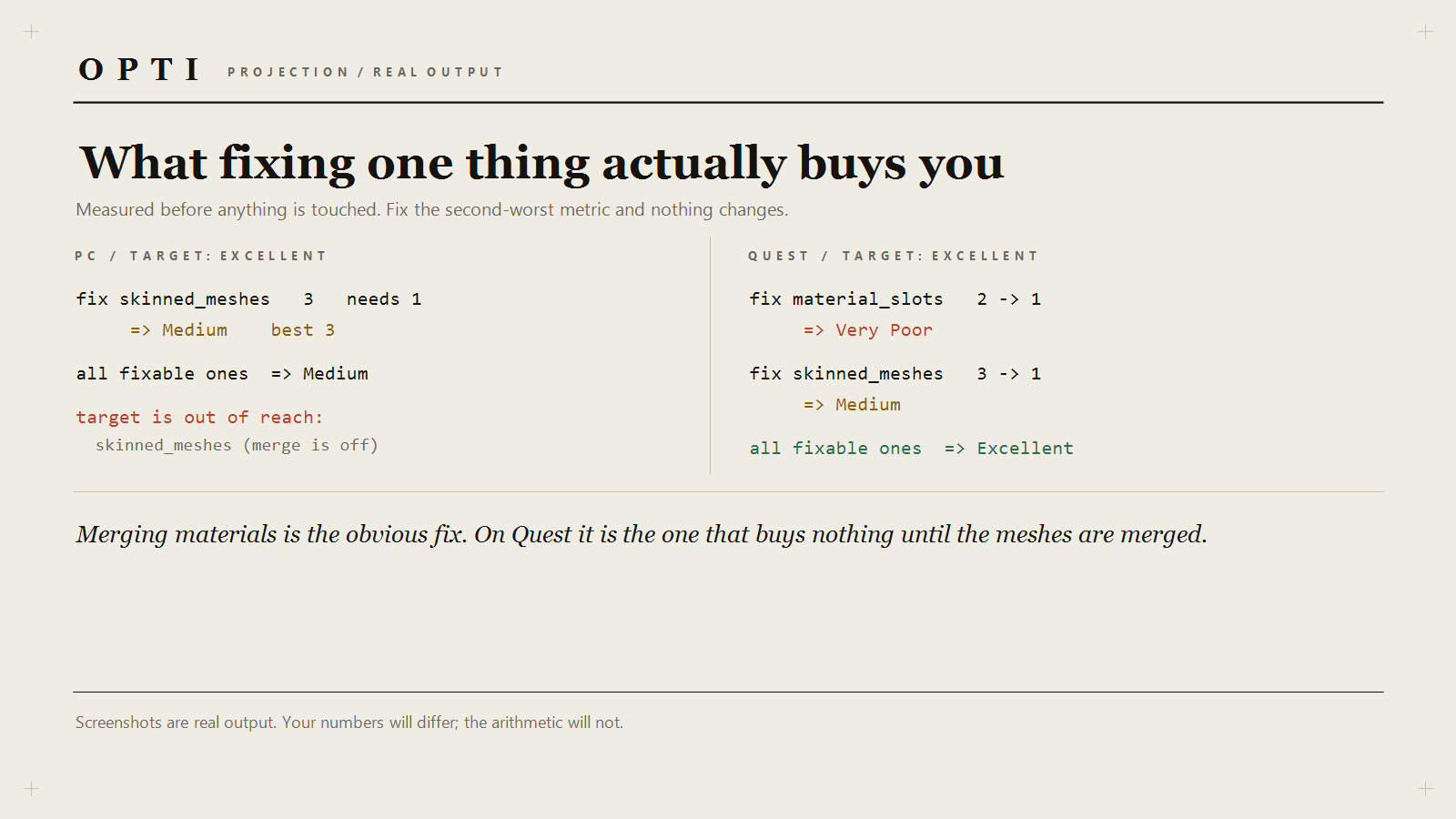
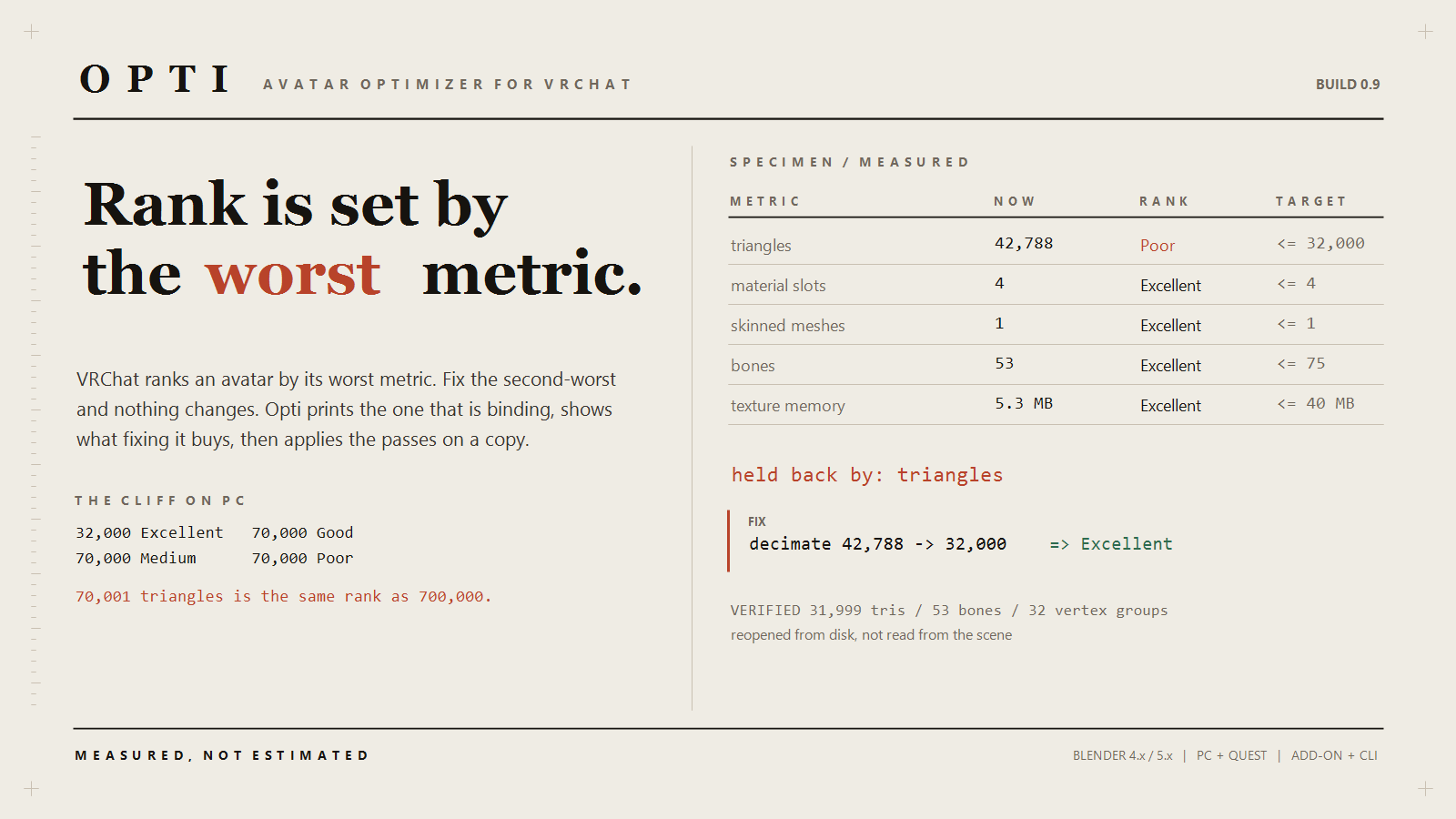
VRChat ranks an avatar by its worst metric, so fixing the second-worst changes
nothing. Opti measures every metric, ranks the PC and Quest tables separately, and
prints the binding one:
to reach excellent on Quest:
fix material_slots 2 -> 1 => Very Poor via merge/atlas
fix skinned_meshes 3 -> 1 => Medium via merge meshes (--join)
all fixable ones => Excellent
Read that twice. Merging the materials buys nothing while three skinned meshes are
in the file. Merging the meshes alone gets you to Medium. You need both — and the
tool tells you before you spend the afternoon, not after.
On PC there is a cliff worth knowing about:
32,000 Excellent | 70,000 Good | 70,000 Medium | 70,000 Poor
70,001 triangles ranks the same as 700,000. There is no ladder between Medium and
Very Poor.
HALF THE RANK IS NOT IN YOUR FBX
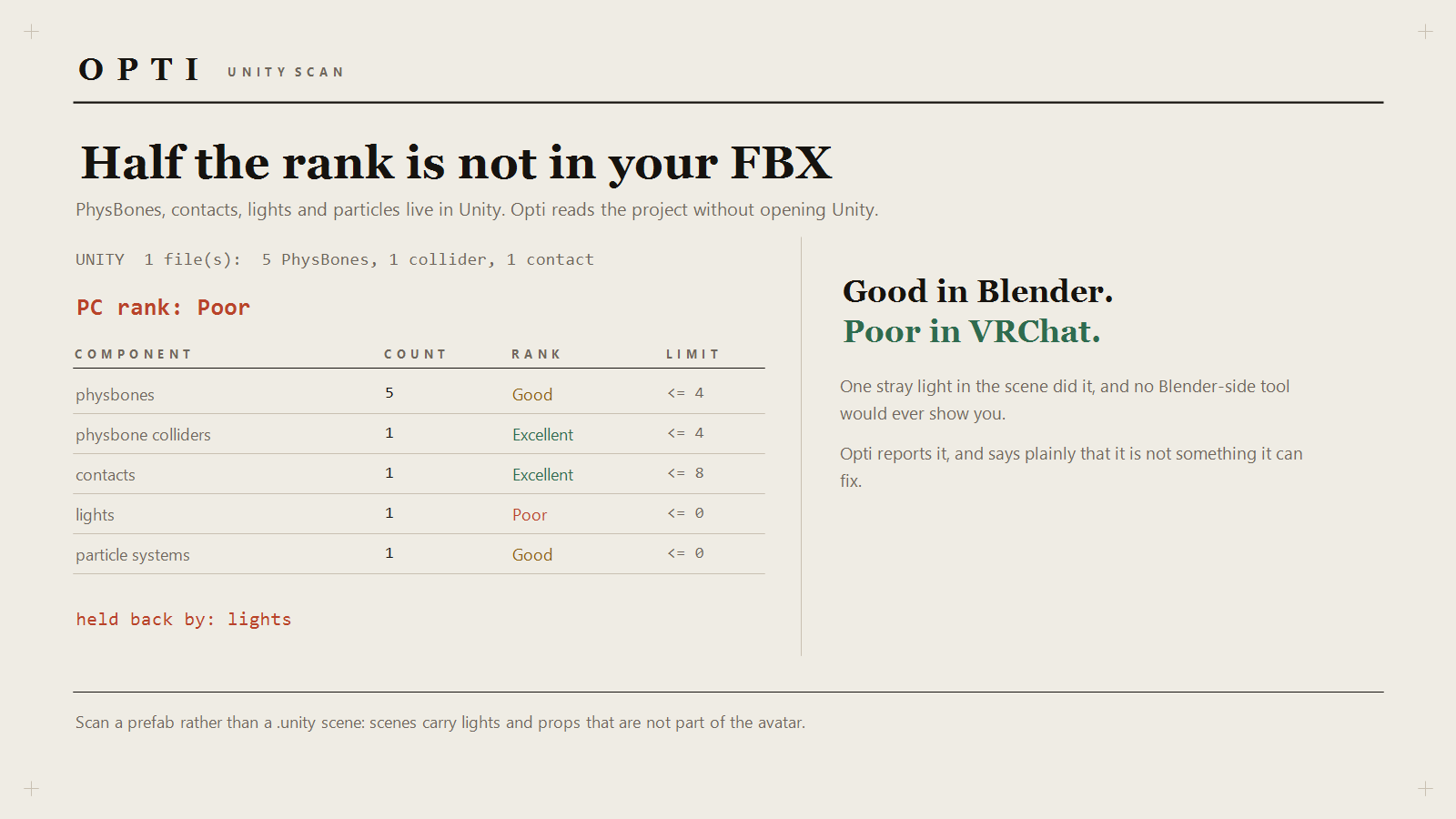
PhysBones, contacts, lights and particle systems live in Unity, so every
Blender-side report quietly ignores them. Point Opti at your Unity project and it
reads those components straight out of the YAML — no Unity open, no editor script,
no SDK:
UNITY 1 file(s): 5 PhysBones, 1 collider, 1 contact
PC rank: Poor
physbones 5 Good <= 4 components
lights 1 Poor <= 0 lights
held back by: lights
One stray light in the scene. Good in Blender, Poor in VRChat.
WHAT IT CHANGES
triangles decimated to a budget, before the Armature modifier, so the rig
and the skin weights survive
material slots duplicates merged; different materials baked into one atlas on
fresh UVs
skinned meshes joined into one, shape keys unioned so a face-tracked head
merges with a keyless body and still blinks
bones weightless leaf bones pruned; Humanoid bones never touched
textures oversized images halved until the memory estimate fits
order passes run in the order that survives, then the file is
re-measured and re-imported to check the numbers landed
IT DOESN'T TOUCH YOUR AVATAR
The add-on works on a copy by default: meshes, armatures, materials and images are
duplicated into a collection called Opti, and the optimisation runs there. Delete
the collection to walk away. Blender cannot fold a dozen nested operations into one
undo step, so a copy is the only honest safety story.
Dry Run executes every pass on a throwaway copy, prints the result, then restores
the scene. Nothing written.
MEASURED, NOT CLAIMED
avatar at 42,788 tris, 53 bones, one material
Good -> held back by triangles
DECIMATED 10,788 tris removed
Excellent, verified at 31,999 tris with 53 bones and 32 vertex groups intact
four different materials, Quest target
ATLAS 1 mesh baked into one material
Poor -> Excellent, verified
WHAT IT DOES NOT DO
- No Unity editing. It reads PhysBones and lights; you still delete them.
- Joining is blind to FX-layer toggles. Meshes animated separately will merge,
and the toggle then affects both.
- A keyed mesh is merged but never decimated: Blender will not apply a modifier
to a mesh with shape keys, so its triangles are a floor.
- No retopology, no UV unwrapping, no rigging. It cleans what you have.
REQUIREMENTS
Blender 4.x or 5.x. Unity only for the scan, and only the project folder.
LICENCE
Commercial use permitted. Please don't redistribute or resell the tools.