
Three Forms Axe — VRChat Axes: Hand Axe, Labrys & Halberd in One, Honed by Your Fingertip
Produktbeschreibung
Dieses Produkt enthält KI-generierte Inhalte.
▶ VRChat avatar prop · PC only · needs Modular Avatar (free, from VCC) · drag-and-drop prefab
Not made for one avatar: Modular Avatar hooks the axe to your avatar's own right hand bone at upload, and its two touch points to your left index finger and right shoulder (humanoid avatars). It comes placed for the VRChat SDK sample avatar; on your avatar you may need to move the grip point once so the shaft sits in your right fist (README, step 3). Checked in Unity on the VRChat SDK sample avatar.
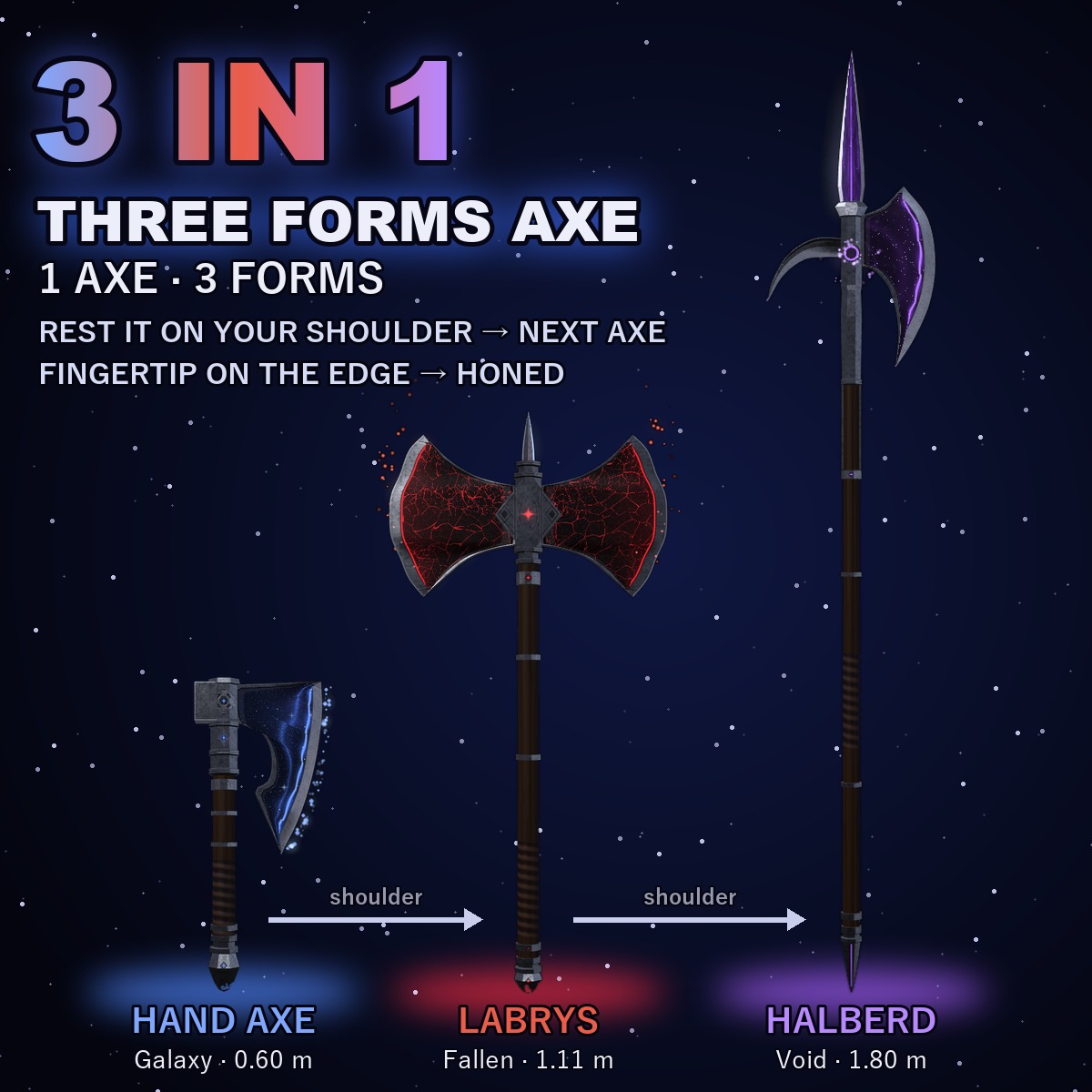
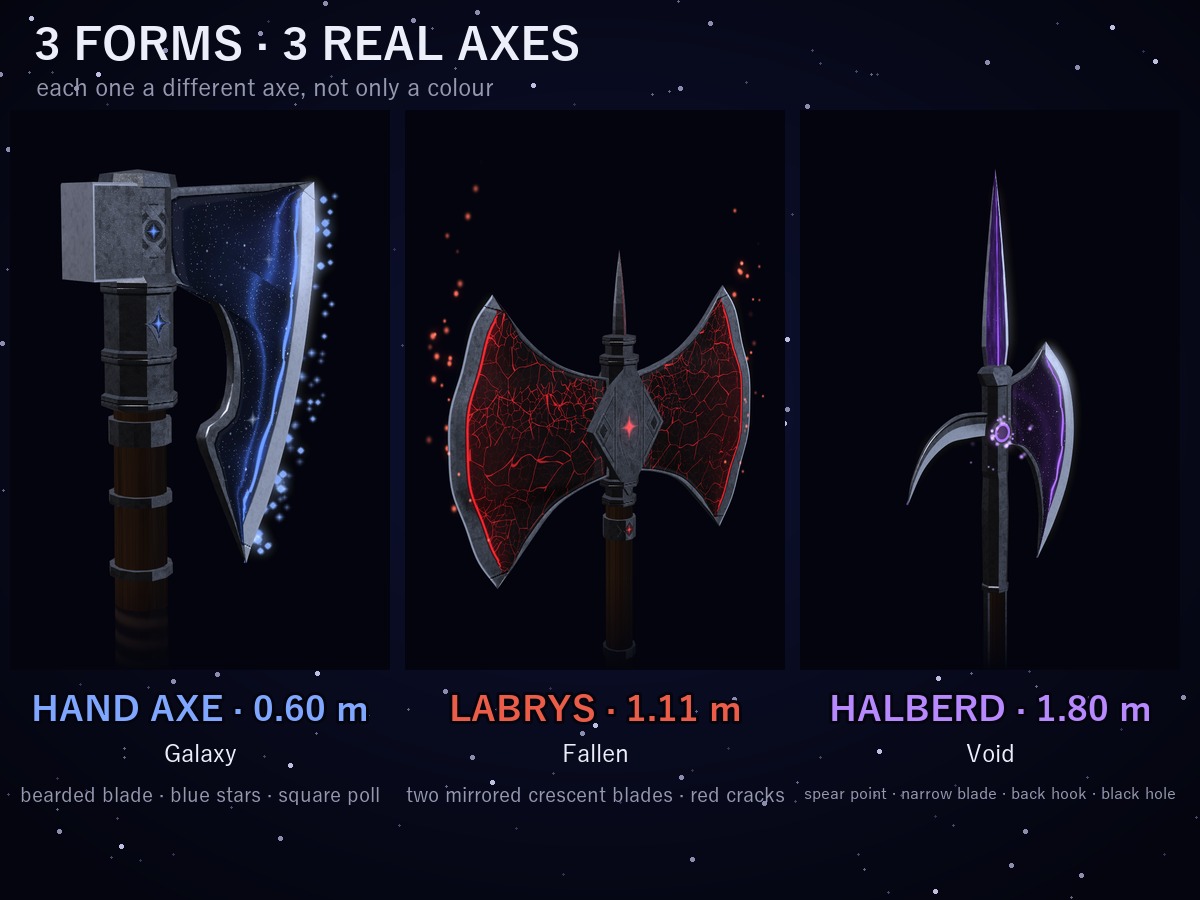
One axe, three real kinds of axe.
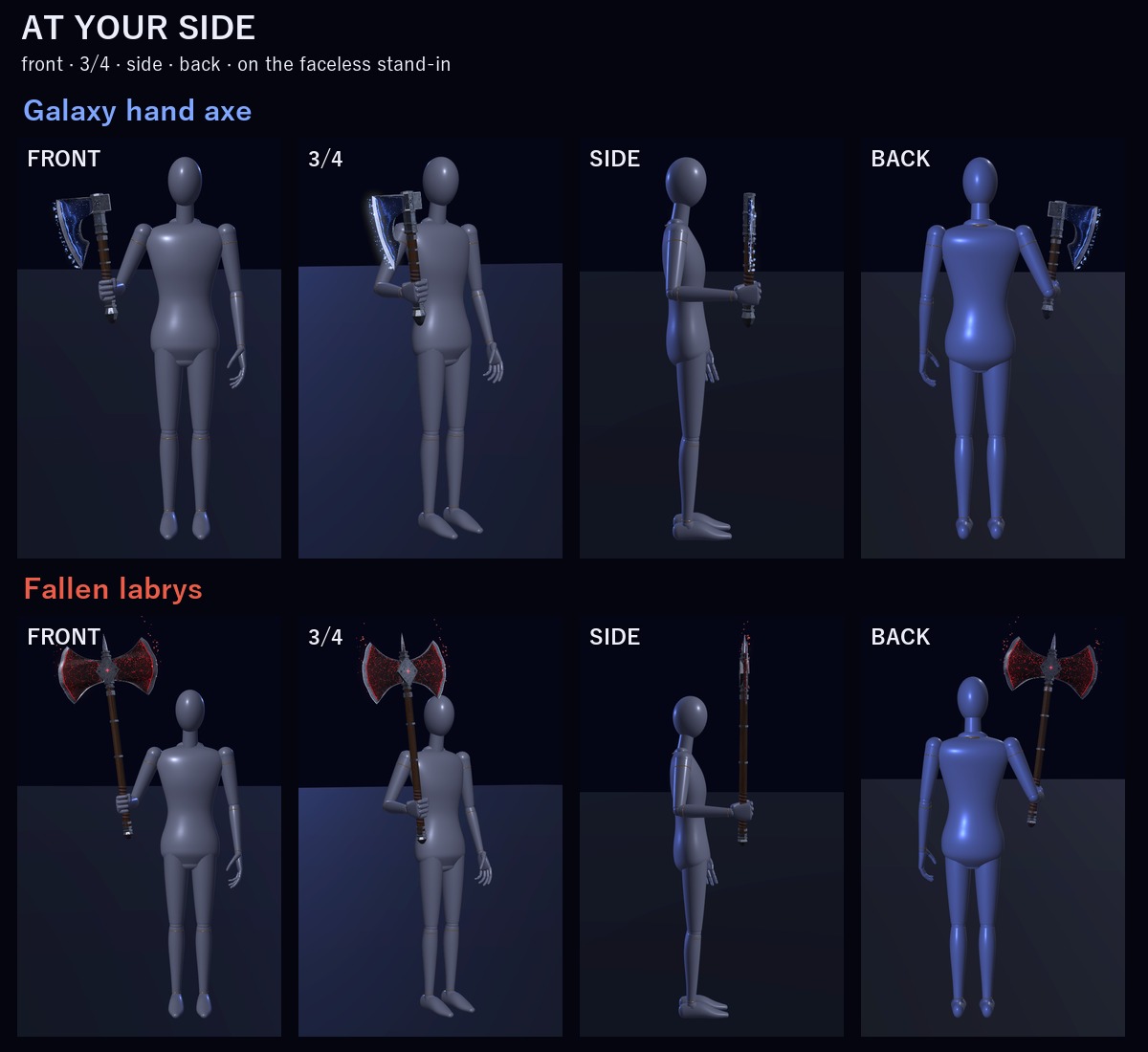
Galaxy: a bearded hand axe (0.60 m), its blade full of blue stars, with a square poll.
Fallen: a labrys (1.11 m), two mirrored crescent blades of black stone-steel with thin red cracks and a red star set in the steel boss.
Void: a halberd (1.80 m), a flat spear point, a narrow blade and a back hook in violet light around a black hole.
(Lengths at Size 1x, the menu's default, next to the VRChat SDK sample avatar, about 1.62 m tall.)
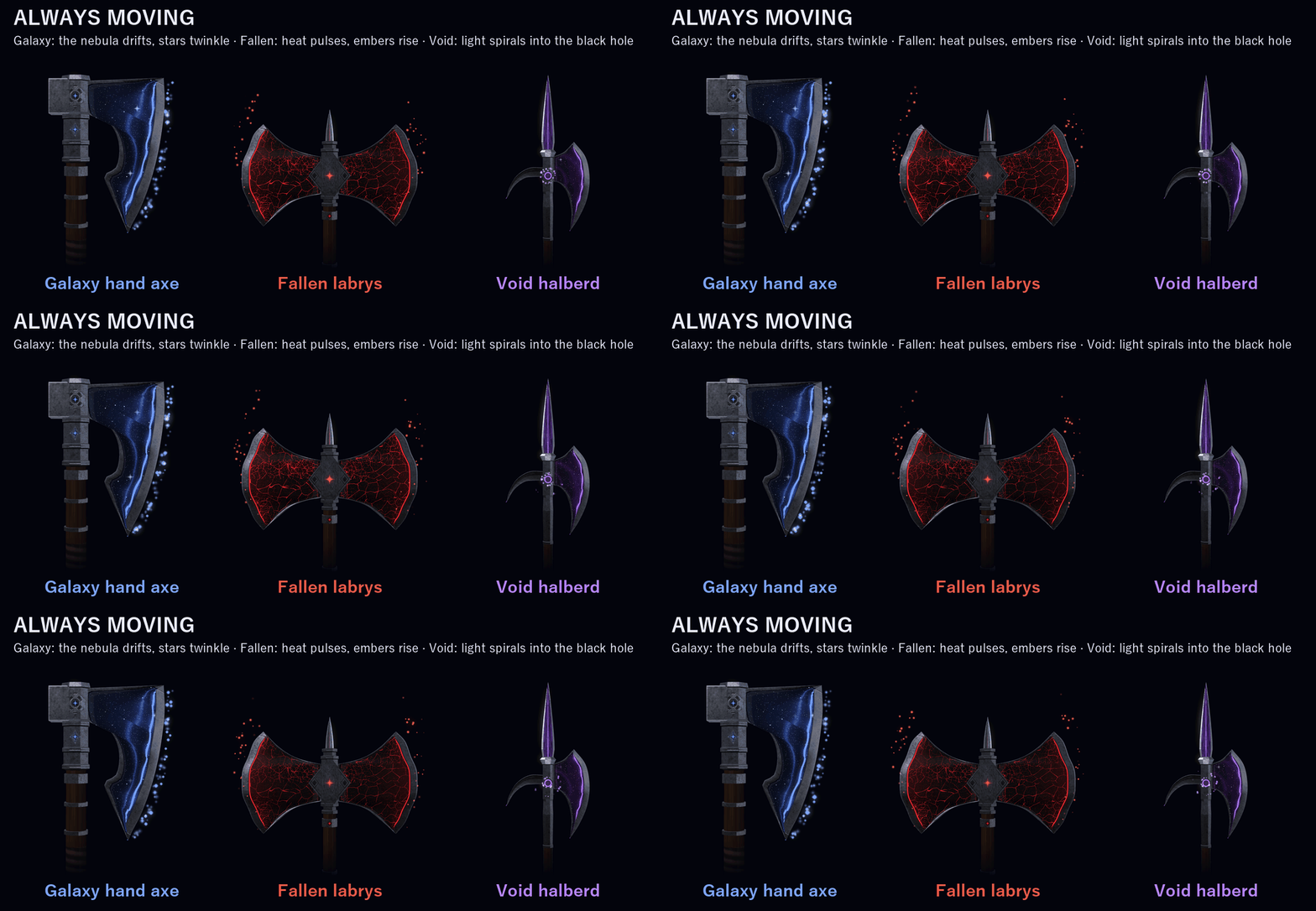
IT MOVES EVEN WHILE YOU STAND STILL
• Galaxy: the nebula on the blade drifts, a star river flows along the light band and stars twinkle around the edge
• Fallen: heat pulses through the red cracks and embers rise off the blades
• Void: violet threads and specks of light spiral into the black hole on the head
ONE THING YOU DO WITH YOUR HANDS: HONE THE EDGE
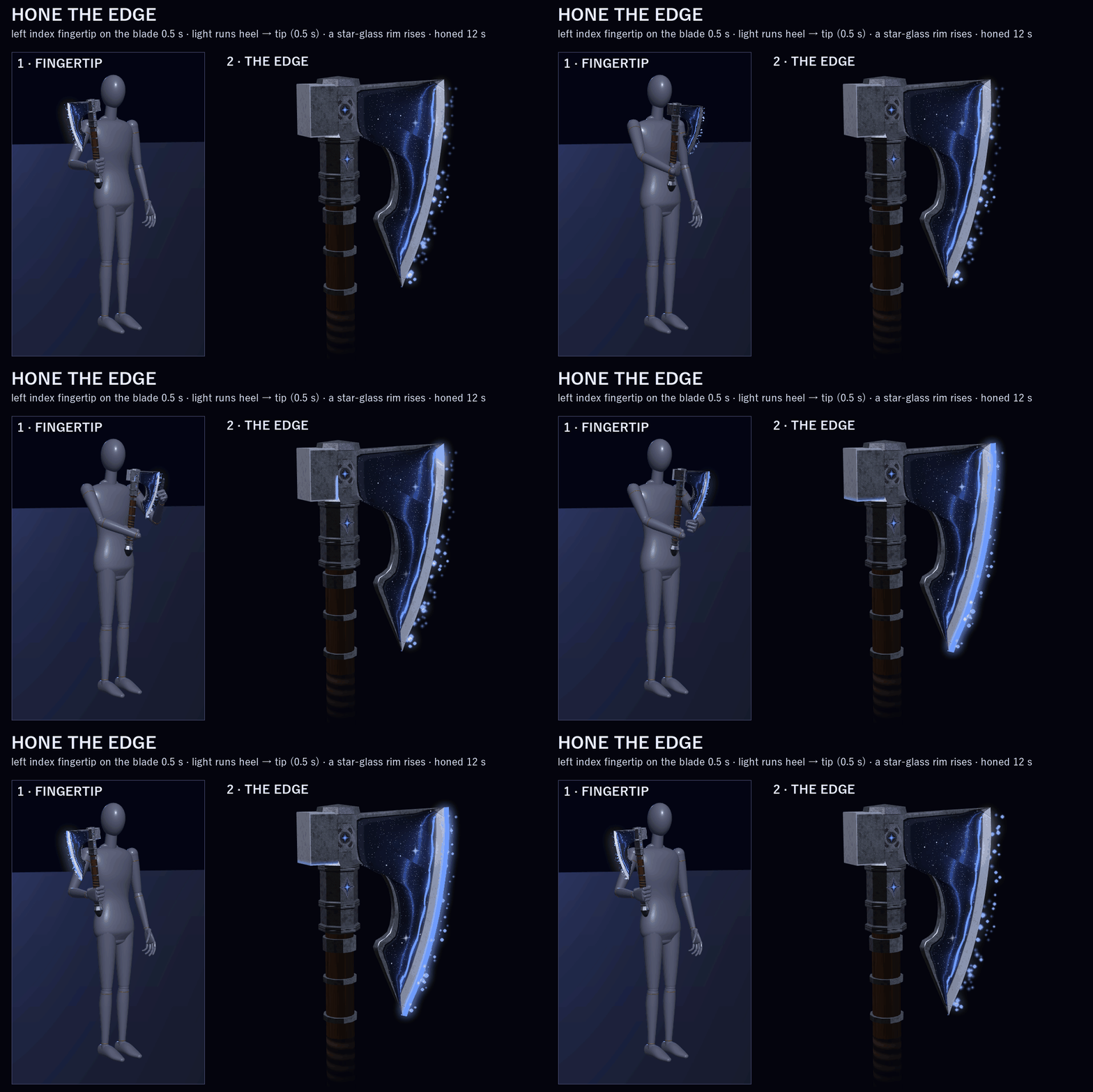
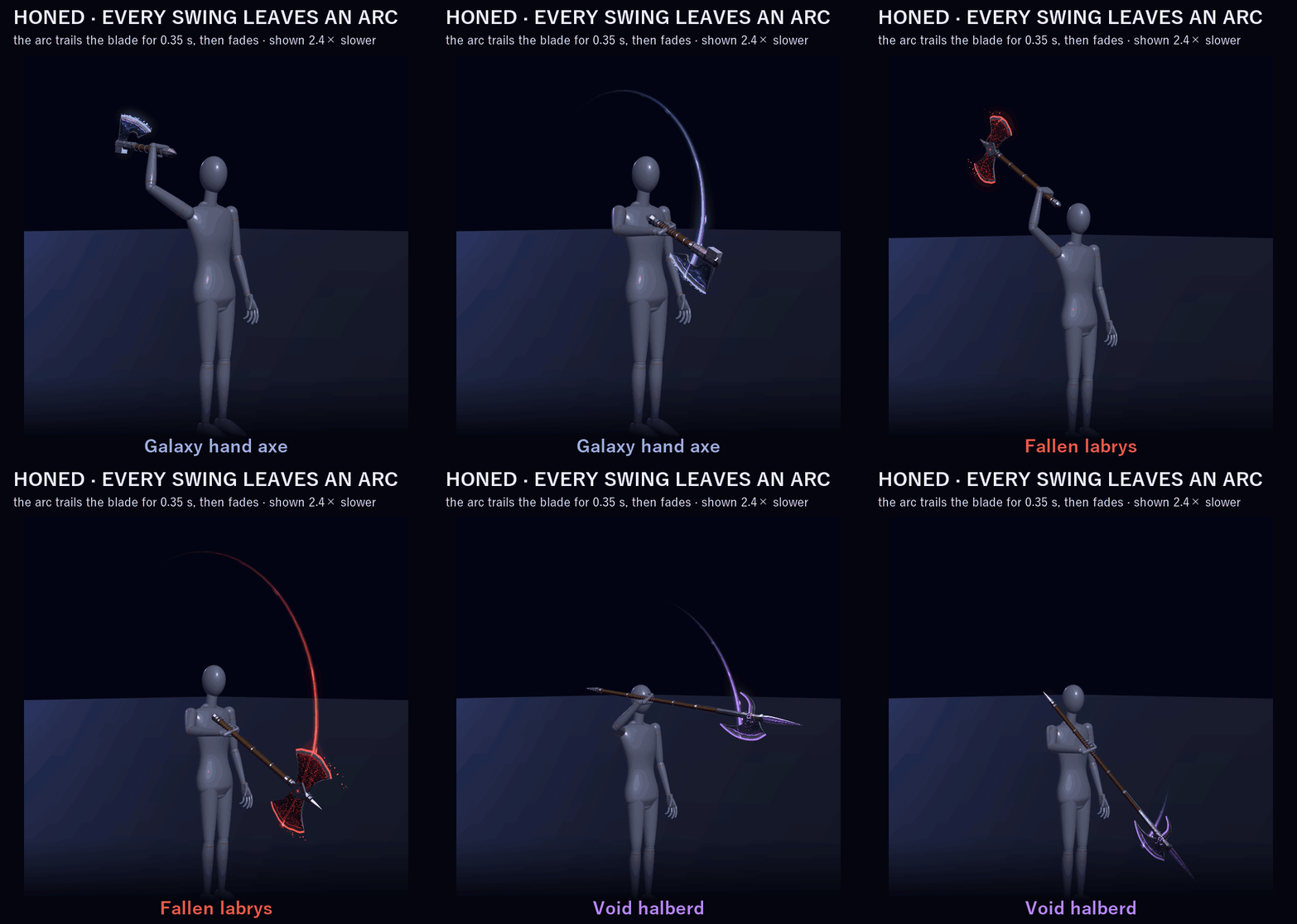
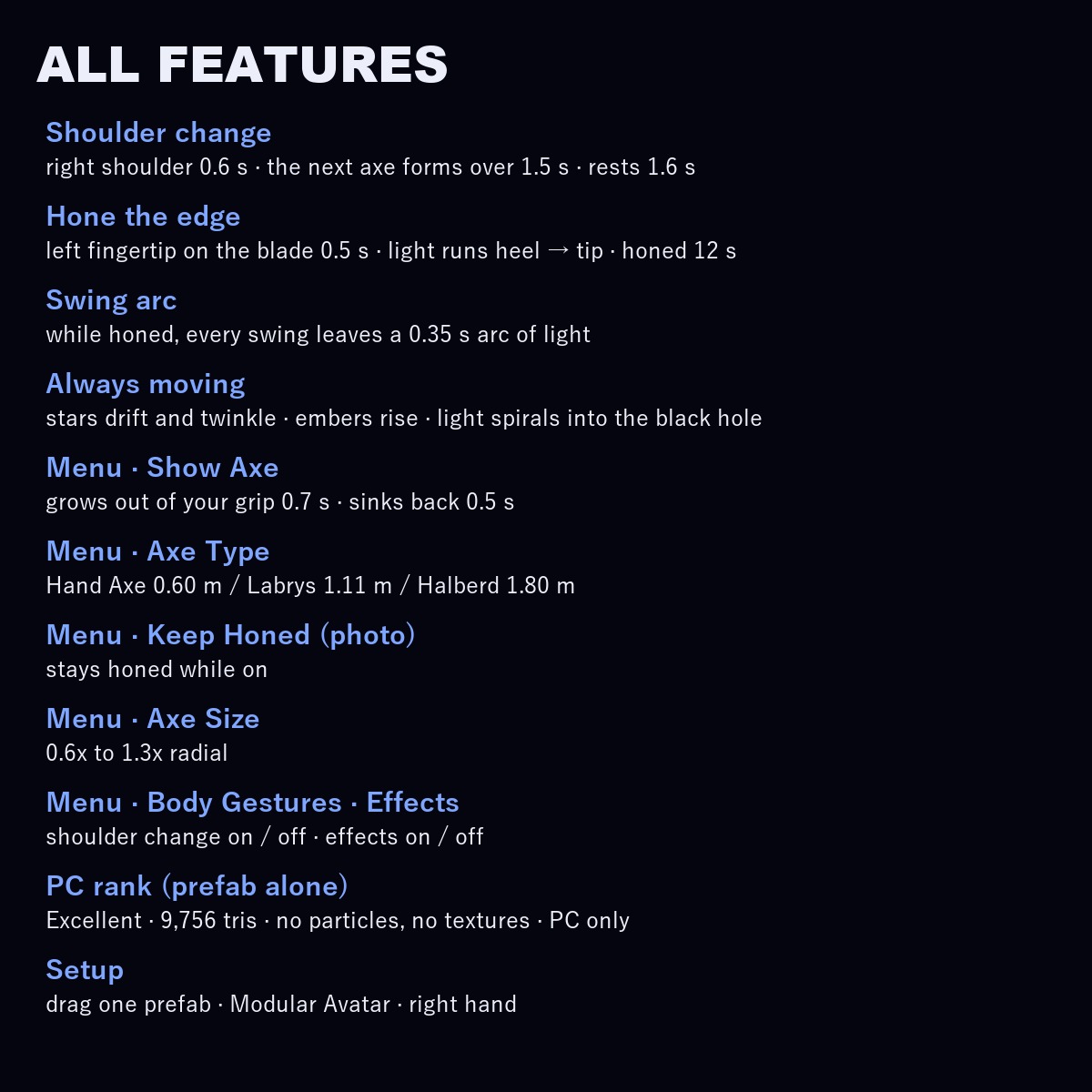
Touch the front of the blade with your left index fingertip and hold for 0.5 s. Light runs along the edge from the heel to the tip (0.5 s) and a star-glass rim rises out of the edge. The axe stays honed for 12 s, then the rim sinks back (1.2 s).
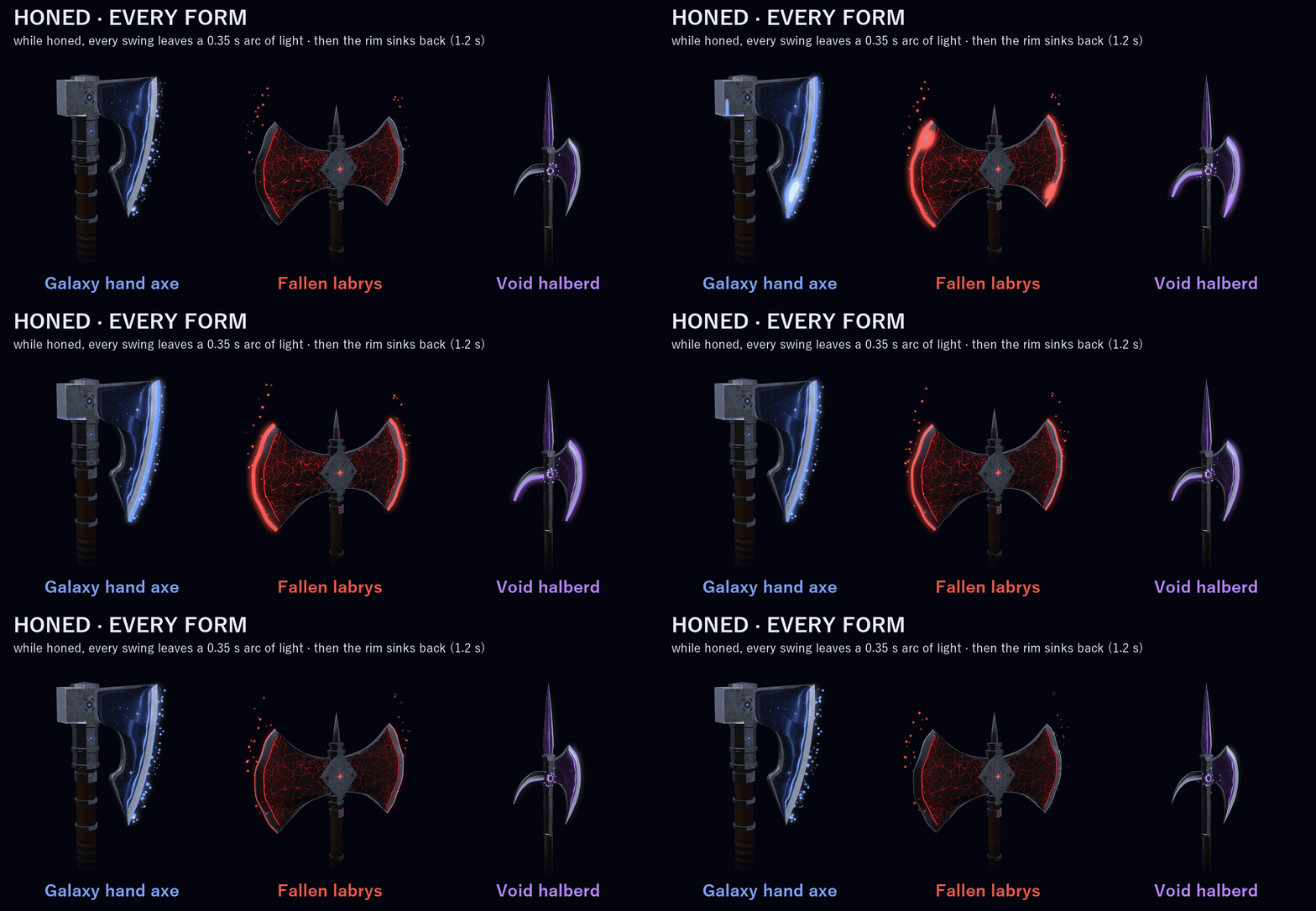
While it's honed, every swing leaves an arc of light behind the blade (0.35 s) in the form's colour, dotted with points of light. Everyone around you sees the honed edge.
ONE THING YOU DO WITH YOUR BODY: THE SHOULDER CHANGE
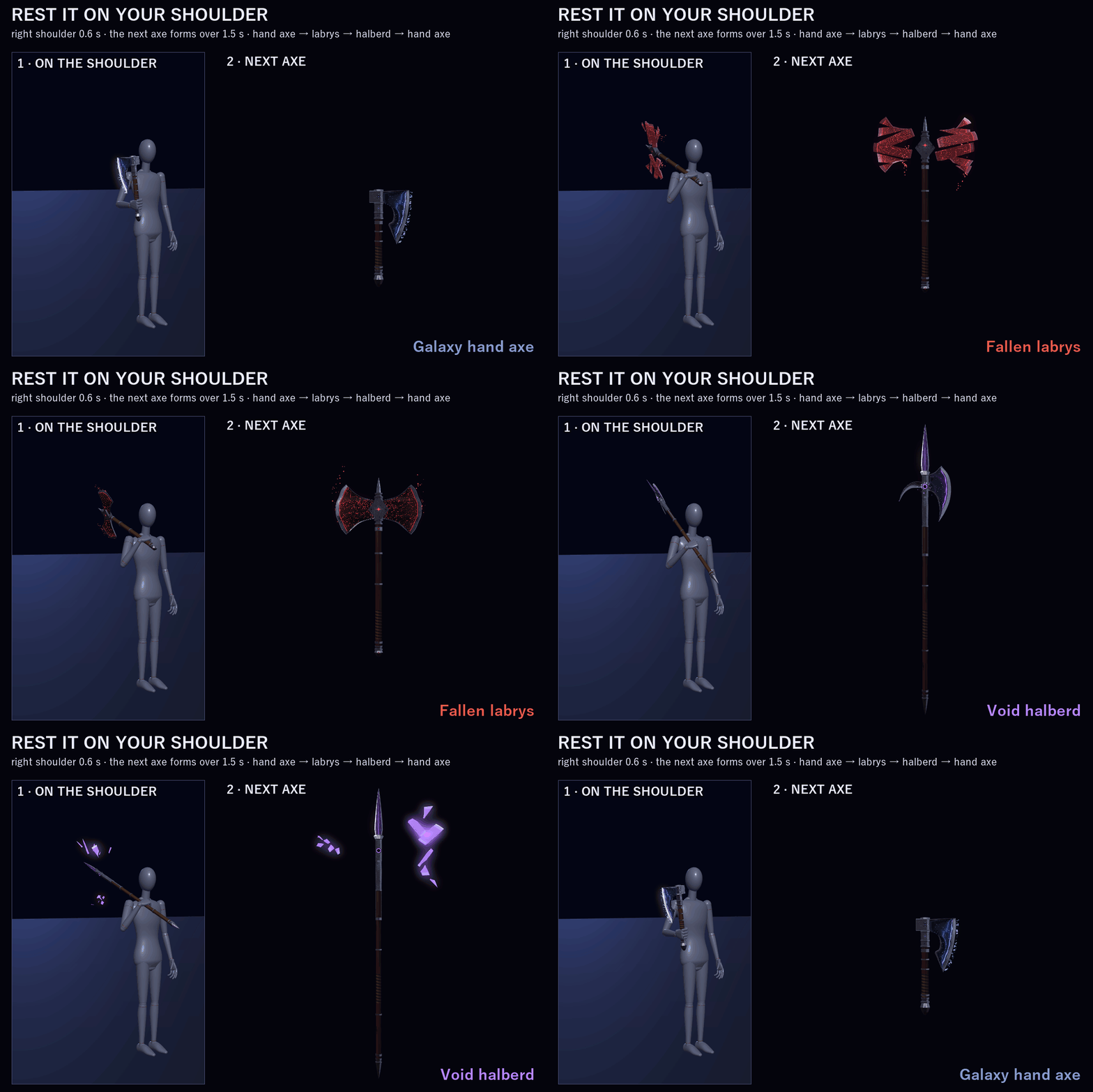
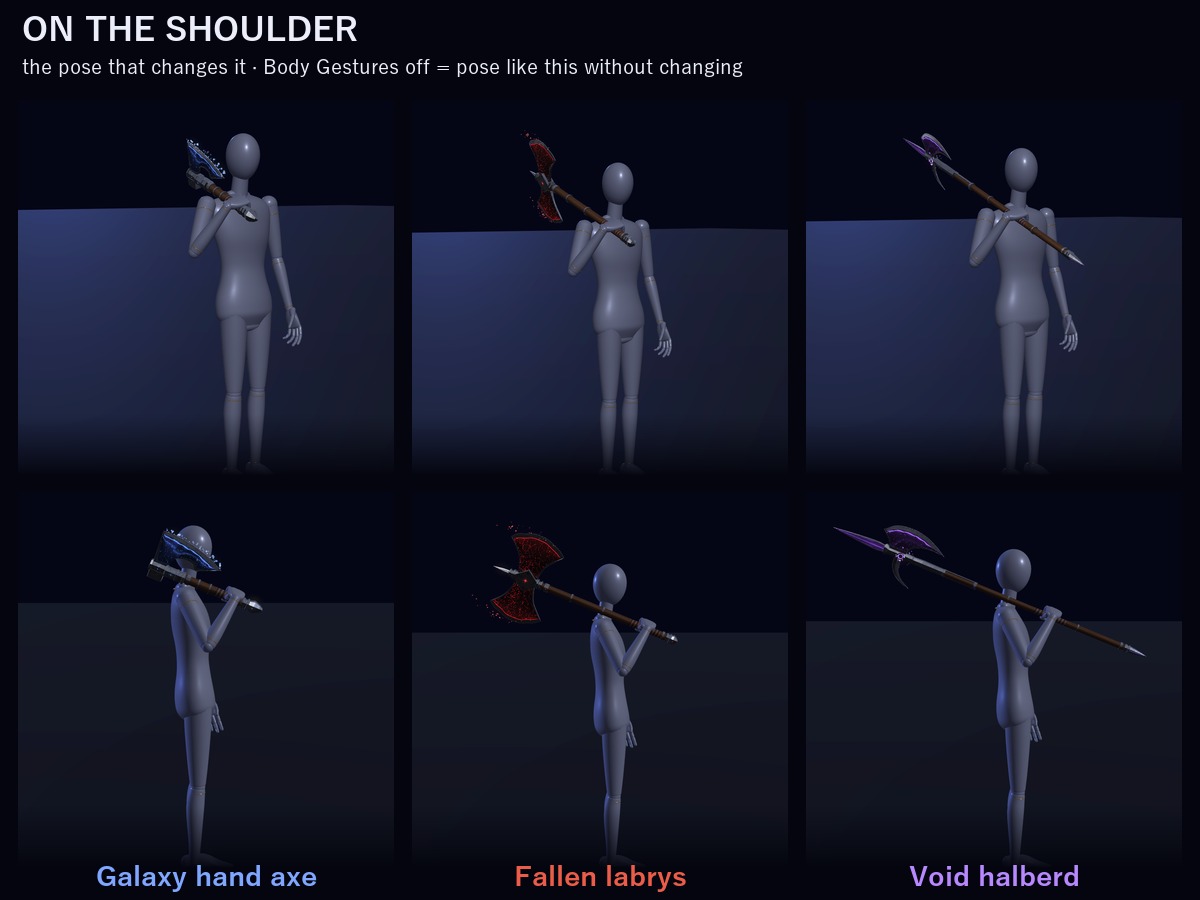
Rest the axe on your right shoulder for 0.6 s: it becomes the next axe over 1.5 s. The blade plates break apart into pieces that turn as they fly out (the void's light is pulled into its black hole instead), then the new axe forms and locks with a flash in its colour, while the shaft grows or shrinks in your hand.
Hand axe → Labrys → Halberd → Hand axe. After a change there's a 1.6 s rest, and the axe has to leave your shoulder before it can change again, so holding the pose changes it only once.
3 FORMS (each one a different axe, not only a colour)
• Galaxy hand axe: short and light, a bearded blade with a hooked lower edge, a four-pointed star on the socket
• Fallen labrys: almost twice as long, two crescent blades mirrored on both sides, cracked like cooling stone
• Void halberd: the longest, a polearm with a spear point, a narrow blade and a back hook
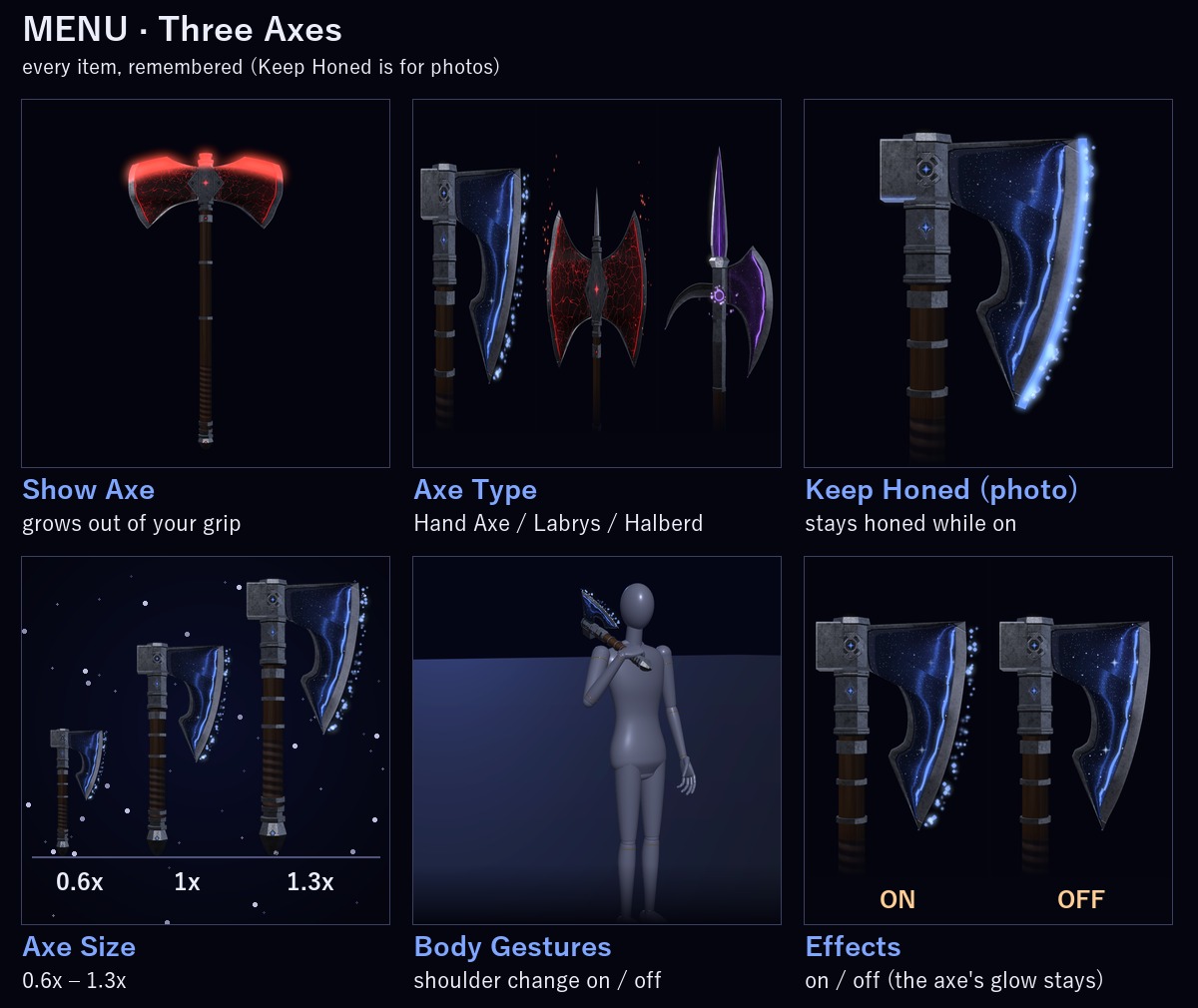
MENU ("Three Axes")
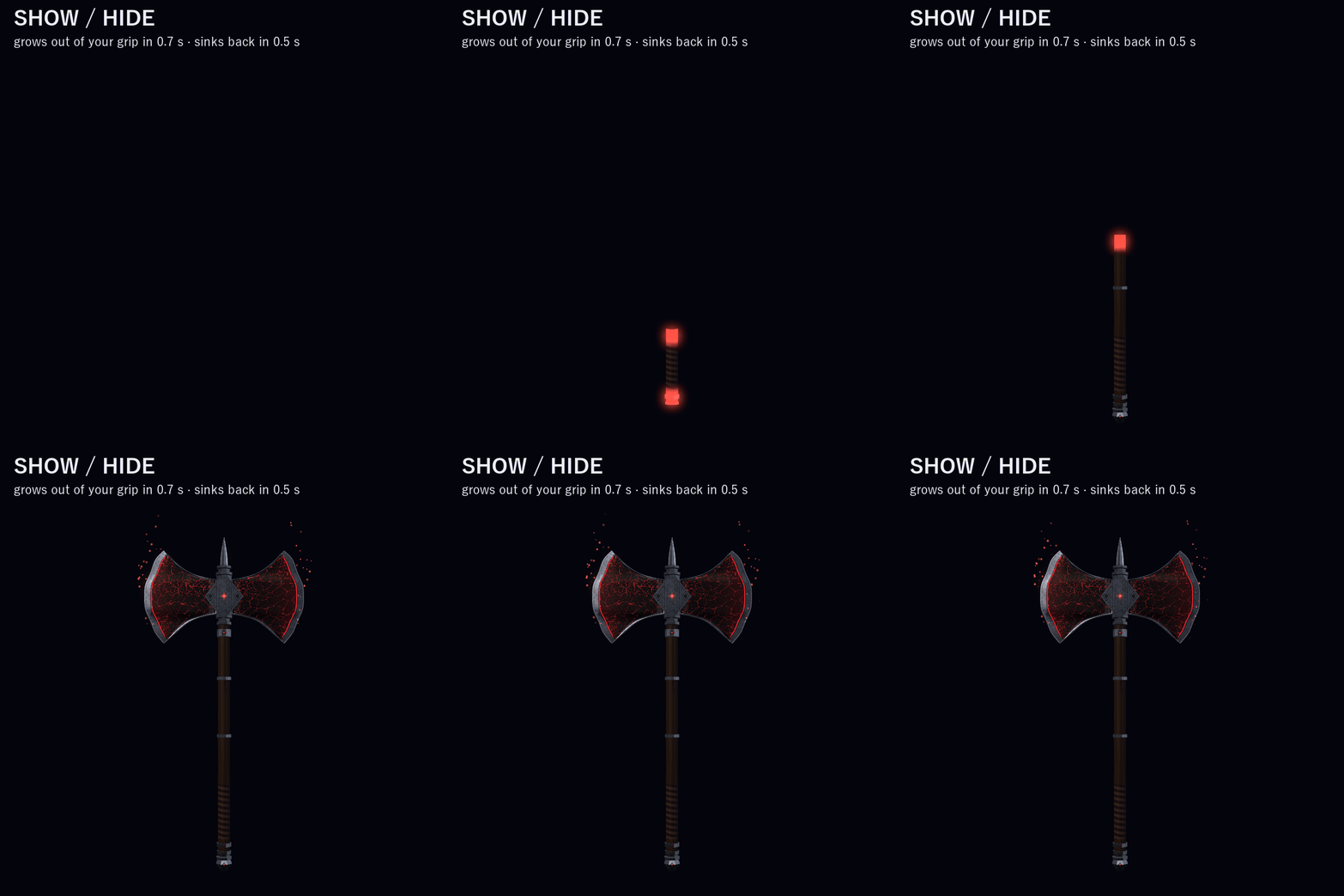
• Show Axe: the axe grows out of your grip (0.7 s) or sinks back into it (0.5 s) (remembered)
• Axe Type: Hand Axe / Labrys / Halberd (remembered)
• Keep Honed (photo): keeps the edge honed for as long as it's on
• Axe Size: 0.6x–1.3x (radial, remembered)
• Body Gestures: the shoulder change on / off (turn it off if you pose with the axe on your shoulder; honing still works) (remembered)
• Effects: the star dust, embers and specks of light, the twinkling stars, the change flash and the swing arc on / off (the axe's own glow stays) (remembered)
PERFORMANCE RANK
VRChat PC performance rank of the prefab by itself (VRChat SDK check): Excellent, in every category. All three axes are one mesh: 9,756 tris. No particle systems, no textures: the stars, cracks, embers and the black hole are drawn by the axe's own shaders, and so are the worn, scratched iron, the carved grooves and the wood grain.
In VRChat you see the rank of your avatar and the axe together (on the SDK sample avatar, which is Medium by itself, it stays Medium).
EASY TO PUT ON
Drag one prefab onto your avatar and upload. Modular Avatar adds the menu, the parameters and the animator layers for you, and keeps the axe on your right hand bone.
WHAT'S INCLUDED
• AX_1.0.0.unitypackage: 1 prefab, 3 shaders, 3 materials, 2 meshes, menu and animator
Folder: Assets/Caligo/ThreeAxes/
• README (English and Japanese)
SPECS
• Tris: 9,756 (the axe 9,628 + 128 for its star dust)
• Mesh renderers: 2 / Materials: 3 / Textures: none / Lights: none / Particle systems: none / Trail renderers: 1 (the swing arc)
• PhysBones: none / Contacts: 4 (only your own hand, finger and shoulder) / Constraints: none
• Synced parameters: 21 bits
REQUIREMENTS
• Modular Avatar (available through VCC)
TESTED WITH
Unity 2022.3.22f1 / VRChat SDK 3.10.5 / Modular Avatar 1.18.7 / NDMF 1.14.8. The parts, the parameters, the menu and the animator steps are checked in Unity. The package imports into a clean project with no problems.
PC only (custom shaders, no Quest version).
GOOD TO KNOW
• Hold it with your right hand; your left fingertip hones it and your right shoulder changes it.
• It never touches other players: the swing arc is light only, and the touch points react to your own hand and shoulder only, so nobody else can hone or change your axe.
• People who block custom shaders in their Safety settings won't see it.
SUPPORT
If honing, the shoulder change or anything else doesn't work as described in VRChat, message me on Jinxxy. I'll fix it and send you the update for free.
AI DISCLOSURE (AI-Assisted)
The shaders, the Unity build code and the text on this page were written with help from an AI assistant. An AI image generator made rough concept sketches I looked at while designing (the look follows them); nothing it made is in the files or in the preview images, which are rendered in Unity from the actual axe.
TERMS
• OK to use on your avatar in VRChat and other platforms
• OK to stream, record, and post on social media
• Editing is fine
• Please don't redistribute or resell the files, edited or not
UPDATES
• v1.0.0 (2026-11-24): first release