
Starlit Steps — Star Footprints for VRChat
Produktbeschreibung
Dieses Produkt enthält KI-generierte Inhalte.
▶ VRChat avatar effect · PC + a light Quest version · needs Modular Avatar (free, from VCC) · drag-and-drop prefab
It isn't tied to one avatar model: Modular Avatar hooks it to your avatar's own foot bones at upload. Placed and checked in Unity on the VRChat SDK sample avatar.
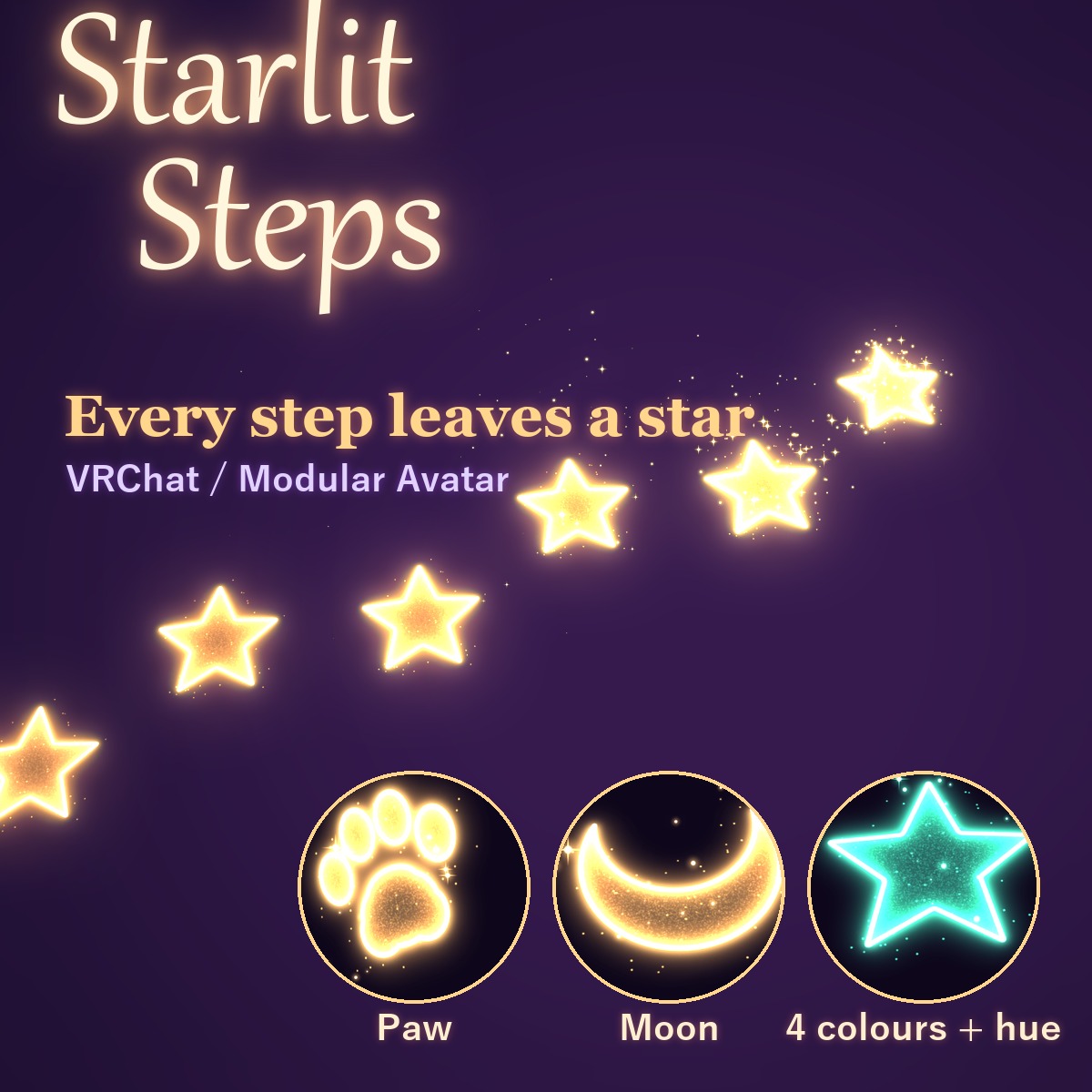
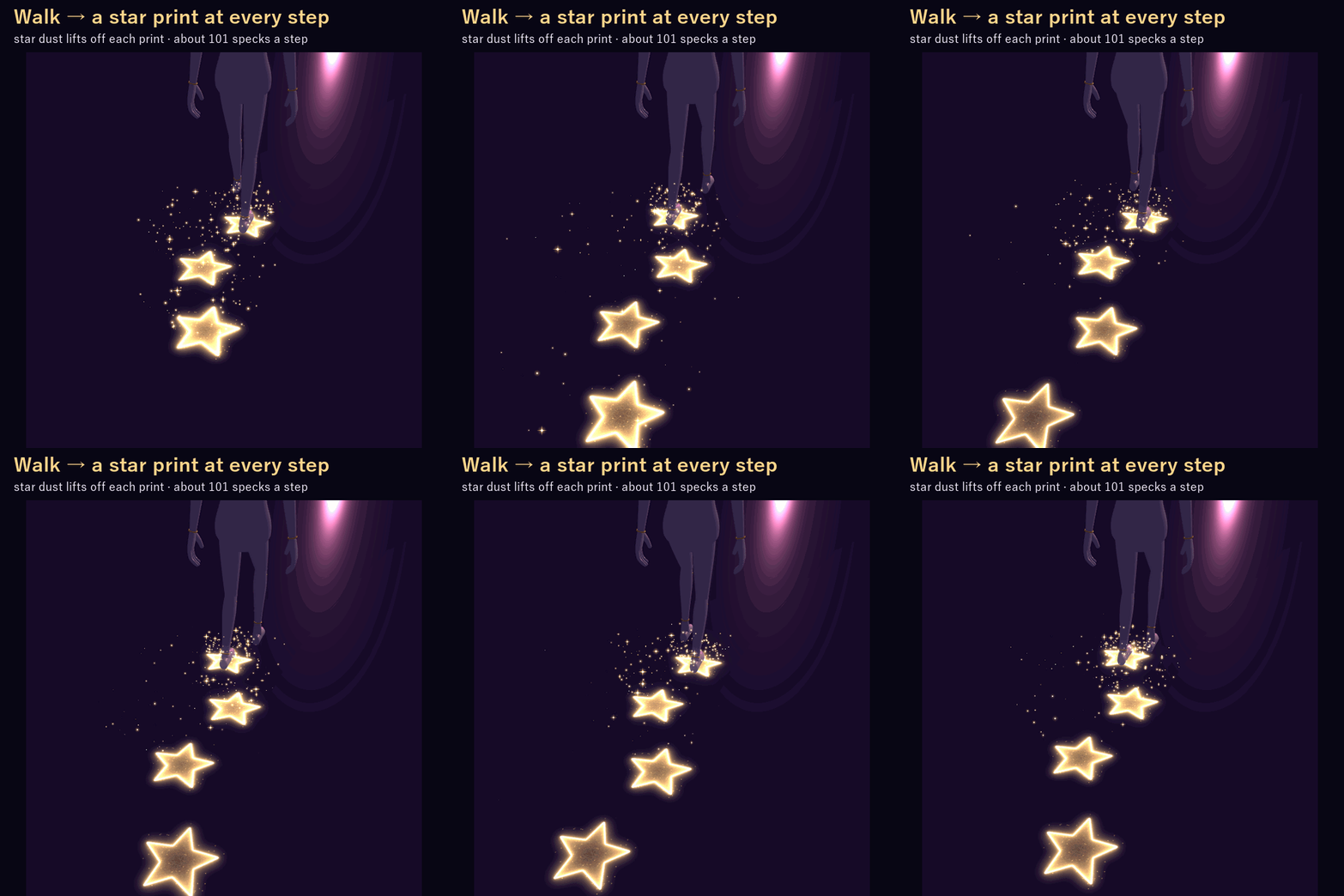
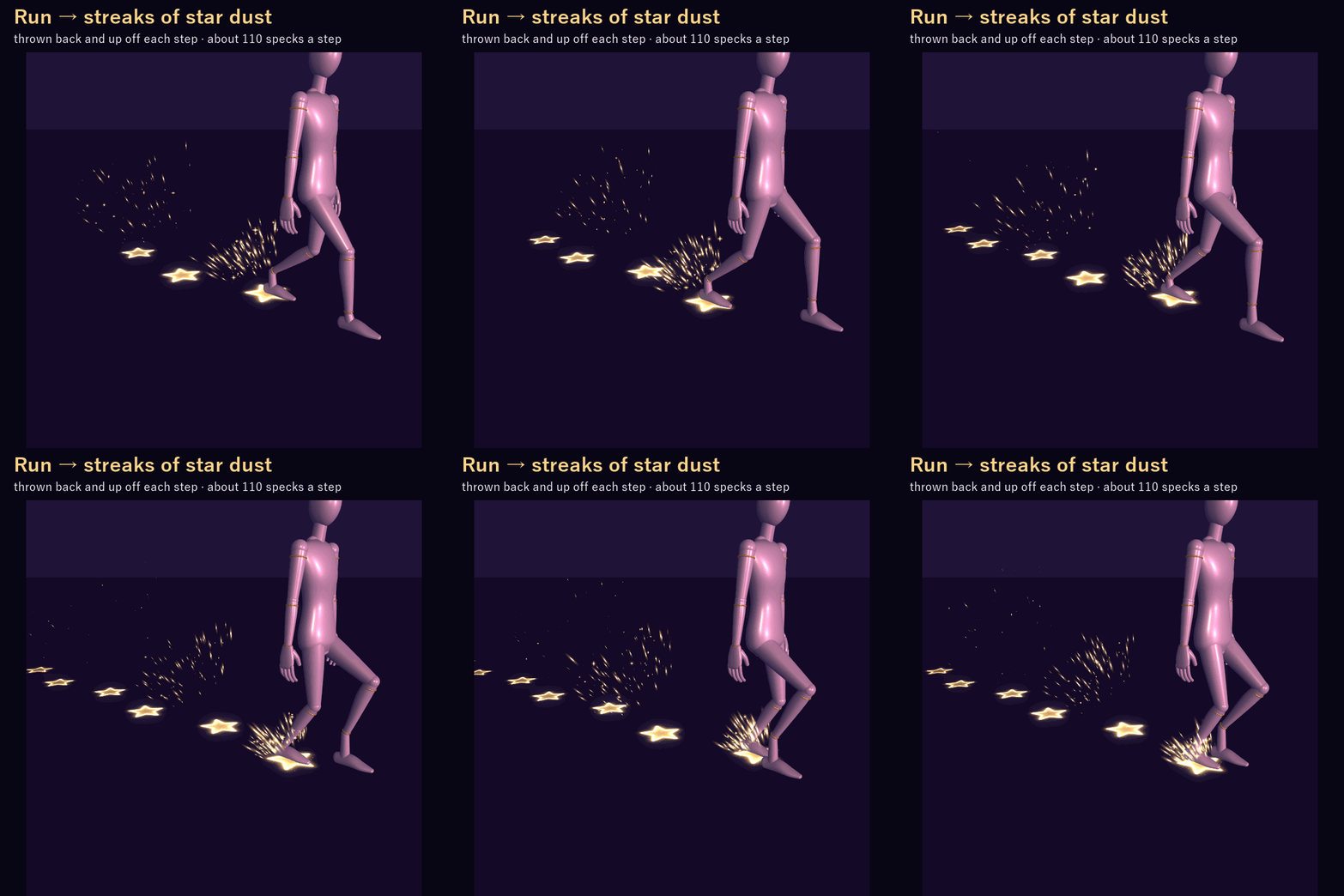
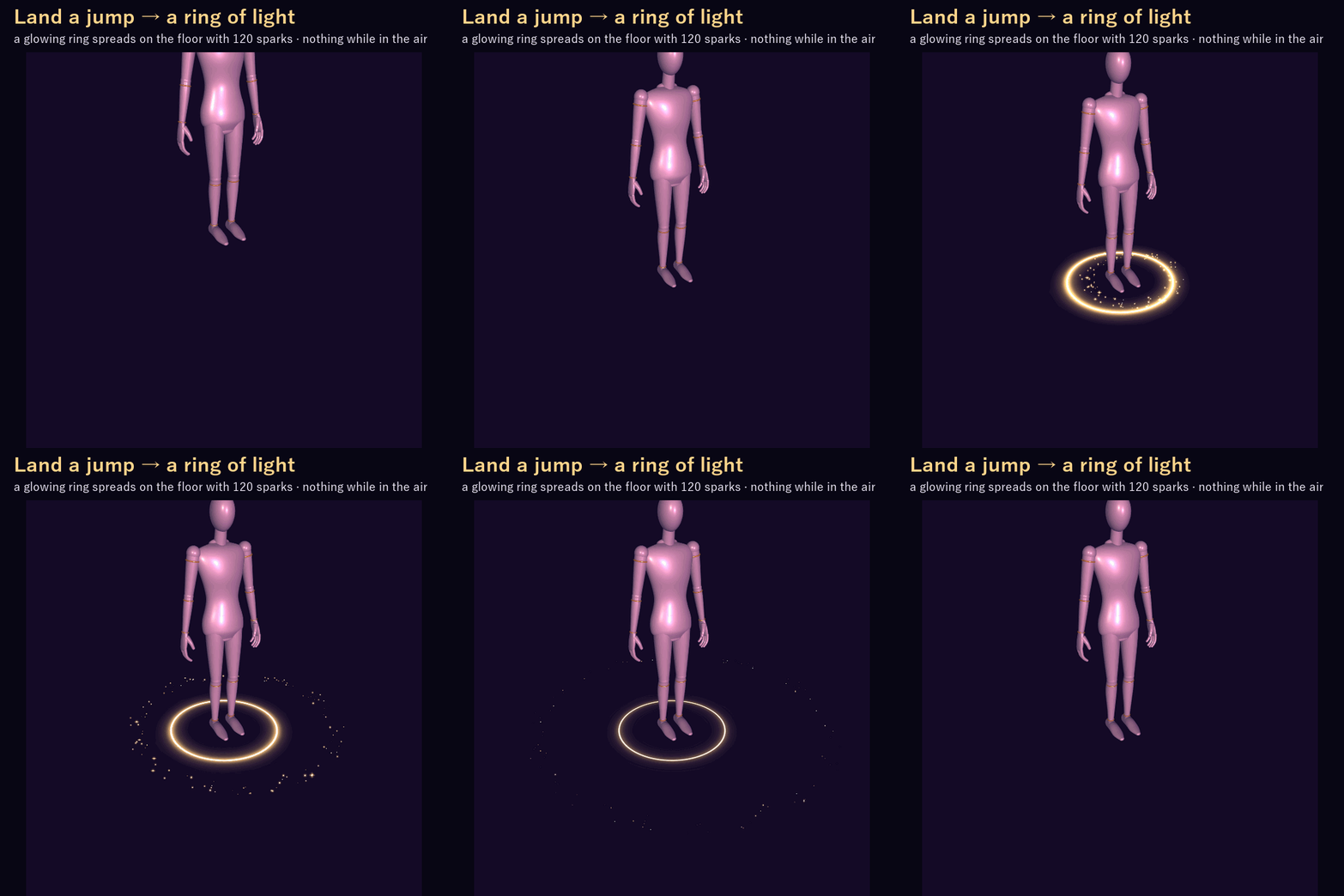
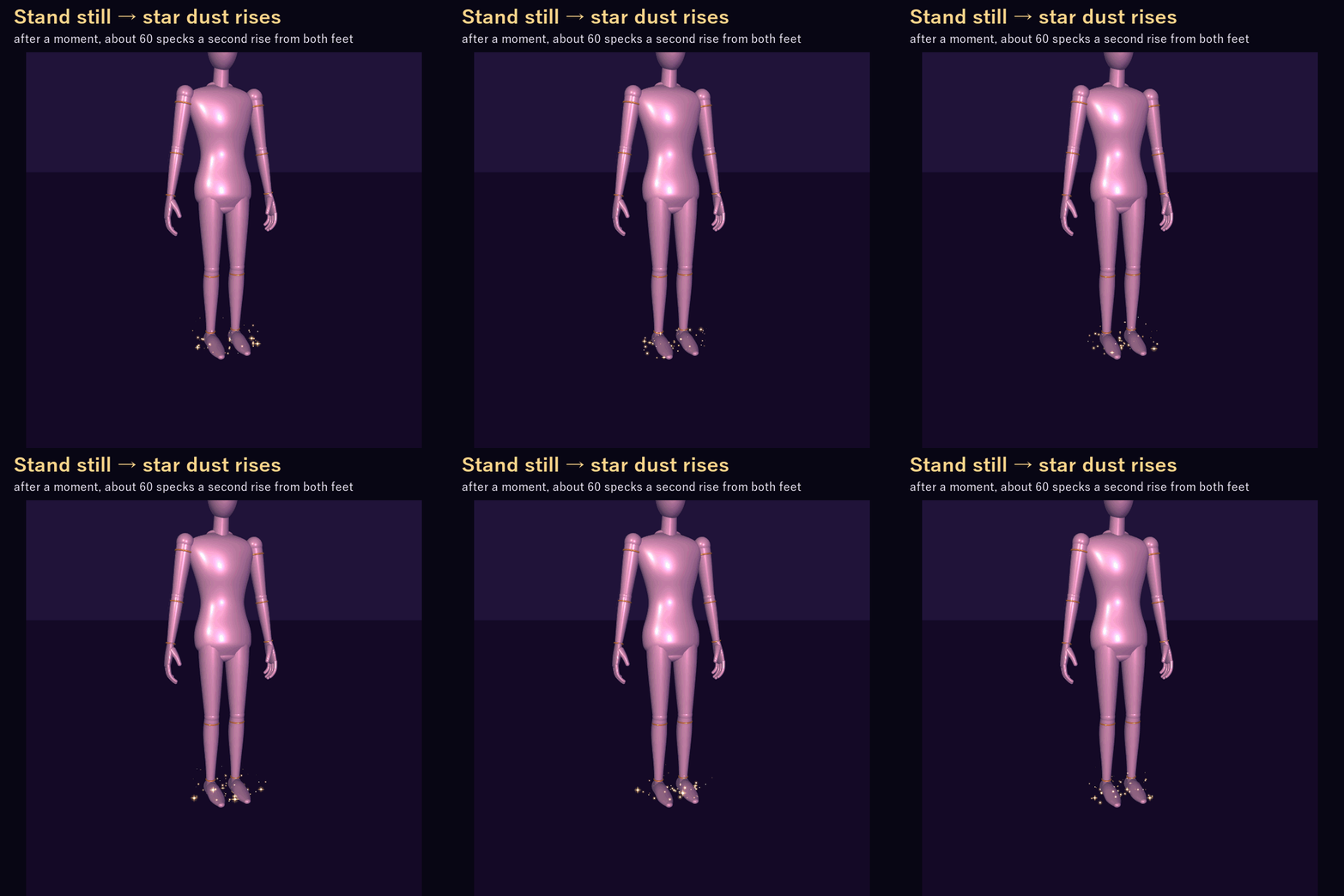
Every time a foot touches the floor, a glowing star print stays behind, pointing the way you walk, and star dust lifts off it. Run and the dust shoots back off your feet in streaks of light. Land a jump and a ring of light spreads on the floor. Stand still for a moment and star dust slowly rises around your feet.
ON ITS OWN
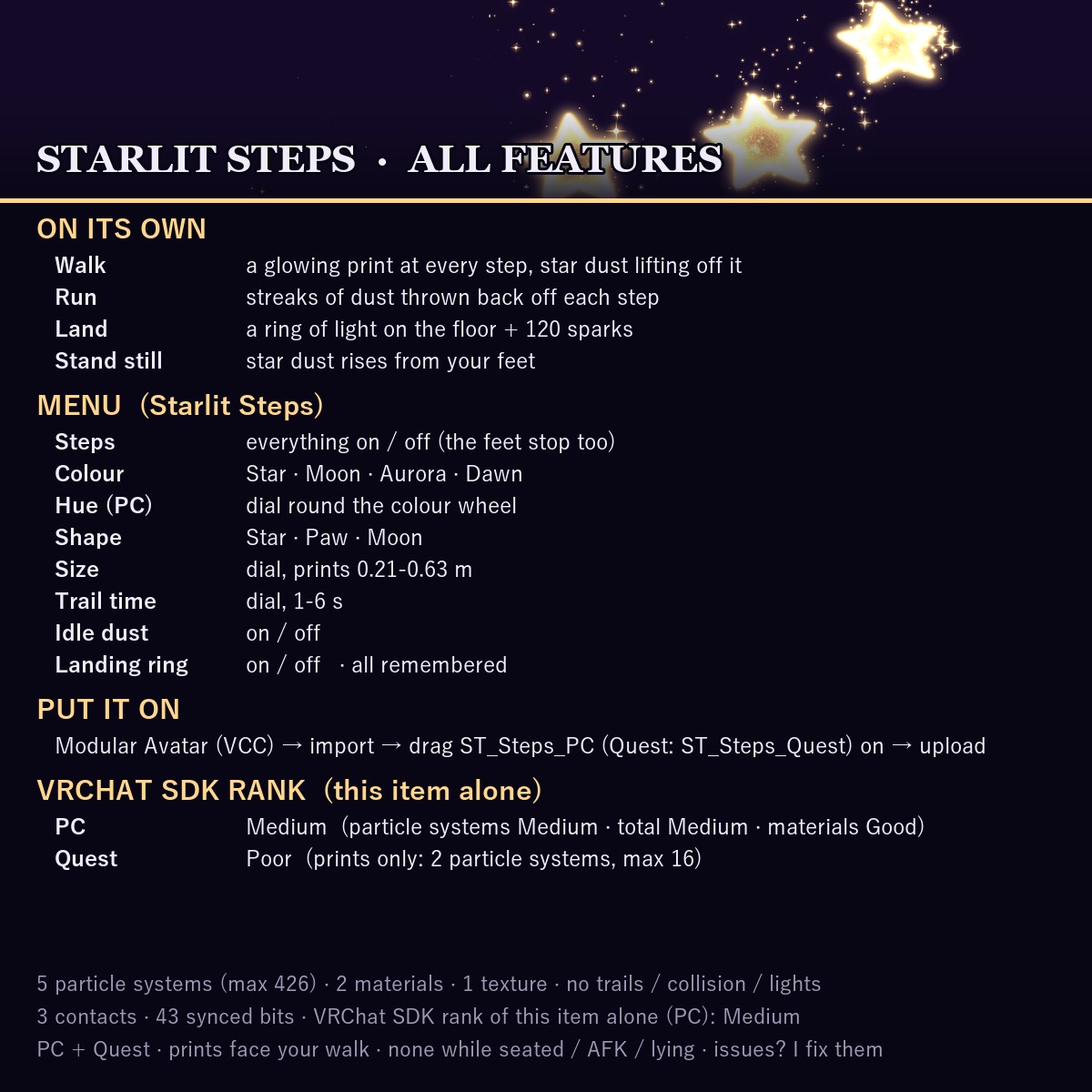
• Walk: a star print at every step, star dust lifting off it
• Run: the dust shoots back and up off each step in streaks of light (only while running)
• Land: a ring of light on the floor with 120 sparks; nothing while you're in the air
• Stand still: after a moment, star dust rises from both feet
• Rest: nothing comes out while you sit in a chair, go AFK, or sit or lie on the floor (VRChat's Seated, AFK, InStation and Upright parameters; Upright under 0.6 counts as resting). In the Unity test the feet kept moving on the floor in each pose: 0 prints
It runs on VRChat Contacts and VRChat's own grounded / speed parameters, so everyone around you sees it.
MENU (Starlit Steps)
• Steps: everything on / off
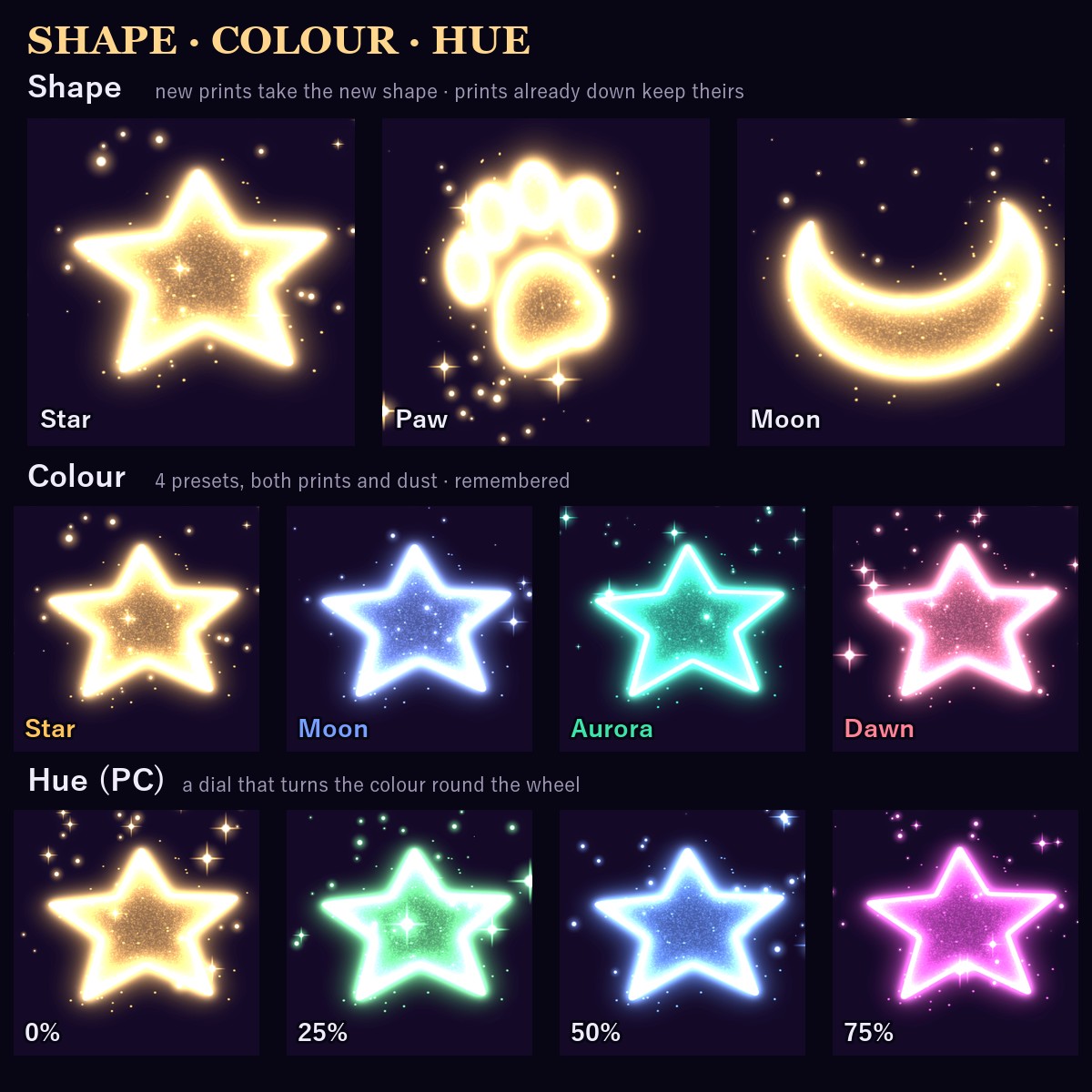
• Colour: Star (white gold), Moon (moon blue), Aurora (teal) or Dawn (pink)
• Hue (PC): a dial that turns the colour round the colour wheel
• Shape: star, paw or crescent moon (new prints take the new shape)
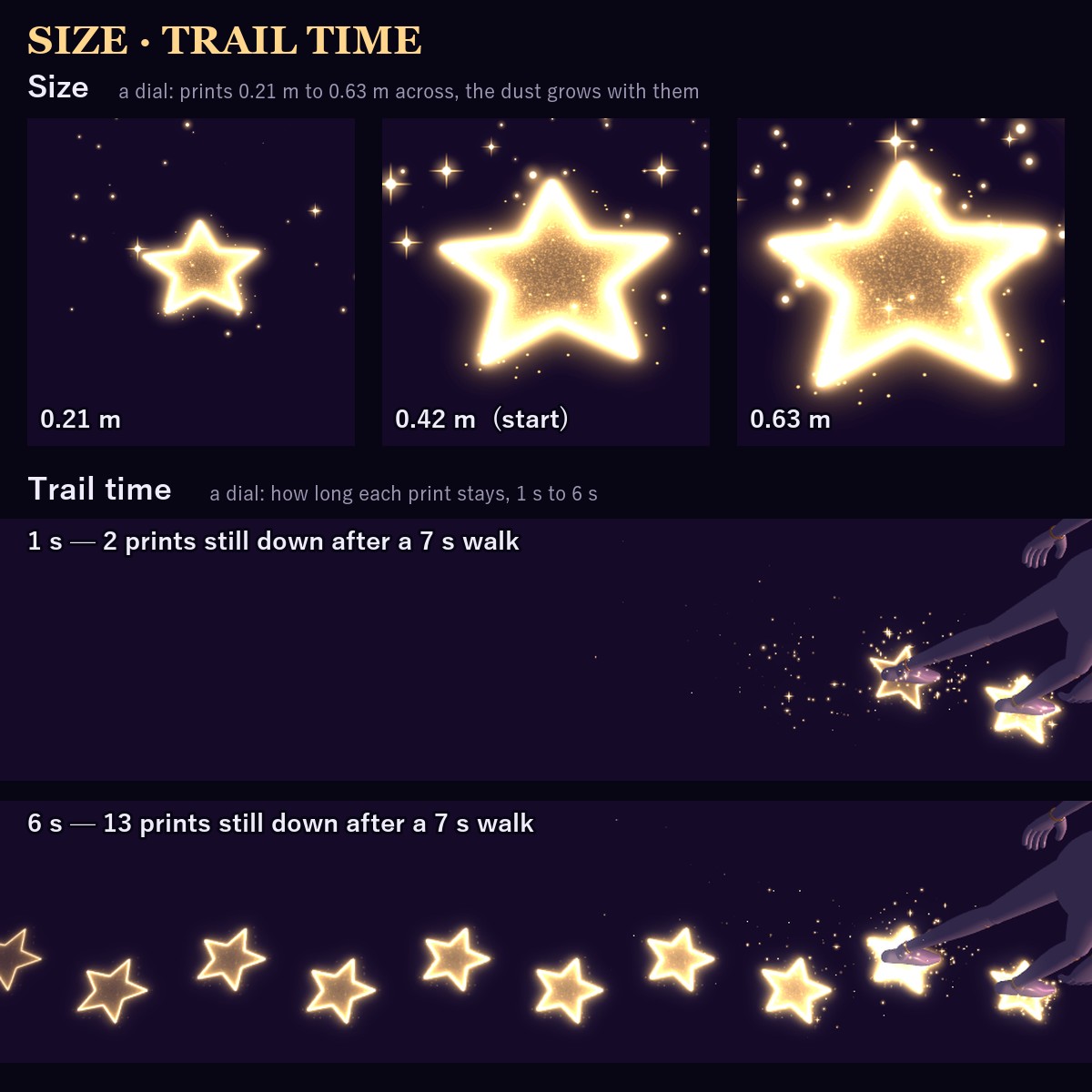
• Size: prints 0.21 m to 0.63 m across (0.42 m to start), the dust grows with them
• Trail time: how long each print stays, 1 s to 6 s
• Idle dust / Landing ring: on / off
All remembered. (The Quest version has no Hue, Idle dust or Landing ring, since it is the prints only.)
WHAT YOU GET
• ST_Steps_PC: drag it onto your avatar (Modular Avatar puts the menu, parameters and animator in at upload)
• ST_Steps_Quest: the same for Quest / Android uploads - the prints only, on VRChat's mobile particle shader
• 1 shader, 2 textures, 3 materials, menus, animators
• README in English and Japanese
PERFORMANCE (this item alone, measured in Unity)
PC (ST_Steps_PC)
• 5 particle systems, at most 426 particles in all
• no trails, collision, lights or sub emitters · no meshes
• 2 materials · 1 texture (1024 px)
• 3 contacts · 4 VRC Constraints (turn the prints and dust with your avatar) · 43 synced bits
• VRChat SDK performance rank (PC): Medium (particle system count and total Medium, materials Good, everything else Excellent)
Quest (ST_Steps_Quest)
• 2 particle systems, at most 16 particles · 1 material (VRChat/Mobile/Particles/Additive) · 1 texture (512 px)
• 3 contacts · 2 VRC Constraints · 33 synced bits
• VRChat SDK performance rank (Quest): Poor (particle system count and total Poor, materials Medium, contacts Good, everything else Excellent)
• the prints only: no dust, landing ring or hue dial, and a little plainer (Quest allows no custom shaders)
GOOD TO KNOW
• Needs Modular Avatar (free, from the VRChat Creator Companion).
• Placed for the VRChat SDK sample avatar's feet. If the prints float on yours, move Recv, Print and Dust inside FootL / FootR to the height of your soles.
• Particles on your avatar itself count toward the rank together with these.
• People who block custom shaders or particles in their Safety settings won't see the effect.
SUPPORT
Prints or anything else not working as described in VRChat? Message me on Jinxxy and I'll fix it and send you the update for free.
TESTED WITH
Unity 2022.3.22f1 · VRChat SDK 3.10.5 · Modular Avatar 1.18.7
AI DISCLOSURE (AI-Assisted)
The shader, the code that builds this effect and the text on this page were written with help from an AI assistant. An AI image generator made rough concept sketches I looked at while designing; nothing it made is in the files or in the preview images, which are rendered in Unity from the actual effect.
TERMS
• OK to use on your avatar in VRChat and other platforms
• OK to stream, record, and post on social media
• Editing is fine
• Please don't redistribute or resell the files, edited or not
UPDATES
• v1.1.0 (2026-11-01) first release