
Produktbeschreibung
Dieses Produkt enthält KI-generierte Inhalte.
Description
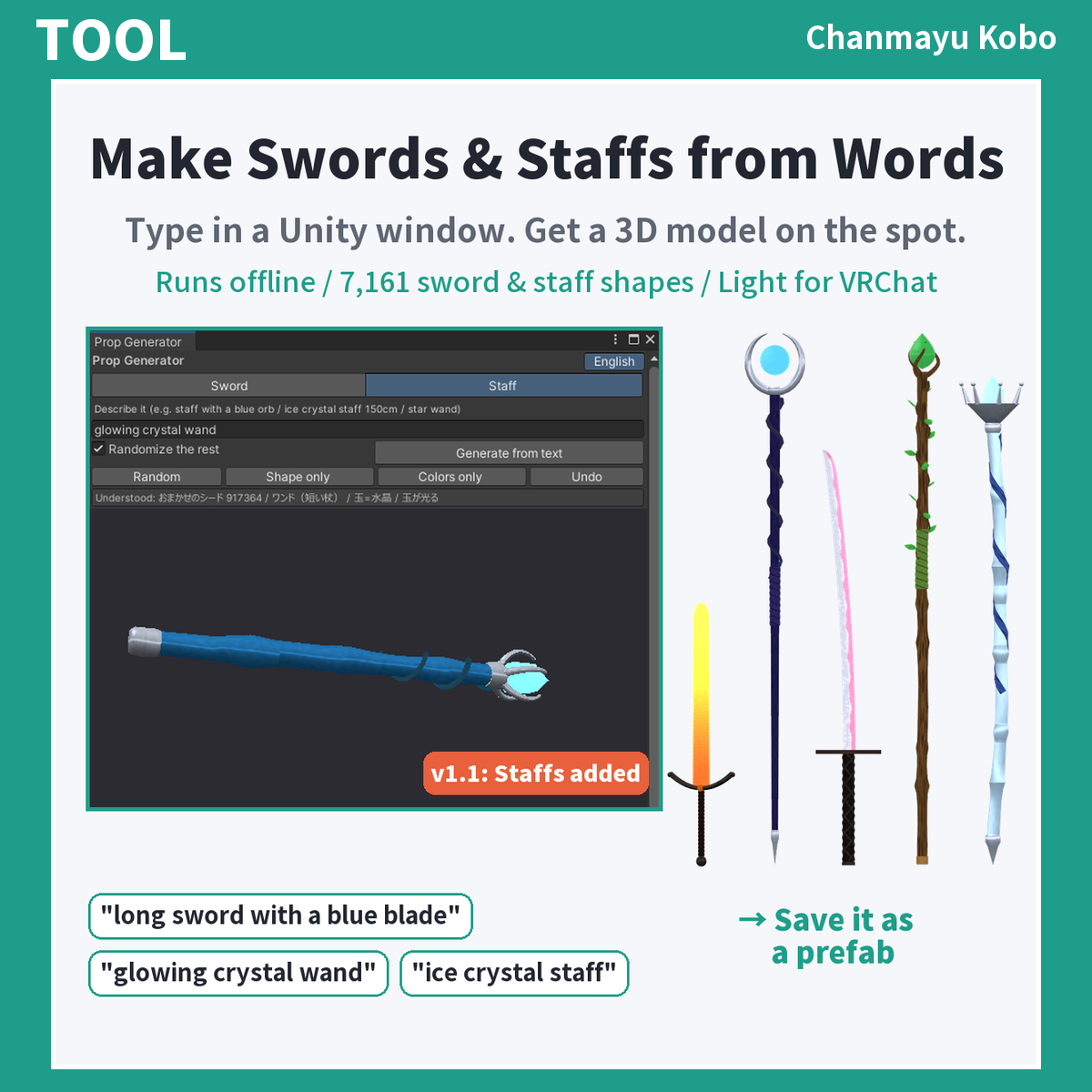
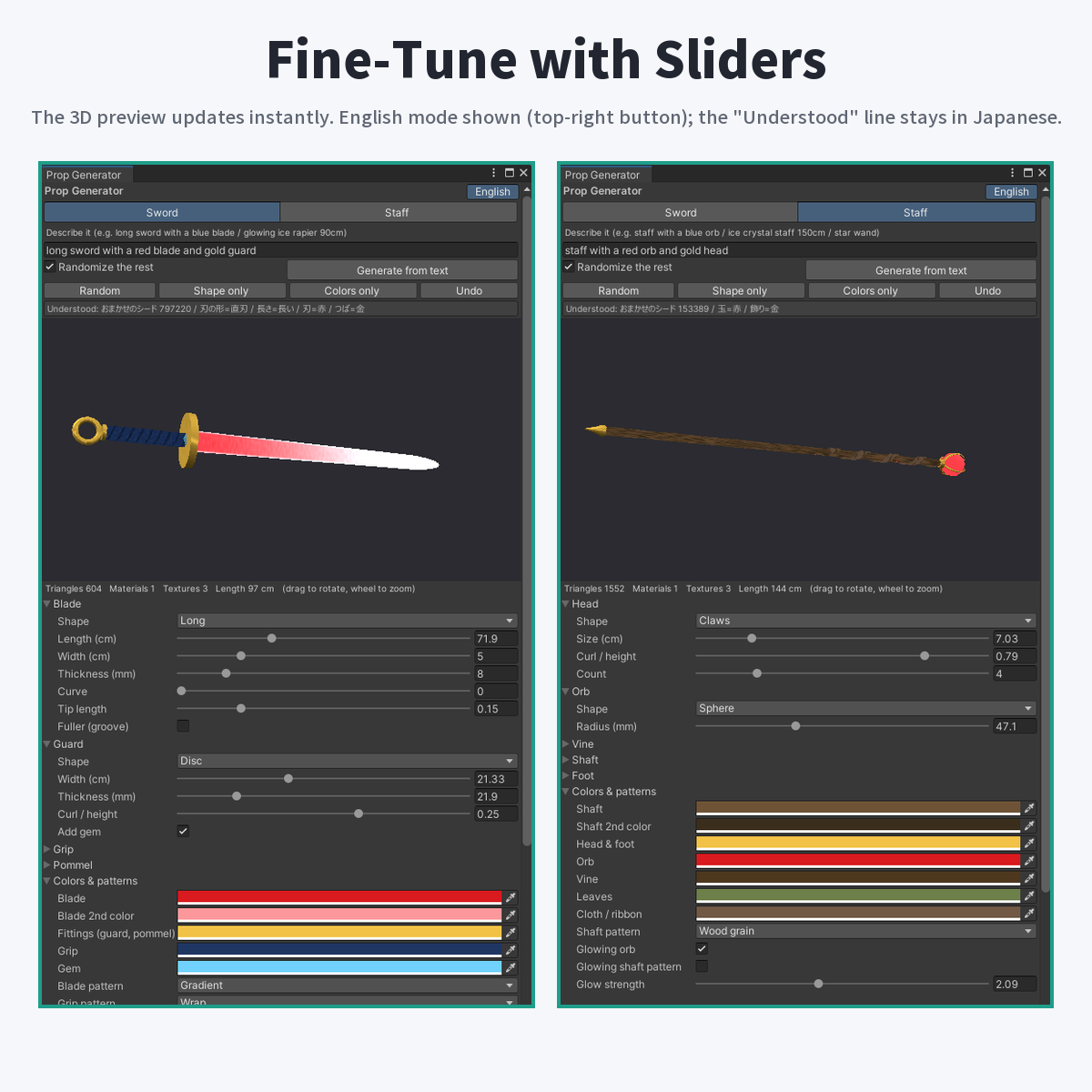
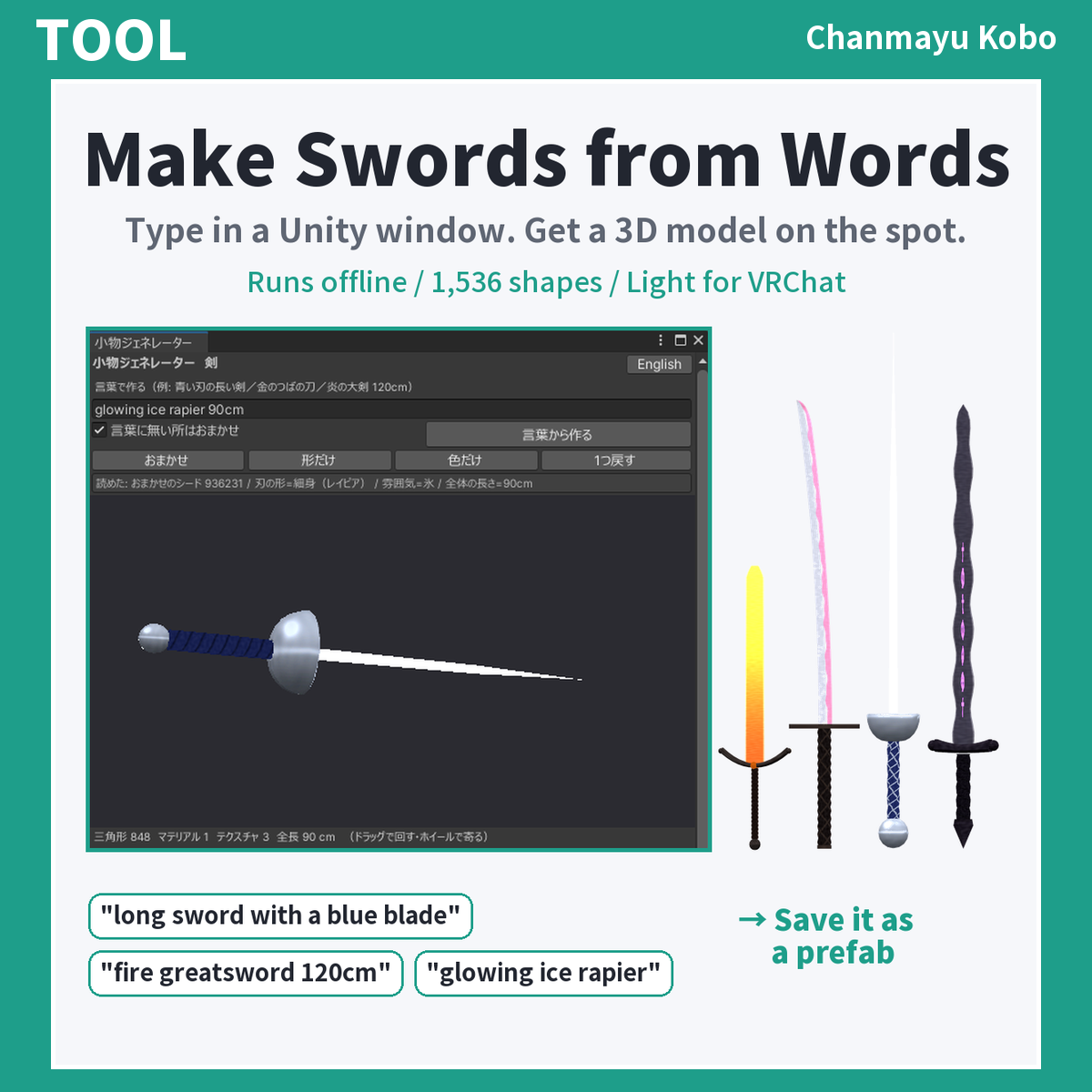
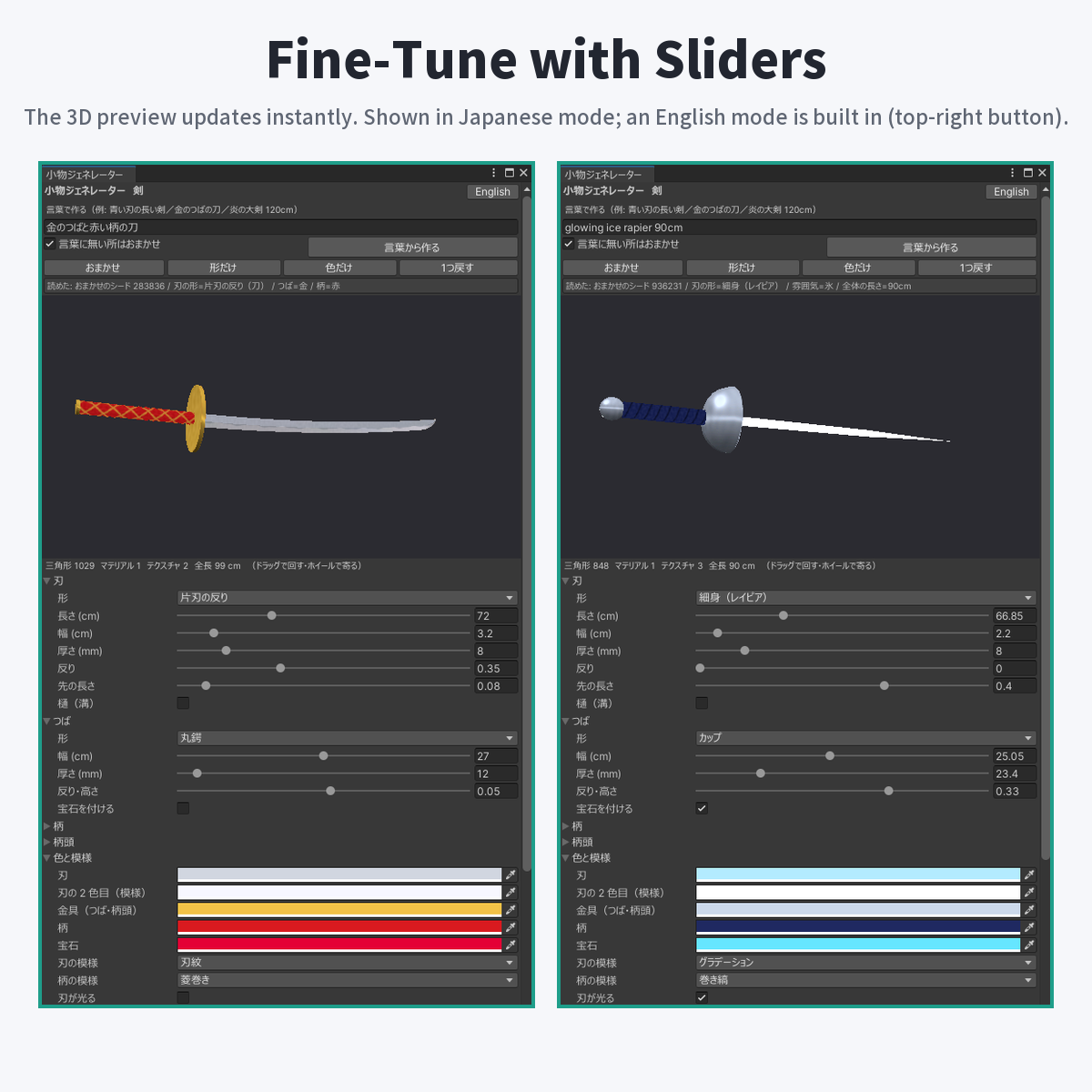
Type "long sword with a blue blade" or "staff with a red orb and gold head" into a Unity Editor window and a 3D sword or staff is generated on the spot. Or pick the shapes, lengths, colors and patterns of each part with sliders and buttons. Save the result as a prefab, then give it to your VRChat avatar or place it in your world.
The tool itself does not use AI or the internet: it reads keywords and numbers and builds the prop from parts by code, so it runs offline on any normal PC. No high-end GPU needed and no outside service to sign up for.
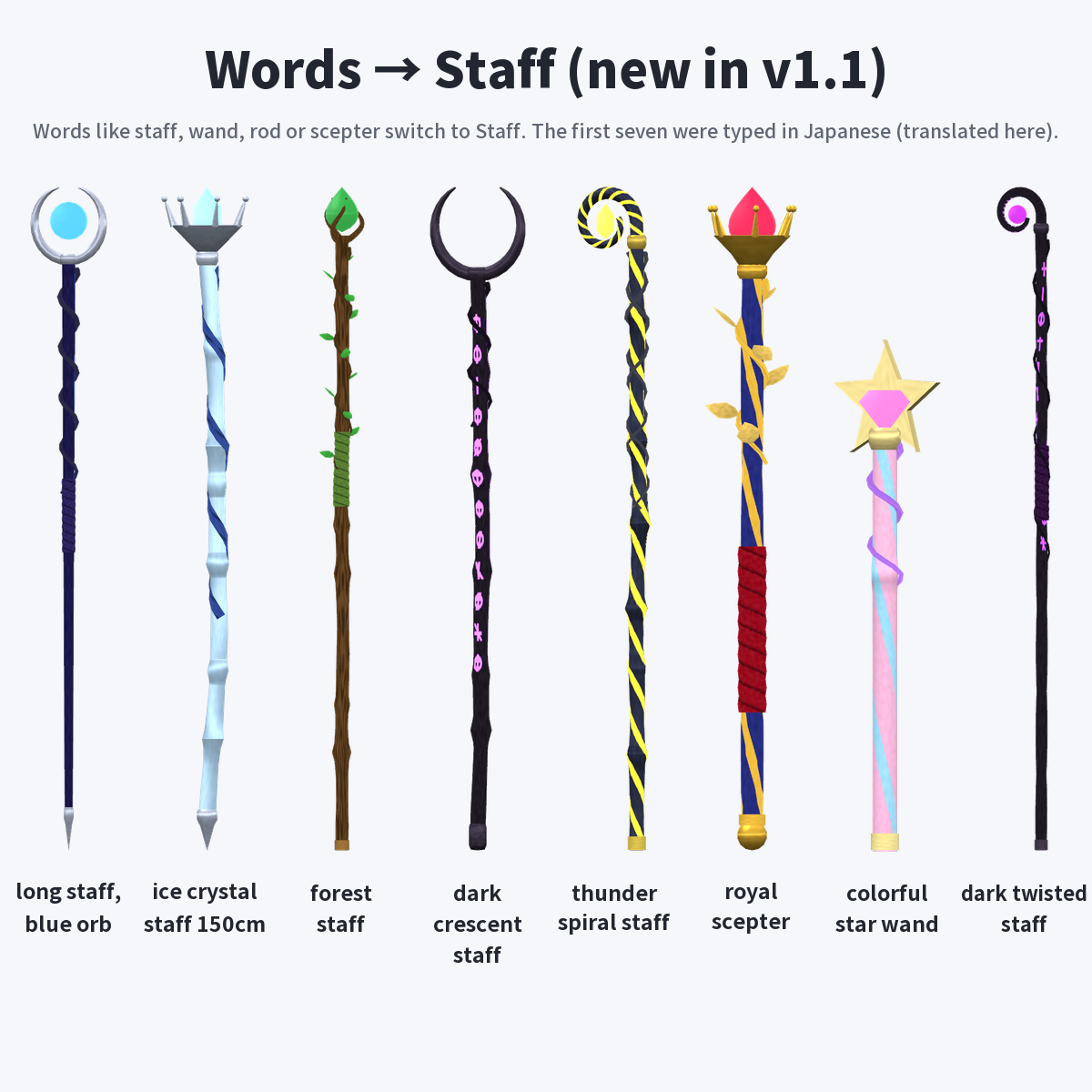
New in v1.1.0: Staffs. A second prop type, Staff, has been added (swords are unchanged; it is a free update for v1.0.0 buyers). Words like staff, wand, rod or scepter switch the window to Staff automatically, or use the Sword / Staff tabs at the top.
What it can do
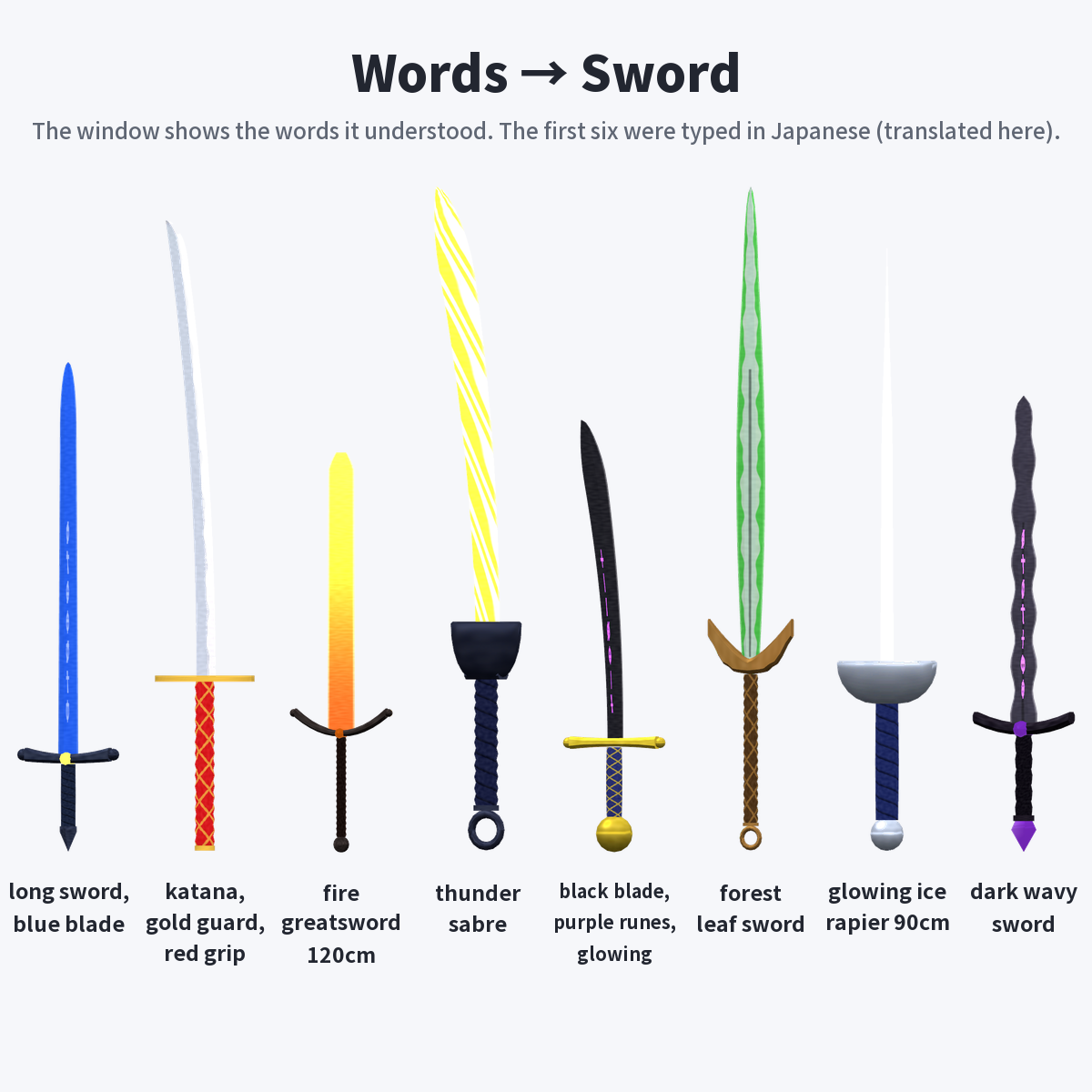
- Make from text, in English or Japanese: "long sword with a red blade and gold guard", "glowing ice rapier 90cm", "glowing crystal wand", "dark twisted staff", "ice crystal staff 150cm". The window shows which words it understood
- The window (buttons and slider names) can be switched to English with the button in the top right. The "understood words" line stays in Japanese
- Make with sliders: 1,536 sword shapes and 5,625 staff shapes (7,161 in total). Lengths, widths, curve or bend, and colors can be set freely
- Sword patterns: plain, hamon (wave line), stripes, runes, gradient; fuller groove; glowing blade and glowing gem
- Staff patterns: plain, wood grain, spiral stripes, runes, gradient; cloth wrap, metal shaft; glowing orb and glowing shaft pattern
- Random buttons: everything, shape only or colors only, plus Undo
- Live 3D preview in the window (drag to rotate, wheel to zoom)
- Save as a prefab (mesh, textures, material and a recipe file). Saving again under the same name updates the copies you already placed
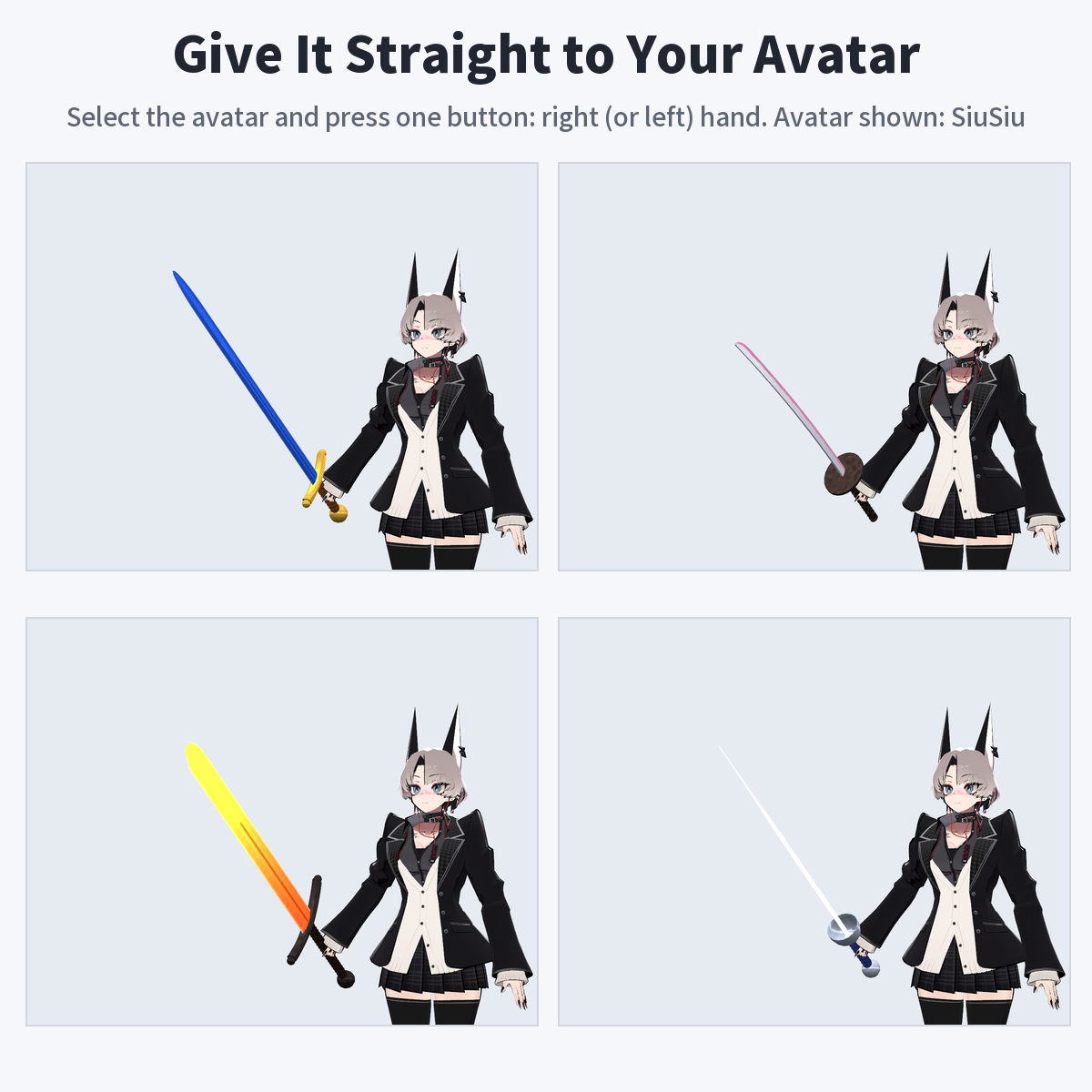
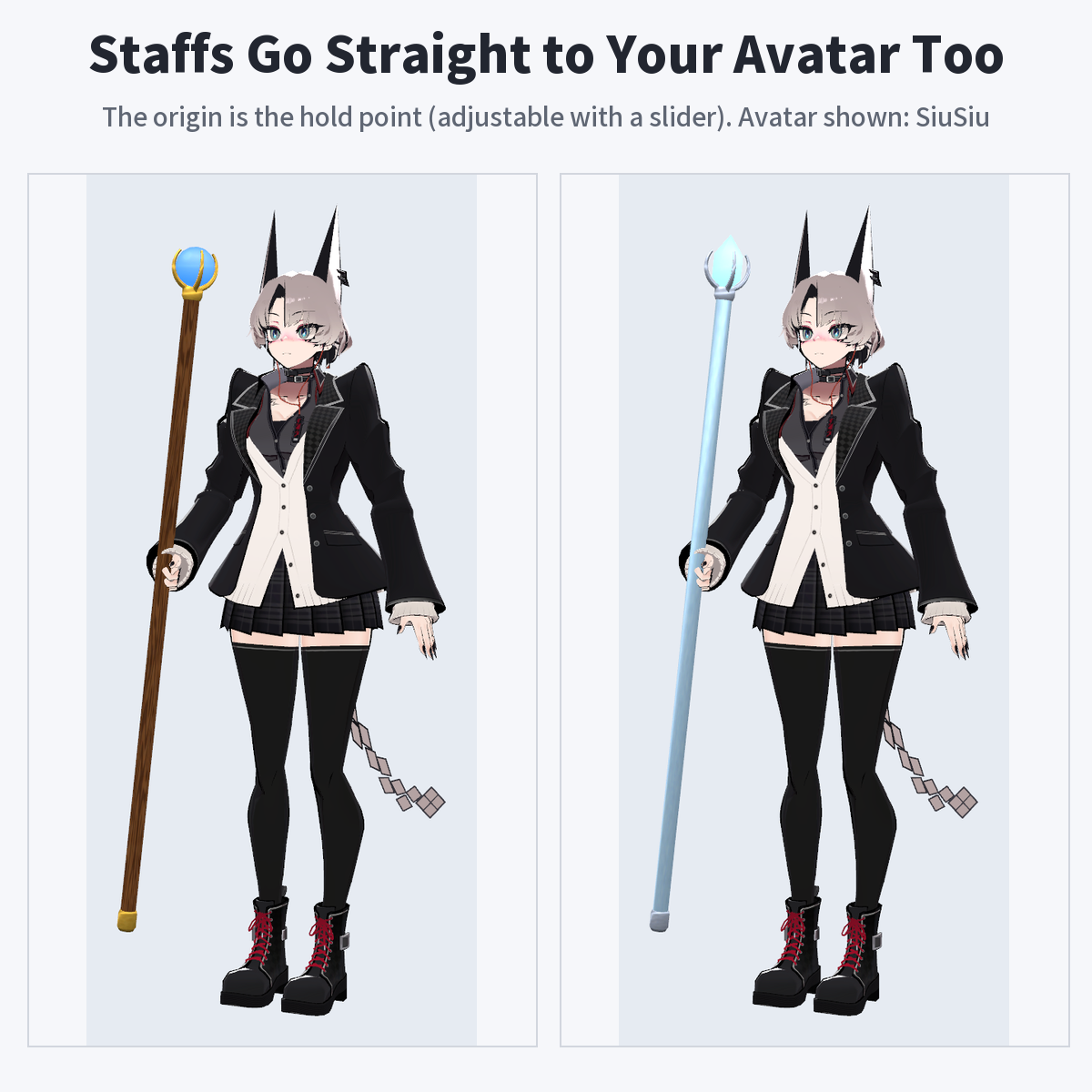
- One click gives the sword or staff to the right (or left) hand of the selected Humanoid avatar. A staff's origin is its hold point, adjustable with a slider
- Optional BoxCollider for worlds
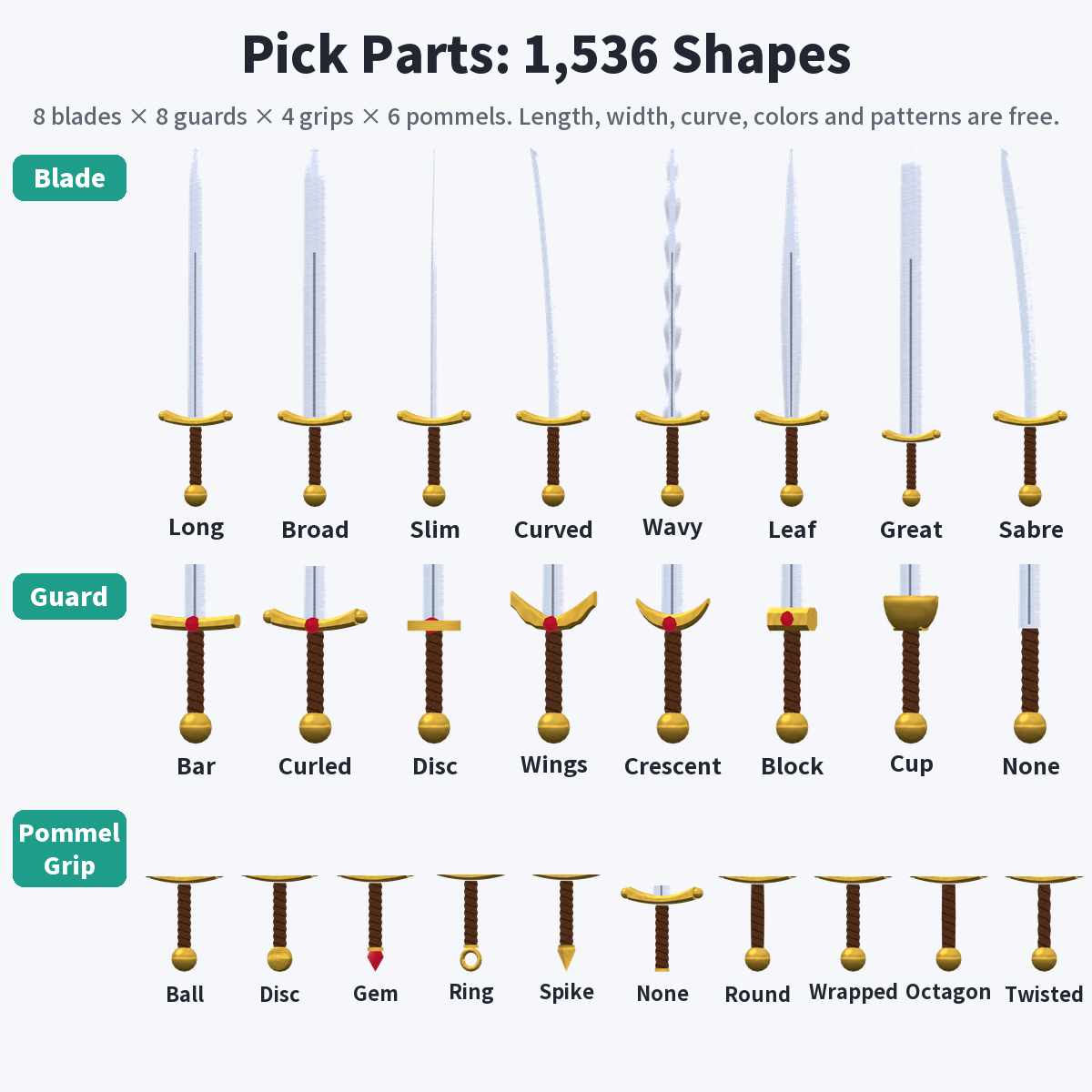
Sword parts (8 × 8 × 4 × 6 = 1,536 shapes)
- Blades: Long, Broad, Slim (rapier), Curved single-edge, Wavy, Leaf, Great (square tip), Sabre
- Guards: Bar, Curled cross, Disc, Wings, Crescent, Block, Cup, None
- Grips: Round, Wrapped, Octagon, Twisted
- Pommels: Ball, Disc, Gem, Ring, Spike, None
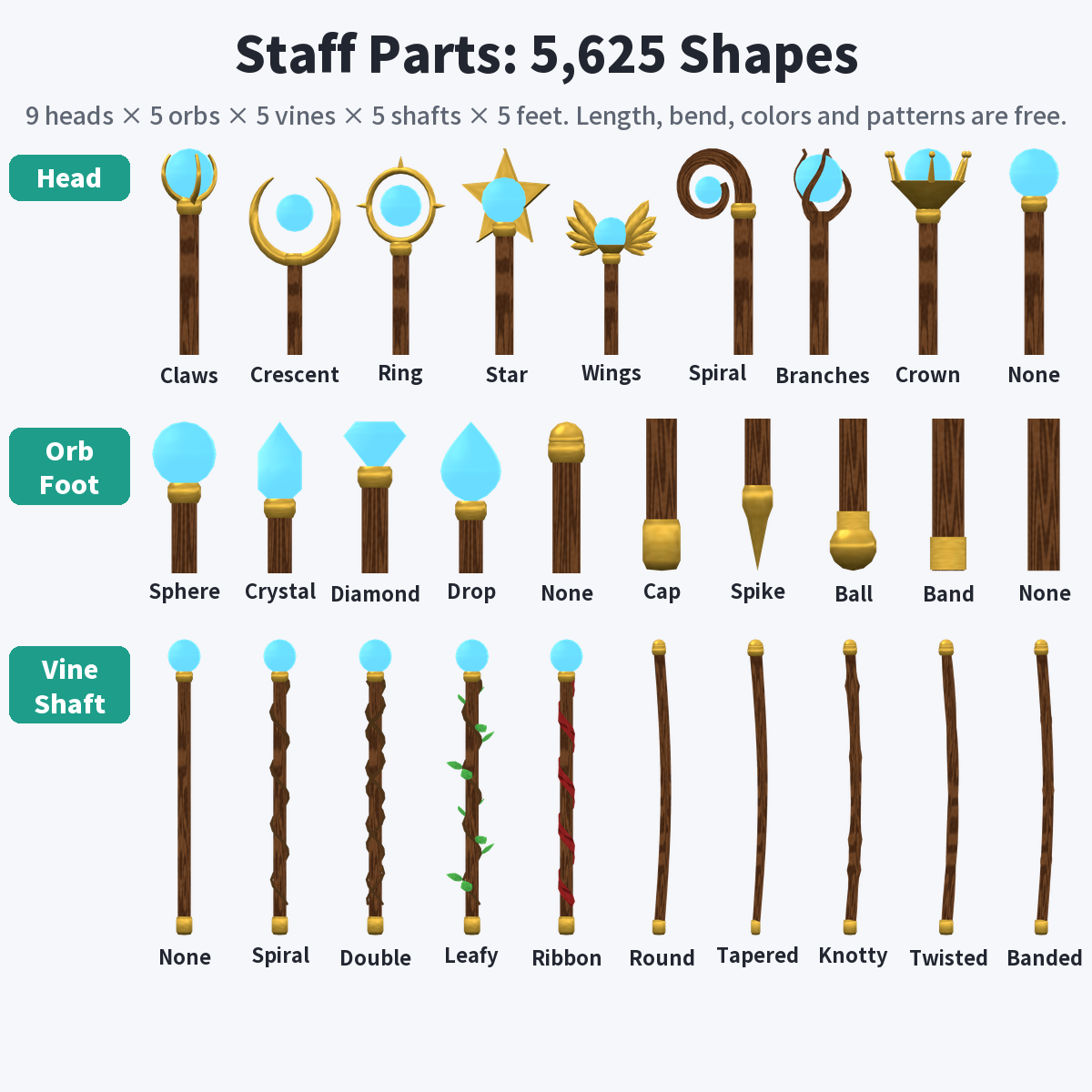
Staff parts (9 × 5 × 5 × 5 × 5 = 5,625 shapes)
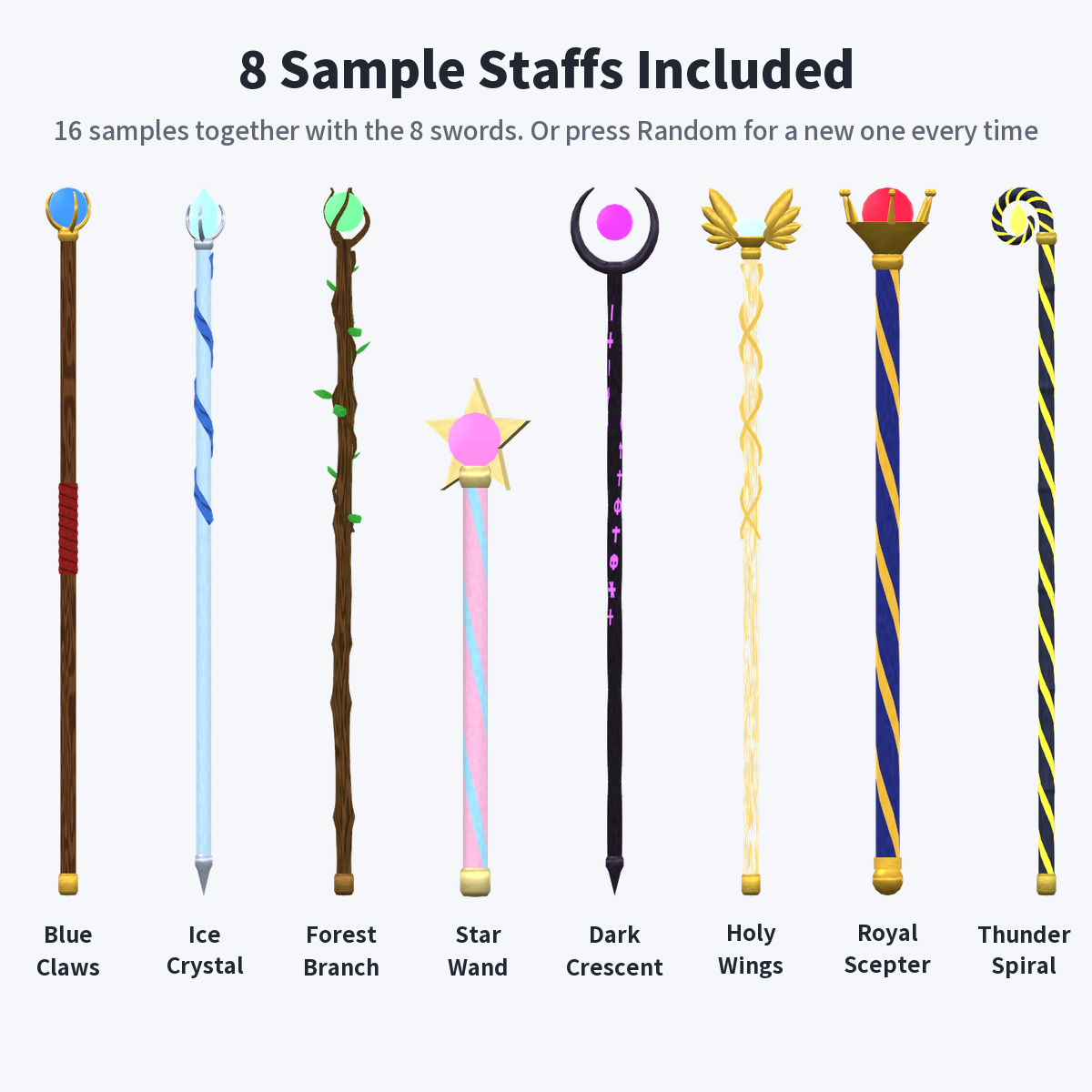
- Heads: Claws, Crescent, Ring, Star, Wings, Spiral, Branches, Crown, None
- Orbs: Sphere, Crystal, Diamond, Drop, None
- Vines: None, Spiral, Double, Leafy, Ribbon
- Shafts: Round, Tapered, Knotty wood, Twisted, Banded
- Feet: Cap, Spike, Ball, Band, None
Themes you can type: fire, ice, dark, holy, forest, sea, thunder, royal, old, sakura, colorful (and night for staffs).
What's included
- ChanmayuKobo_PropGenerator_v1.1.0.unitypackage
- Prop Generator (Unity Editor extension). Menu: Tools → ちゃんまゆ工房 → 小物ジェネレーター (Prop Generator)
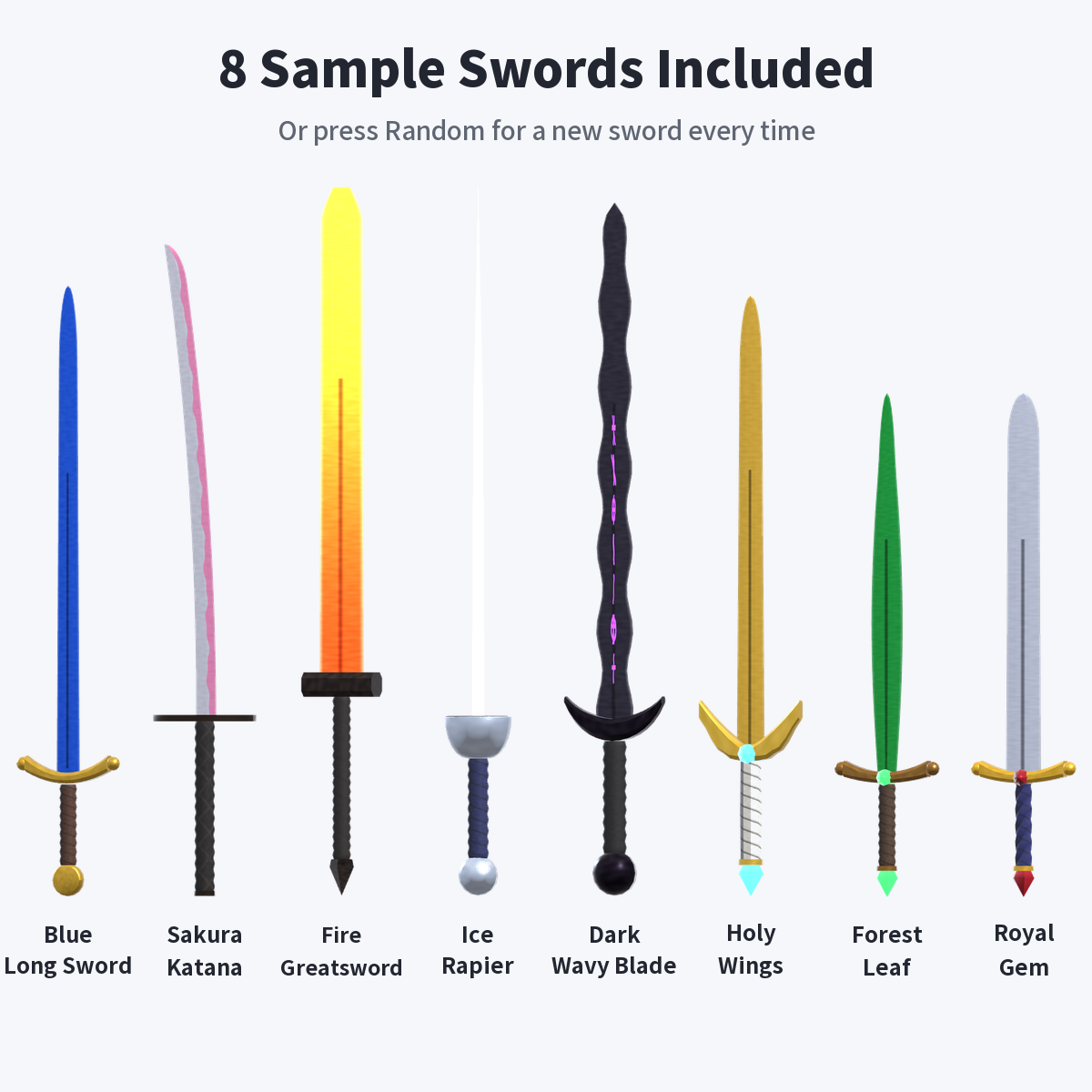
- 16 sample prefabs: 8 swords and 8 staffs (Standard shader)
- README_EN.txt (English manual with the keyword lists), README_JP.txt (Japanese manual) and 利用規約.txt (Japanese terms of use)
- No avatar is included.
Light for VRChat
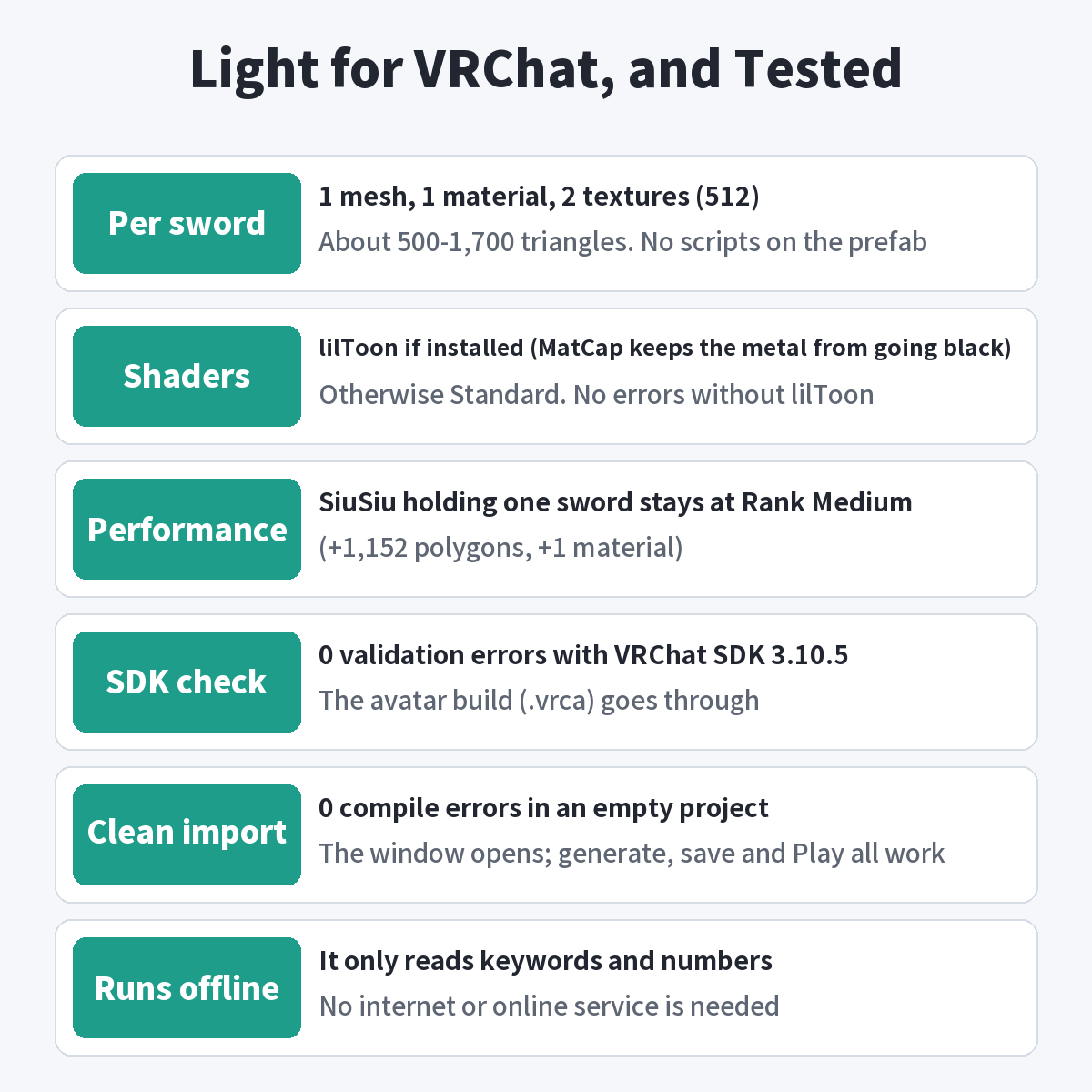
- Per prop: 1 mesh, 1 material, 2 textures (3 when glowing; 512×512)
- About 500 to 1,700 triangles per sword and 200 to 2,700 per staff (long vines with many turns add more; the window shows the current count)
- No scripts on the generated prefab, so it works on avatars and in worlds as it is
- The avatar SiuSiu stays at Performance Rank Medium holding one sword (+1,152 polygons, +1 material) or a heavy staff with vines and leaves (+2,540 polygons, +1 material)
Compatibility
- Unity 2022.3 (tested with 2022.3.22f1)
- Shaders: lilToon if it is installed (tested with 2.3.4), otherwise Unity Standard. You can also pick the shader yourself. With lilToon the metal shine is a MatCap, so the prop does not turn black in worlds without reflection probes. No errors in projects without lilToon
- VRChat SDK is optional. It works in avatar projects and world projects
How to use
- 1. Import the unitypackage into your project.
- 2. Open the window: Tools → ちゃんまゆ工房 → 小物ジェネレーター (Prop Generator). Press English in the top right for English buttons.
- 3. Choose Sword or Staff at the top, type a description and press Generate from text, or use Random and the sliders.
- 4. Name it and press Save as prefab. It is saved under Assets/ChanmayuKobo/PropGenerator/Generated/.
- 5. To hold it: select your avatar in the Hierarchy and press Give to selected avatar (right hand). Adjust the position with the Transform.
Updating from v1.0.0: import the v1.1.0 unitypackage on top of the old one. The asset GUIDs are the same, so nothing is duplicated and your saved swords stay.
Tested
- Re-imported into an empty project with the VRChat SDK: 0 compile errors, the window opens, swords and staffs are generated and saved
- All 1,536 sword shapes and all 5,625 staff shapes generated with no flipped faces
- Saving again under the same name updates a sword an avatar is already holding, keeping its position
- A total sword length written in the text (for example "120cm") is matched to within 1 cm
- A generated sword and a generated staff held by SiuSiu pass the VRChat SDK validation (0 errors) and the avatar build succeeds
- Installing v1.1.0 over v1.0.0 keeps all asset GUIDs (no duplicates)
Good to know
- Shapes are built from parts by code. It cannot make detailed sculpts or free-form shapes the way AI 3D generators do.
- Only known keywords are read (the lists are in the manual). Unknown words are skipped.
- It does not make avatar menus. Use a tool such as Modular Avatar to add an on/off toggle.
- Where the prop sits in the hand differs a little by avatar. Adjust it with the Transform.
- Generated props are saved under Assets/ChanmayuKobo/PropGenerator/Generated/. When you update, do not delete the ChanmayuKobo folder (your props would be deleted with it). Import the new unitypackage on top instead.
- Updates so far: v1.0.0 swords, v1.1.0 staffs. More prop types (shield, axe, bow, bottles and more) are planned as free updates.
- AI-Assisted: the tool's code, the manuals and this English text were written with an AI coding assistant under Chanmayu Kobo's direction. The tool itself does not use AI: it builds swords and staffs from parts by code, from keywords and numbers, and runs offline. No generative-AI image or 3D-model tool was used. The shapes are original (not based on weapons or staffs from existing works).
License
- Props you generate (swords, staffs) may be used freely: on avatars, in worlds, uploaded to VRChat and similar platforms (public is fine), edited, and shown in events, streams, videos and photos.
- You may include generated props as a part of your own avatars, outfits or worlds that you distribute or sell.
- You may not redistribute or resell the tool itself (scripts, samples and manuals), original or edited, including bundled inside other assets or projects. The license is for the buyer personally (any number of your own PCs).
- You may not sell or distribute generated props as a standalone asset pack (a product whose main content is the models themselves).
- Do not use the tool or generated props for political or religious activities, harassment, or anything against public order and morals. Chanmayu Kobo is not liable for any damage caused by using this data.
- Full terms: 利用規約.txt (Japanese; a summary is in README_EN.txt). The Japanese terms prevail and may change without notice.
Japanese store: BOOTH
https://mayuyu.booth.pm/items/9215711
Follow Chanmayu Kobo on Jinxxy for new tools, accessories and tattoos.