
Produktbeschreibung
Dieses Produkt enthält KI-generierte Inhalte.
Room System
Room System is a private-room platform for VRChat worlds. Players walk up to a door and enter or leave a room, invite other players in, ring an intercom to ask to be let in, and manage settings (lock, anonymous mode, do-not-disturb) for the room they're in. Each room also gets its own live camera feed at the door and a selfie camera inside.
🚪 Private rooms
- Enter and leave through the door: interacting with a room's door adds or removes the player from that room. Leaving a room puts the player back on the world's invite list, so others can invite them into a different room
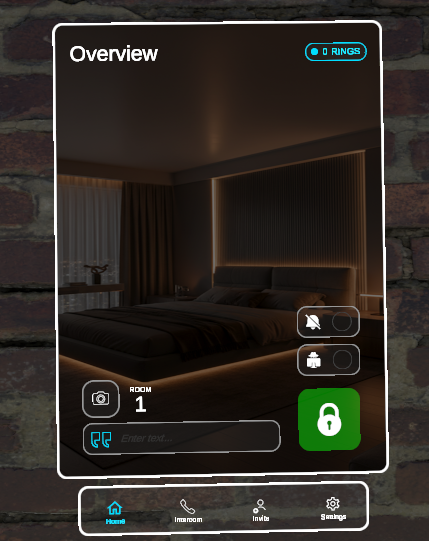
- 🔒 Lock / Unlock: a locked room can't be entered through the door. Visitors have to ring the intercom and be let in by someone already inside
- 🕶️ Anonymous mode: hides player names in the room's entry and roster display, showing
########instead - 🔕 Do Not Disturb: while enabled, incoming intercom ring requests are rejected outright and never reach the room's queue
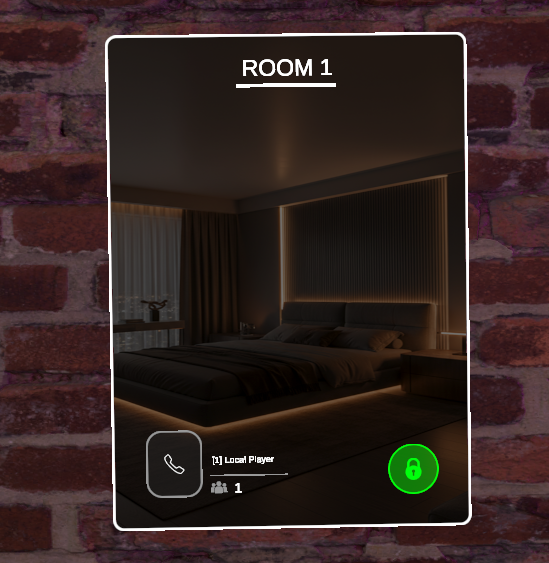
- 📝 Room description text: anyone inside can set a short label for the room (e.g. "Movie Night"), shown on the room's entry UI
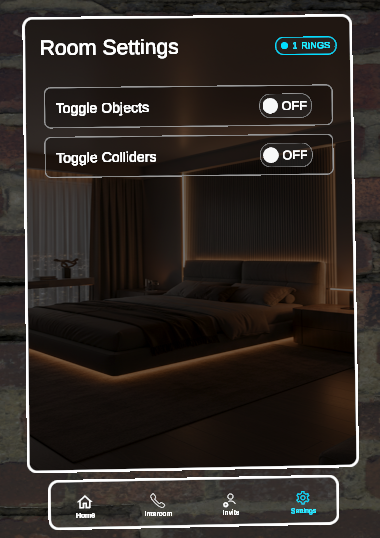
- 🎛️ Per-room settings panel: toggle any number of world objects and colliders on or off together from inside the room (lights, decorations, privacy walls). You can also wire up to 2 custom buttons to fire a custom event on any script in your world, for anything the built-in toggles don't cover
- 📊 Live status UI on the door and inside the room: lock state, anonymous state, do-not-disturb state, room text, and the current player count and roster. Everything updates automatically for everyone as it changes
🔔 Intercom
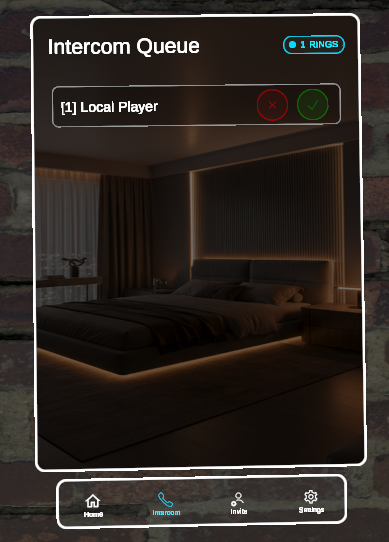
- Ring from outside a locked room: visitors join a waiting queue (up to 6 at once) that anyone inside the room can review
- ✅ Accept or deny: accepting adds the visitor straight into the room, and denying removes their request. A denied visitor sees a notification naming who denied them (with the optional Notification System)
- ☎️ One active call at a time: selecting a ringing visitor opens an intercom call view for the room. Accepting or denying clears the slot and returns everyone inside to the room's main view
- 📹 Live camera feed both ways: each room gets its own dedicated cameras and video feeds, an inside-facing feed (what's happening in the room) and an outside-facing feed (who's at the door), shown to both sides during a call, plus a small self-view for each
- 🛠️ One-click camera setup: the
CrZVRC → Room SystemEditor window has a "Generate Render Textures" button that creates a dedicated set of render textures for every configured room, so rooms never share or leak each other's camera feed - 🔊 Ring sound: plays for everyone inside the room whenever a new ring request comes in
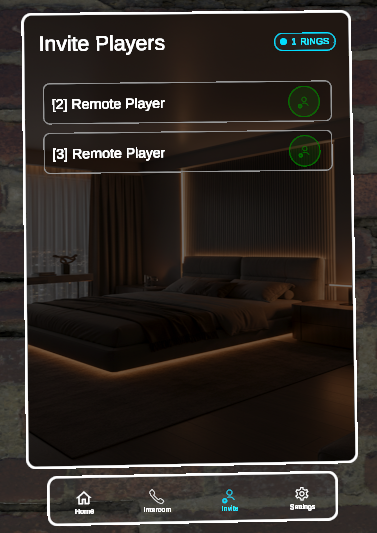
📨 Invite system
- World-wide roster of everyone not in a room: players are added automatically when they join the instance, and removed when they leave or the moment they enter any room
- Invite a listed player directly into your room: no intercom ring needed, which is useful for bringing someone in without making them wait outside
📸 Selfie camera
- A dedicated in-room camera for taking a countdown selfie (4 seconds by default, configurable), with its own sound effect and a background swap while the countdown and camera view are active
- Synchronized for everyone in the room, so it plays out the same way for all viewers
🎨 Easy-to-customize theming
Room UI colors (background, plus primary and secondary colors for the locked and unlocked states) and page titles (Room Overview, Intercom Queue, Intercom Feed, Invite Players, Room Settings) are set once on a shared theme config and reused across every room, so you can restyle the whole system from one place.
🖼️ Disclaimer
The background image shown in the screenshots is for demonstration purposes only. As stated in the features, the background image and colors are fully customizable and can be changed in Unity to match your world.
The system includes a default door model that can be easily replaced with your own custom door (Door model by Toni García Vilche: https://sketchfab.com/zul_gv).
🔗 Integrates With:
- 🔔 Notification System (optional): show players a small on-screen notification when someone denies their intercom ring request (naming who denied them), and when there's an incoming intercom ring for a room they're in. Works fine without it, and only the on-screen notifications are missing if you don't link it.
📚 Documentation & Setup
Detailed instructions for setting up and configuring this asset can be found on the official documentation website.
📜 Terms of Service & Privacy Policy
By purchasing and downloading this asset, you agree to our Terms of Service and Privacy Policy. You can read both full documents on the website.
💬 Support & Communication
All technical support, bug reports, and general communications are handled exclusively through our official Discord server. Join the Discord server here.