Produktbeschreibung
Complex Audio Fade
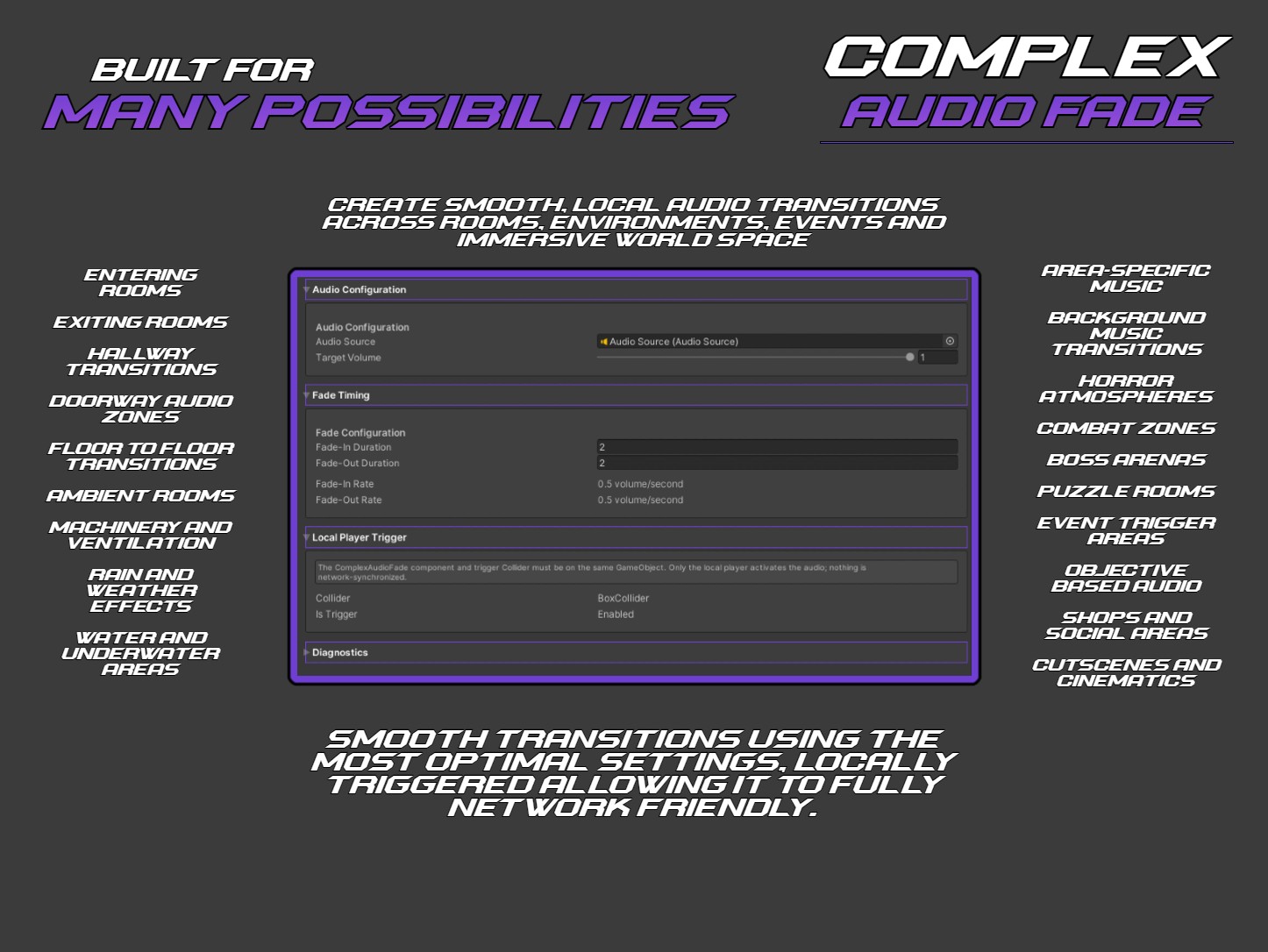
Complex Audio Fade is a beginner-friendly audio transition system designed for VRChat worlds using UdonSharp. It allows audio to smoothly fade in when the local player enters an area and fade back out when they leave.
Instead of music or ambient sounds suddenly starting and stopping, Complex Audio Fade creates clean and professional transitions between different sections of your world.
What It Does
When the local player enters a trigger zone, the assigned AudioSource begins playing and gradually fades up to the selected target volume.
When the player leaves the trigger zone, the audio smoothly fades back down. Once the volume reaches zero, the AudioSource automatically stops playing.
The system runs locally, meaning every player experiences their own independent audio transitions. One player entering or leaving an area will not affect another player's audio.
Possible Uses
Complex Audio Fade can be used for:
- Entering or exiting rooms
- Background music zones
- Ambient environmental audio
- Horror and Backrooms worlds
- Liminal spaces
- Indoor and outdoor transitions
- Tunnels and underground areas
- Secret rooms
- Event areas
- Shops, lounges, clubs, and apartments
- Storytelling areas
- Different sections of larger worlds
The system is useful anywhere audio needs to smoothly appear or disappear based on the player's location.
Easy to Set Up
Complex Audio Fade is designed so beginners can use it with ease. No programming knowledge is required for normal setup.
Simply:
- Add the Complex Audio Fade component to a GameObject.
- Assign the AudioSource you want it to control.
- Add or assign a collider configured as a trigger.
- Adjust the target volume and fade settings in the Inspector.
Once configured, the system automatically handles audio playback, fading, and stopping.
All supported customization is completed through the Unity Inspector. Buyers do not need to edit the included source code.
Main Features
- Smooth audio fade-in
- Smooth audio fade-out
- Adjustable target volume
- Adjustable fade settings
- Automatic AudioSource playback
- Automatically stops audio after fading out
- Local-player-only operation
- Independent audio for every player
- Trigger-based activation
- Beginner-friendly setup
- No coding required
- Made with UdonSharp
- Designed for VRChat worlds
- Lightweight and easy to integrate
Requirements
- Unity
- VRChat SDK – Worlds
- UdonSharp
- An AudioSource with a valid AudioClip
- A collider configured as a trigger
Complex Audio Fade License Agreement
1. License Grant
Purchasing or legally receiving Complex Audio Fade grants the license holder a limited, non-exclusive, non-transferable, single-user license to use the product in their own Unity and VRChat world projects.
This license grants permission to use the product. It does not transfer ownership of the scripts, source code, prefabs, documentation, or supporting files.
2. Permitted Use
The license holder may:
- Use Complex Audio Fade in personal VRChat worlds.
- Use Complex Audio Fade in public or private VRChat worlds.
- Use Complex Audio Fade in commercial VRChat world projects.
- Use the product in commissioned VRChat worlds.
- Configure the available settings through the Unity Inspector.
- Include the functioning system inside a compiled and uploaded VRChat world.
- Create private backup copies for personal development use.
The product must remain integrated into a completed VRChat world and may not be distributed as a reusable asset.
3. Source Code Restrictions
The license holder may not edit, modify, rewrite, alter, decompile, reverse engineer, or create derivative versions of the included source code.
Configuration through the provided Unity Inspector settings is permitted. Editing the underlying scripts or source files is not permitted.
The license holder may not use any part of the code as the basis for another product, script, system, template, prefab, asset pack, or marketplace listing.
These restrictions apply regardless of whether the altered version is distributed for free or sold commercially.
4. Redistribution and Resale
The license holder may not:
- Resell Complex Audio Fade.
- Redistribute or share the original files.
- Redistribute or sell modified versions of the product.
- Repackage the product under another name.
- Claim the scripts or source code as their own work.
- Include the product inside another asset pack or development toolkit.
- Upload the files to public repositories or file-sharing services.
- Share the files through Discord, cloud storage, shared drives, or private download links.
- Give the product to another developer, client, friend, or team member.
- Sell, license, or distribute any product created from the included source code.
- Remove ownership, copyright, license, or identification notices.
- Make the source files available or easily extractable from a distributed project.
Changing the product's name, appearance, comments, variables, structure, or branding does not grant permission to redistribute or resell it.
5. Team and Commissioned Projects
One purchase licenses one individual user.
Every developer or team member who has access to the editable product files must purchase their own valid license.
A commissioned world may be uploaded to VRChat for a client. However, the editable Unity project containing Complex Audio Fade may not be transferred to the client unless the client also owns a valid license.
The license holder may not provide the source files to a client as part of a commission.
6. Ownership
Complex Audio Fade, including its scripts, source code, prefabs, documentation, editor presentation, and supporting assets, remains the intellectual property of Complex Interactive.
Purchasing the product grants only the right to use it according to this agreement.
No ownership rights are transferred to the buyer.
7. License Violations
Any unauthorized editing, redistribution, resale, sharing, repackaging, or use of the source code to create another product will immediately terminate the license.
After termination, the user must stop using the product and remove all copies from their projects and storage.
Complex Interactive reserves the right to issue takedown requests or pursue other available action against unauthorized listings, uploads, redistribution, or resale.
8. Support
Reasonable support is available for the original product when used according to the provided instructions.
Support may not be provided for:
- Unauthorized source code modifications
- Unsupported Unity or VRChat SDK configurations
- Conflicts caused by unrelated third-party assets
- Unauthorized redistribution or sharing
- Projects using altered or unofficial versions of the product
For product support or licensing questions, contact:
[email protected]
NOTE: SableWulf828 has given me authorization to use and promote his content in Complex Audio Fade. If you have any concerns about whether or not this is accurate please contact SableWulf828 for proof!