Produktbeschreibung
Dieses Produkt enthält KI-generierte Inhalte.
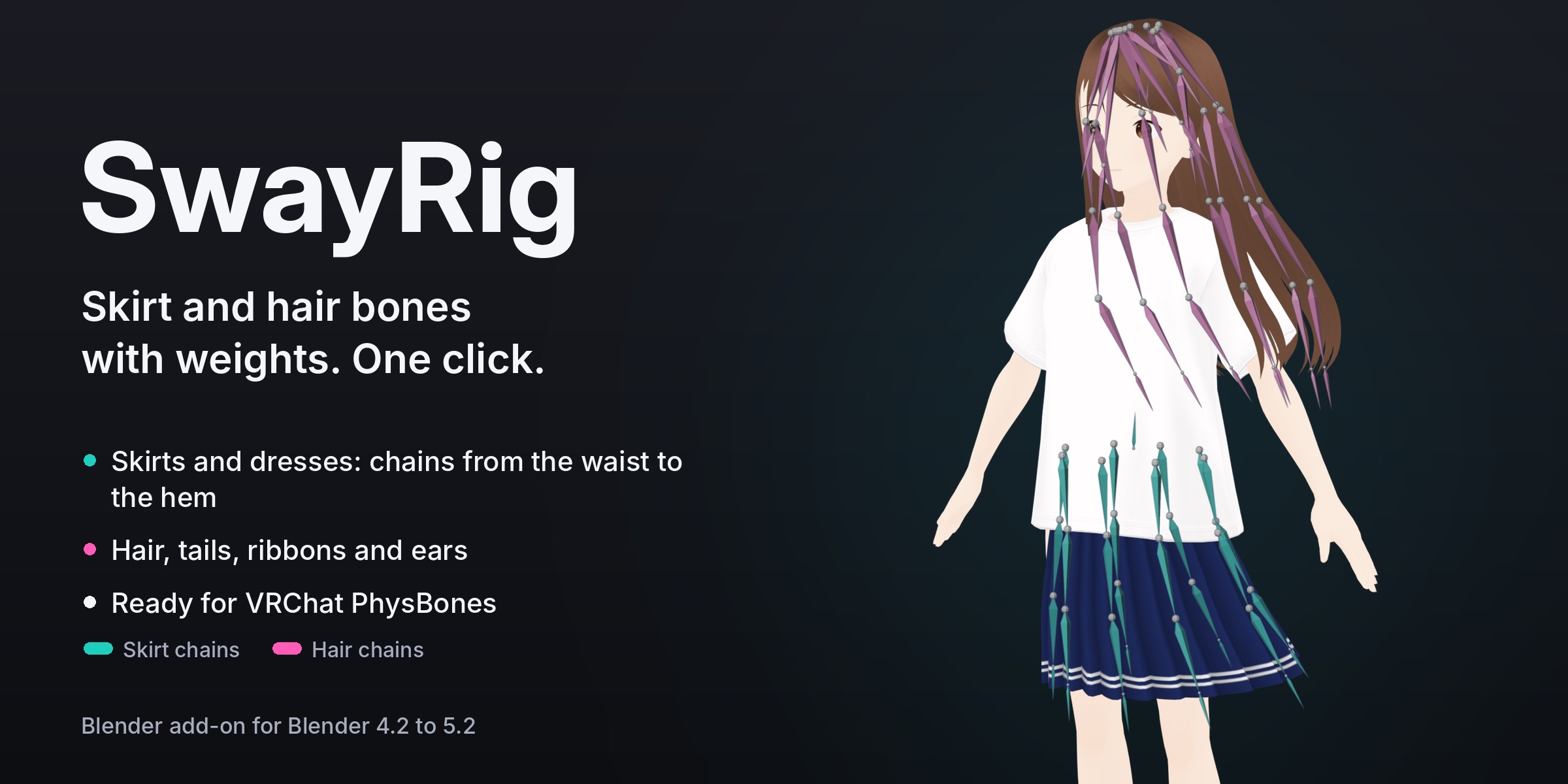
One click adds bone chains to a skirt, dress, hair, tail or ribbons and weights them smoothly, ready for VRChat PhysBones. Test the sway in Blender before you export.
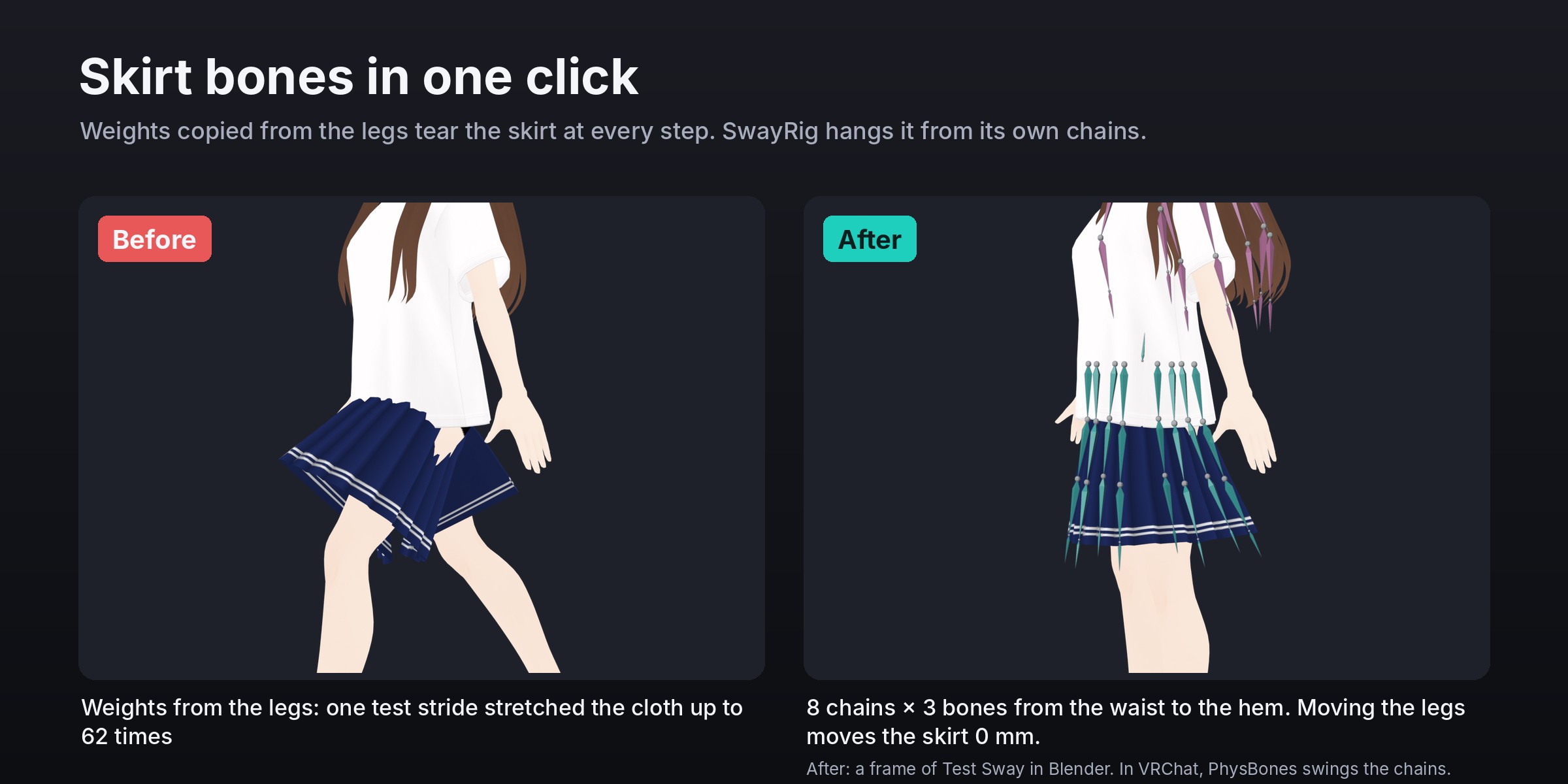
A new skirt, a dress from another avatar, hair you modelled yourself: they need their own bones before PhysBones can move them. Weights copied from the legs are not the answer. In our test stride they stretched a pleated skirt up to 62 times its size, because the skirt followed each leg.
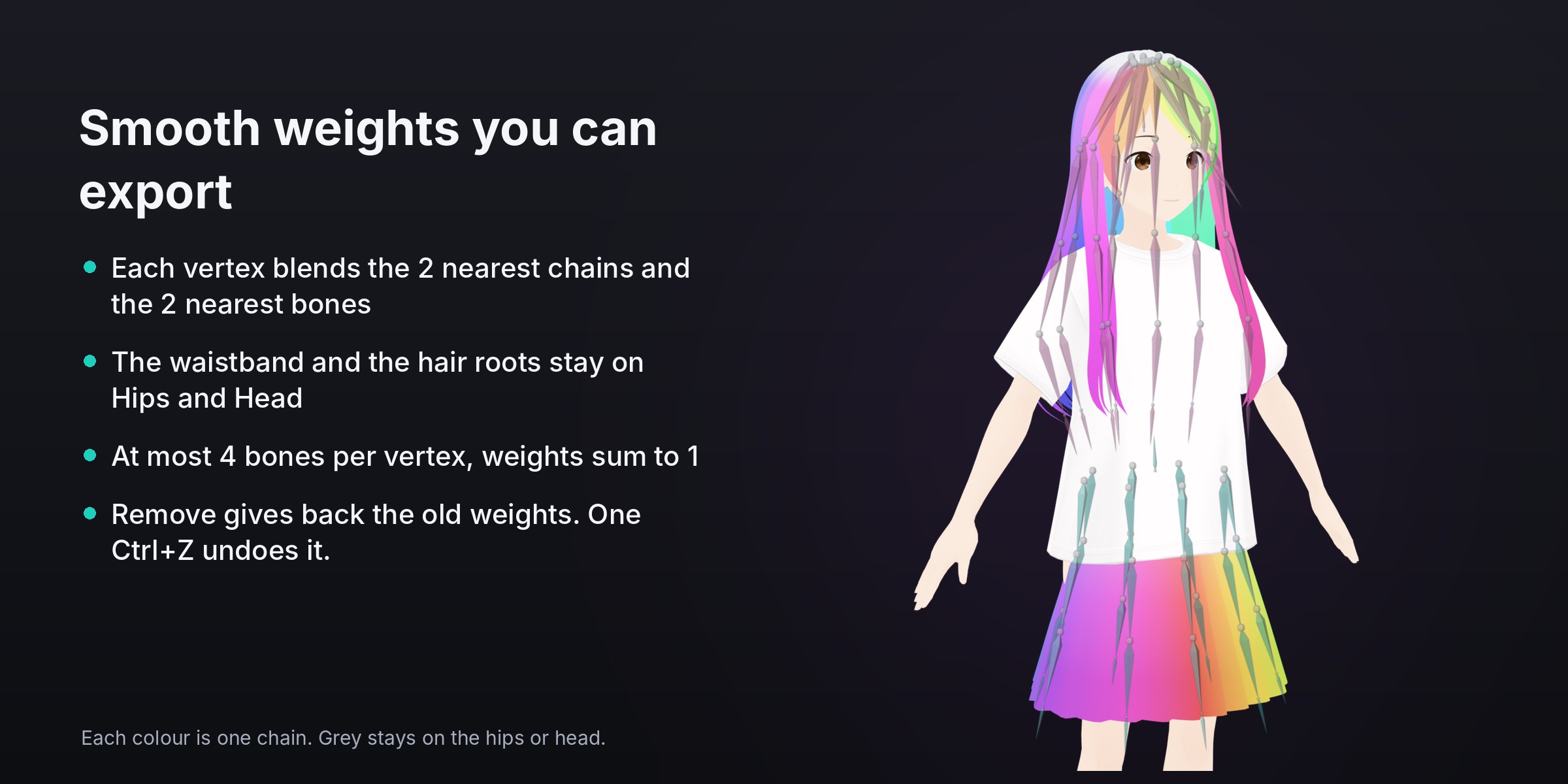
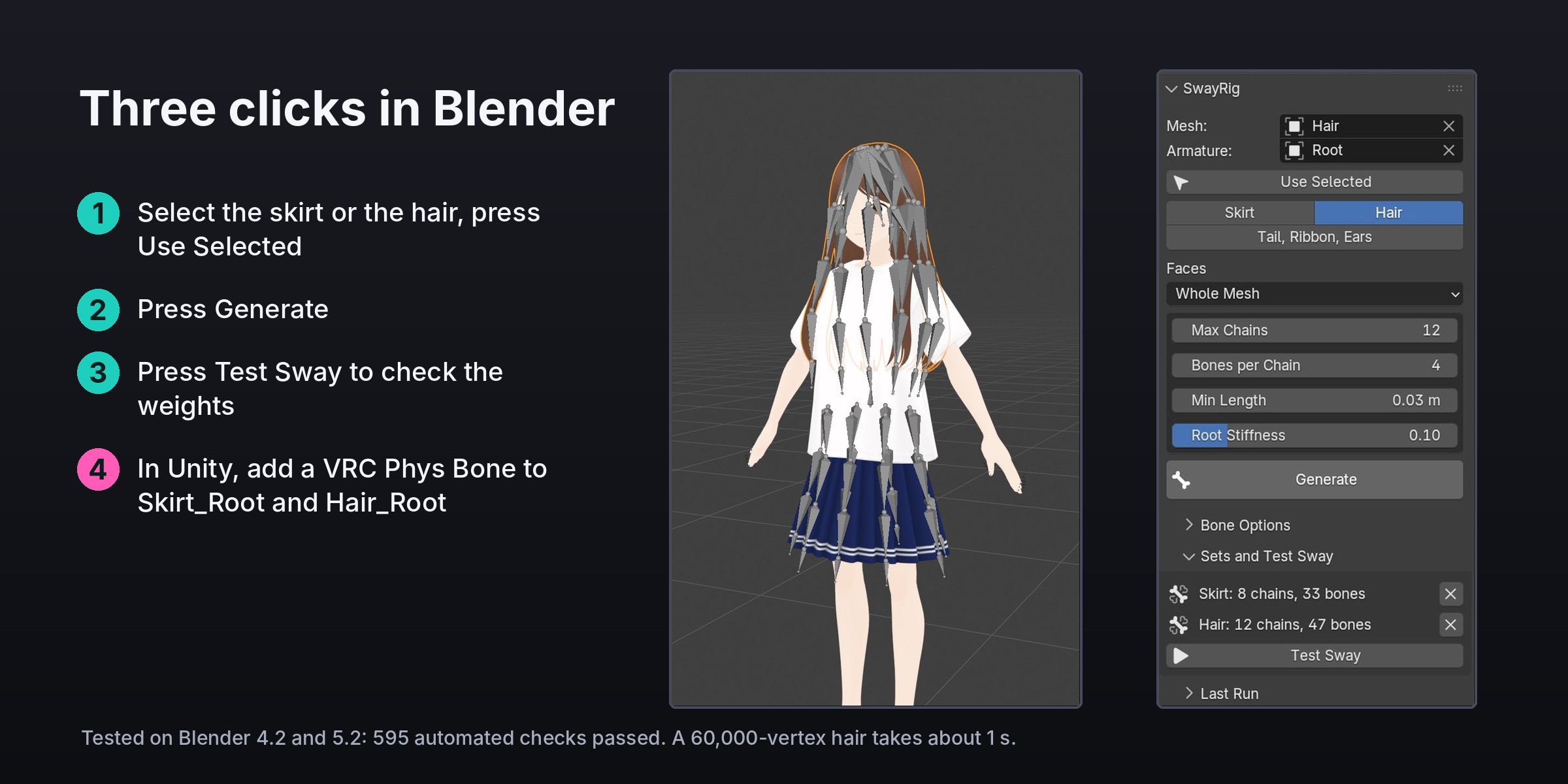
SwayRig builds the bones and the weights in one click. Pick the skirt (the whole mesh, one material, or the faces you selected), press Generate, and it adds chains to your avatar's own armature: 8 chains of 3 bones around the skirt by default, from the waist to the hem, mirrored left and right, under one Skirt_Root bone on the hips. The waistband stays on the hips, every vertex blends the two nearest chains and the two nearest bones, and no vertex has more than 4 bones. Moving the legs moves the skirt 0 mm; turning the hips carries it along.
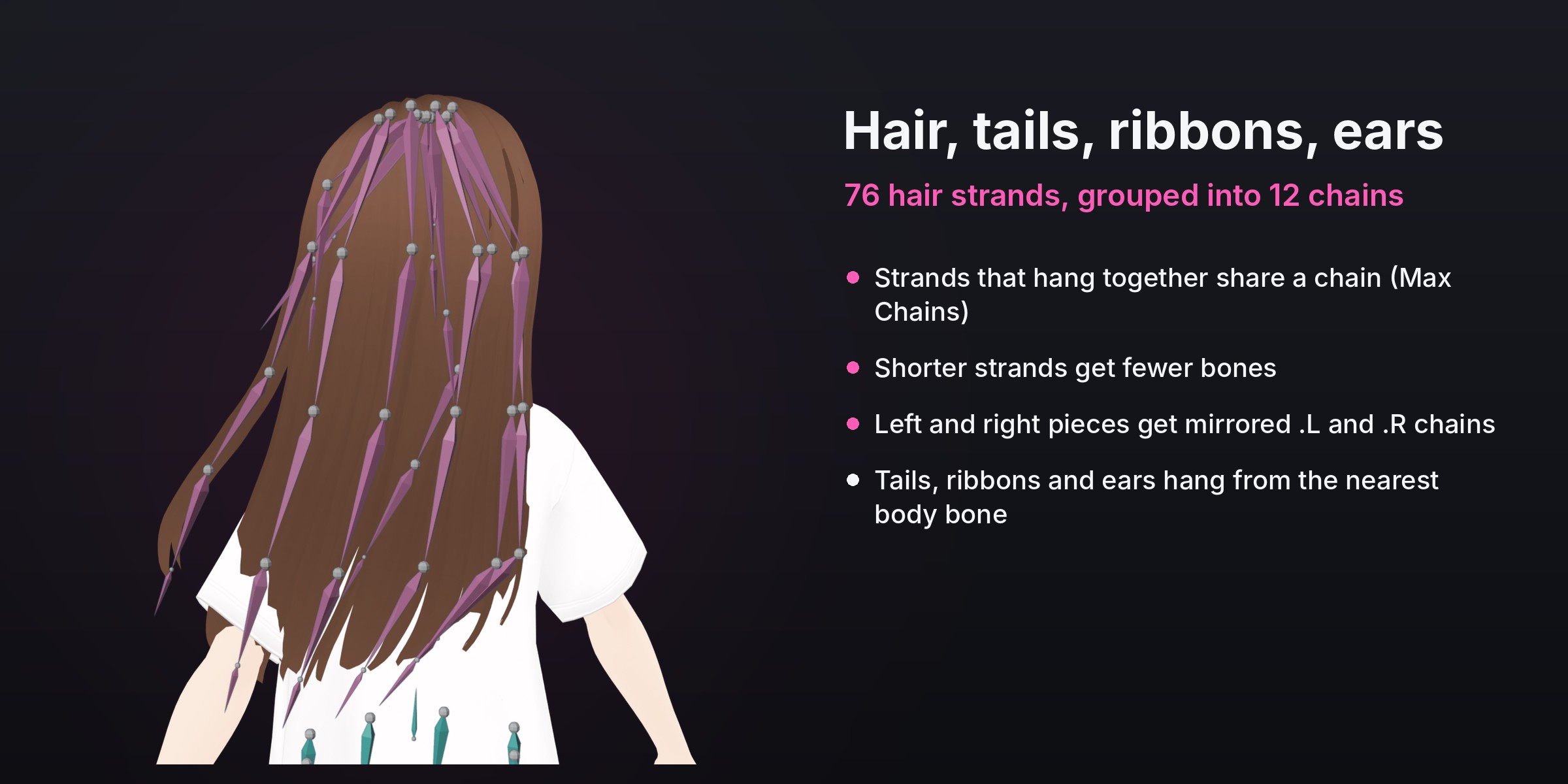
Hair works the same way. Each strand gets a path from the scalp to its tip, strands that hang together share a chain (12 at most by default, so the avatar stays light), shorter strands get fewer bones, and left and right strands get mirrored .L and .R chains. Tail, Ribbon, Ears mode hangs chains from wherever a piece is attached: a tail from the hips, ribbons from the head or neck, ears that stand up.
Press Test Sway to swing every chain in a 2-second loop and check the weights in Blender. When you are happy, export the FBX as usual and add one VRC Phys Bone to Skirt_Root and one to Hair_Root in Unity.
Nothing else on the mesh changes: the vertices you did not pick keep their weights exactly, shape keys stay, and Remove gives every vertex its old weights back. One Ctrl+Z undoes it all.
Features
- Skirts and dresses. Chains around the skirt from the waist to the hem, at even angles from the front, with exact .L/.R mirror pairs. Flares, pleats, uneven hems, panels cut apart at seams and low-poly skirts work. Start at the Waist gives chains only to the skirt of a one-piece dress.
- Hair, tails, ribbons and ears. One path per strand, grouped into as many chains as you allow, mirrored left and right. Short pieces and caps that wrap the head stay on the head.
- Smooth weights. Two chains and two bones per vertex at most for skirts, a root band on the parent bone, weights that sum to 1, at most 4 bones per vertex (adjustable).
- Ready for PhysBones. One root bone per set (Skirt_Root, Hair_Root), an end bone at every tip, consistent bone roll, clean names (Skirt_1_2.L), bones in their own bone collection. The FBX keeps every bone, parent and weight (checked by export and re-import).
- Test Sway. A 2-second swing of every chain in Blender to check the weights. Stop gives back your own animation and play range.
- Safe. Only the faces you pick change. Remove restores the old weights. Generate again with the same name rebuilds a set. Clear messages when something is missing.
- Fast. A 60,000-vertex hair of 1,500 strands in about 1 second, a 60,000-vertex skirt in under 2 seconds (measured on Blender 4.2 and 5.2).
- English and Japanese interface. Works with VRoid, VRM, Unity humanoid, Cats and Mixamo bone names.
Limits
- SwayRig makes bones and weights. Physics runs in VRChat (PhysBones); Test Sway is a preview, not a simulation. It does not add the PhysBone component or colliders; that is done in Unity.
- Skirt mode is for cloth that hangs around the body. For an apron or a single panel, use Tail, Ribbon, Ears.
- Hair mode needs strands as separate pieces of the mesh. A hair made as one connected mass gets one chain: separate the strands first (Edit Mode, P, Selection) or run it on Selected Faces part by part.
- The hips and head are found by bone name on common rigs (VRoid, VRM, Unity humanoid, Cats, Mixamo). On other rigs, pick the Parent Bone.
- Apply a Mirror modifier before Generate.
FAQ
Does it work with VRChat avatars from Booth and with VRoid models?
Yes. VRoid and VRM rigs and the usual Unity humanoid names are recognised. VRoid keeps clothes inside the body mesh, so pick the skirt by its Material. Bones are added to your avatar's own armature.
Do I still need PhysBones?
Yes. SwayRig gives the skirt and hair their bones and weights. In Unity you add a VRC Phys Bone to Skirt_Root and Hair_Root (and leg colliders for the skirt), and VRChat moves them.
Will it make my avatar heavier for VRChat's performance rank?
The defaults are light: the skirt set is 33 bones (24 + 8 end bones + root), the hair set at most 12 chains of up to 4 bones. Lower Chains, Max Chains or Bones per Chain if you need fewer.
Which Blender versions?
Blender 4.2 to 5.2. Tested on 4.2.23 LTS and 5.2.3 LTS with 595 automated checks. Pure Python, nothing else to install.
Included: the SwayRig 1.0.0 add-on folder, free updates and e-mail support ([email protected]). Test character in the images: VRM1 Constraint Twist Sample (c) pixiv Inc., under the VRM Public License 1.0.
License: SwayRig add-on code: GNU GPL 3.0 or later. Use it for personal and commercial avatar work. The avatars you edit keep their own licenses.
AI-assisted: the add-on code was written with help from AI coding tools. Designed and tested by Meshwright in Blender 4.2 and 5.2. The store images are Blender renders and Blender screenshots.