
Clean Active Mix - VRChat Men's Clothing / CP55
Tags
Produktbeschreibung
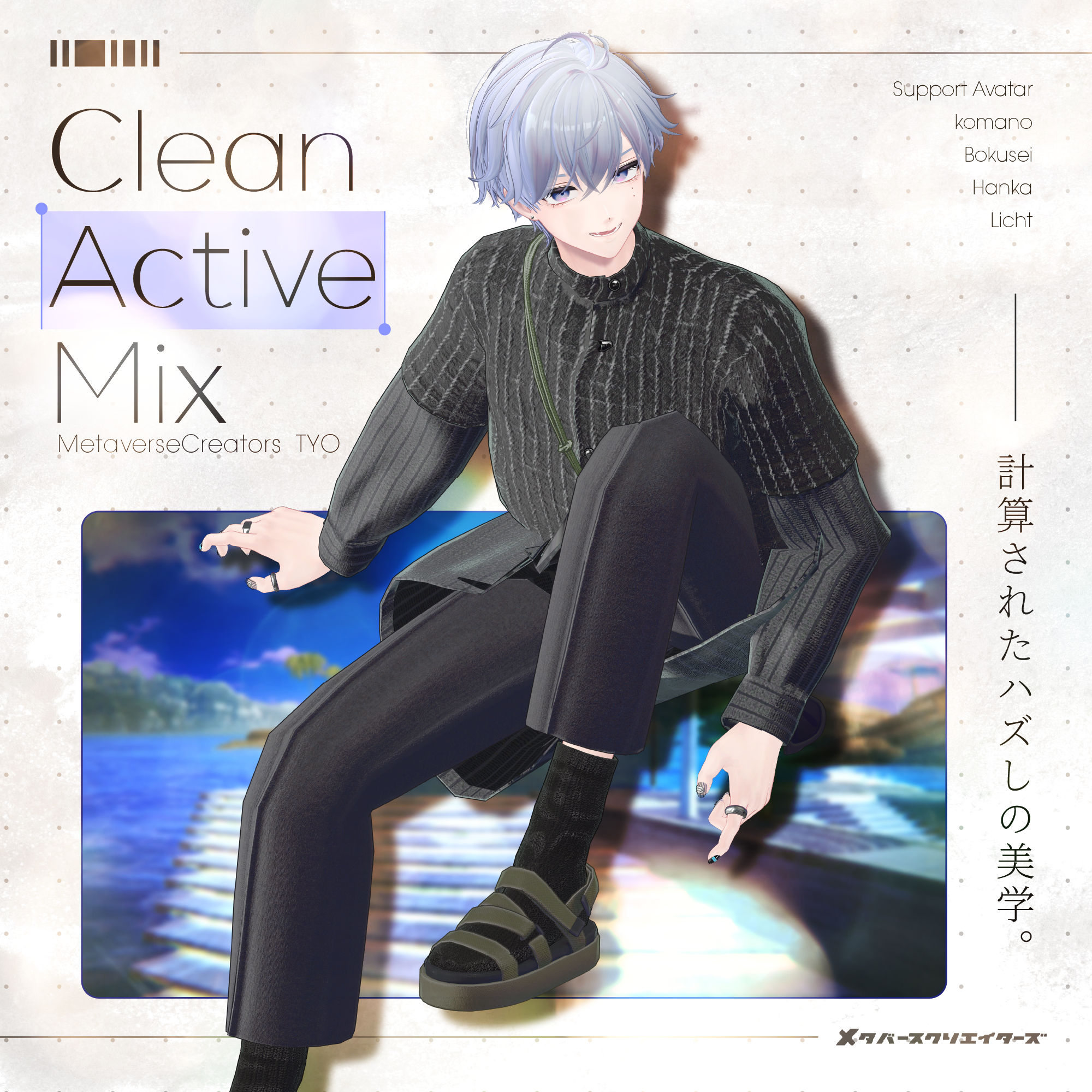
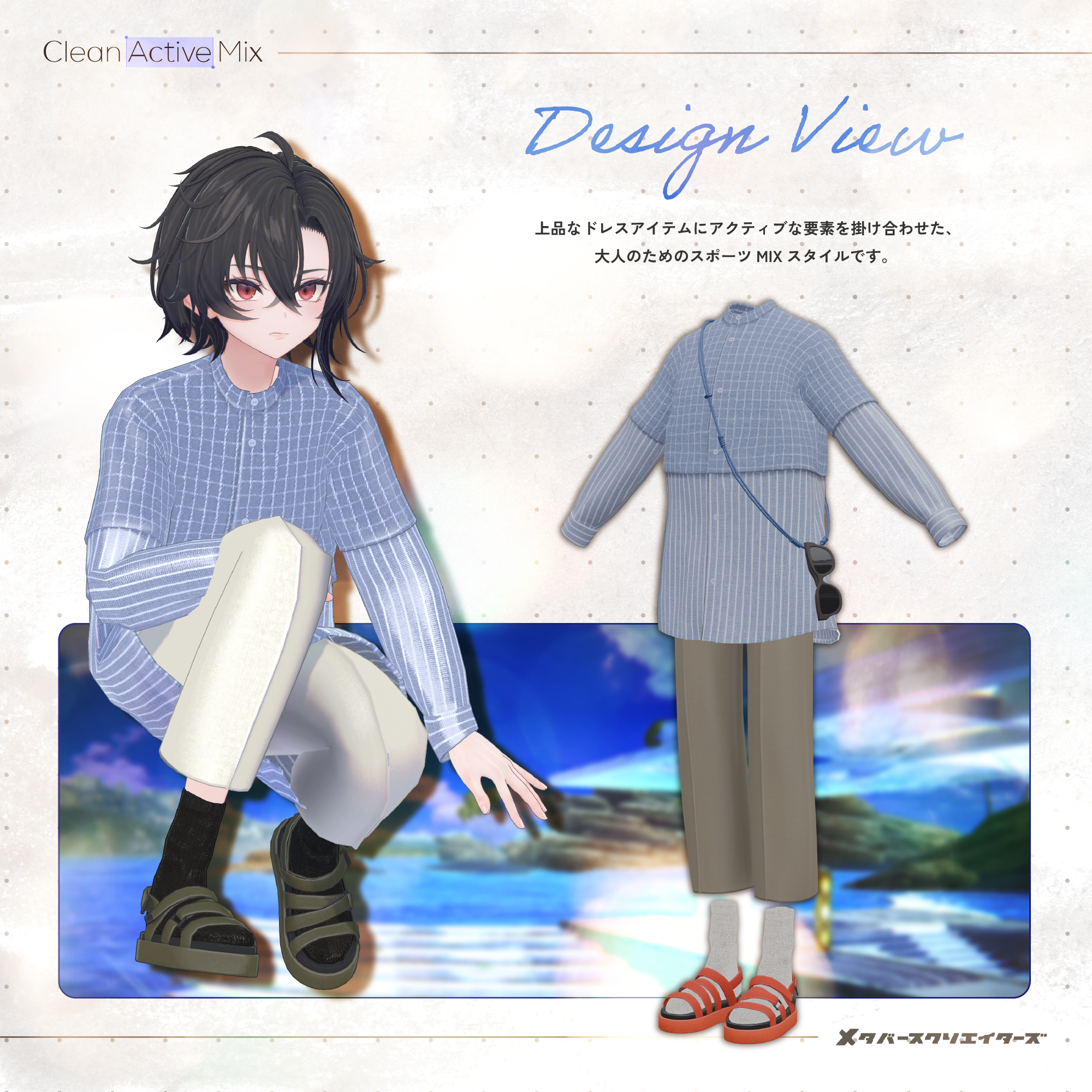
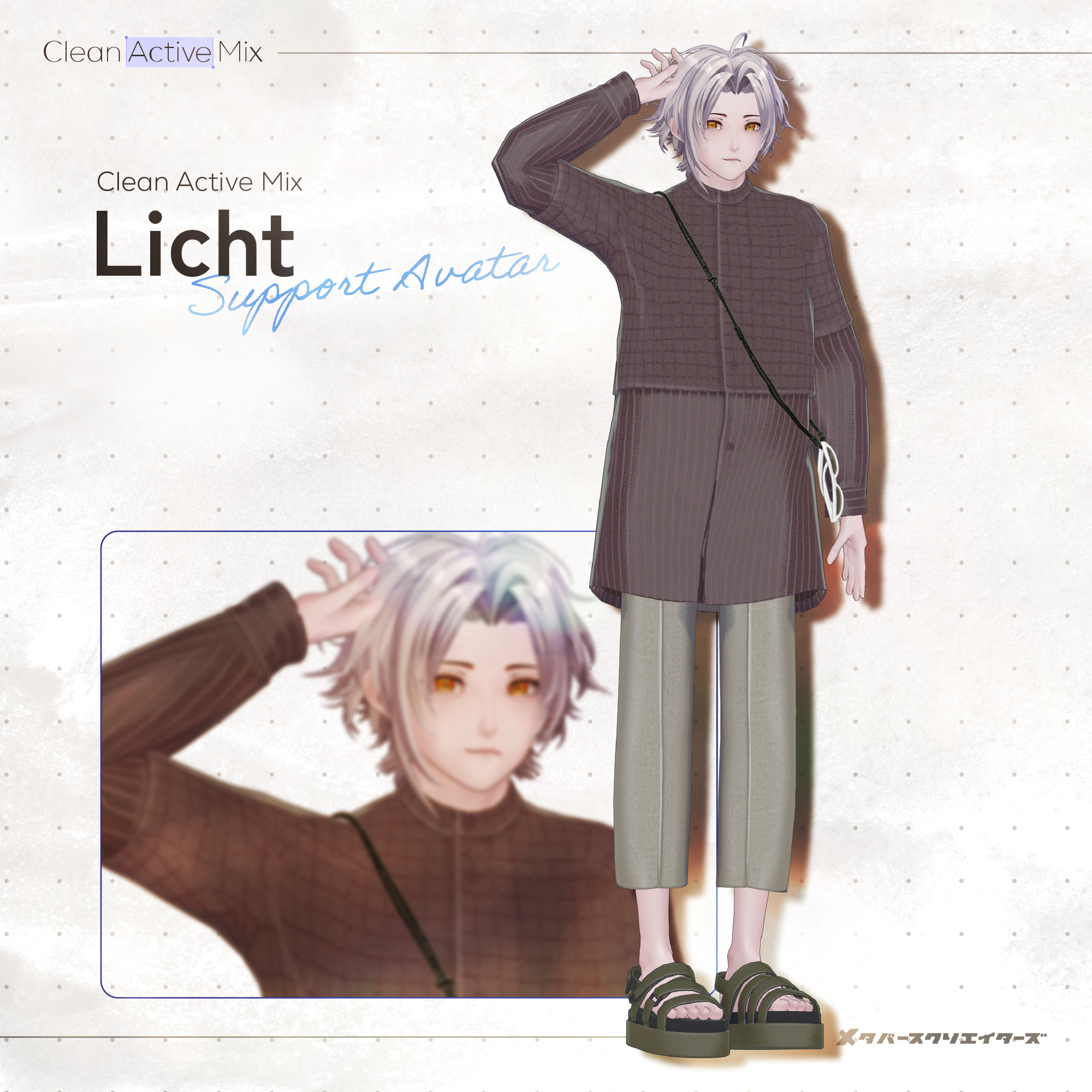
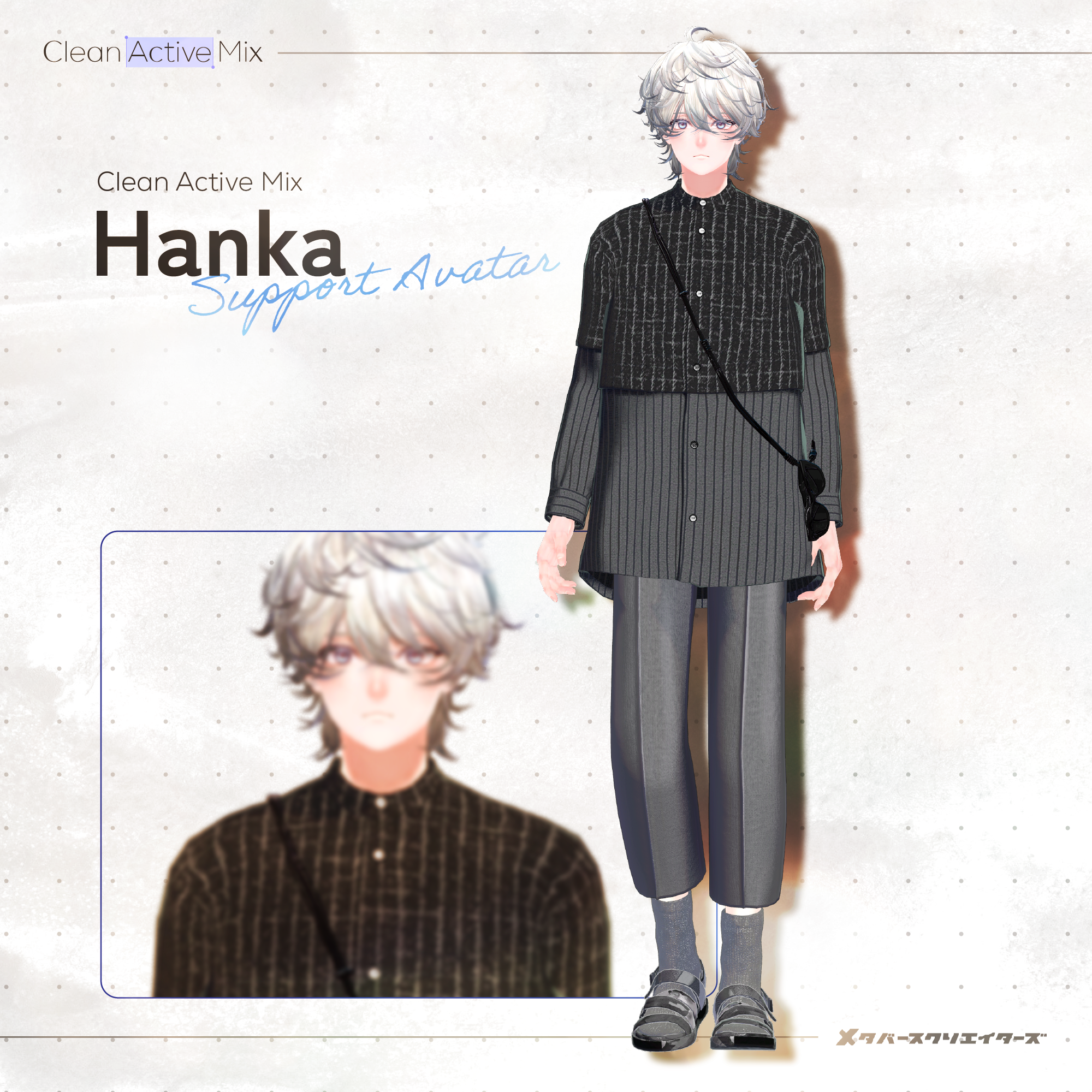
A sophisticated sporty mix style for adults, combining refined dresswear with active, athletic elements.
The clean, collarless shirt and beautifully draped center-pressed trousers create an elegant foundation, while sporty accessories introduce a deliberately casual contrast.
The shirt features a bold color-blocked design with different looks between the upper and lower sections. A paracord sunglasses holder adds a functional accent around the chest.
The outfit itself uses a minimalist, muted palette of monotone colors, beige, and gray, while the paracord and sporty sandals provide playful pops of color.
The combination of sport sandals and socks adds the perfect touch of relaxed, effortless style.
Rather than simple casualwear, Clean Active Mix offers a refined take on contemporary everyday fashion.
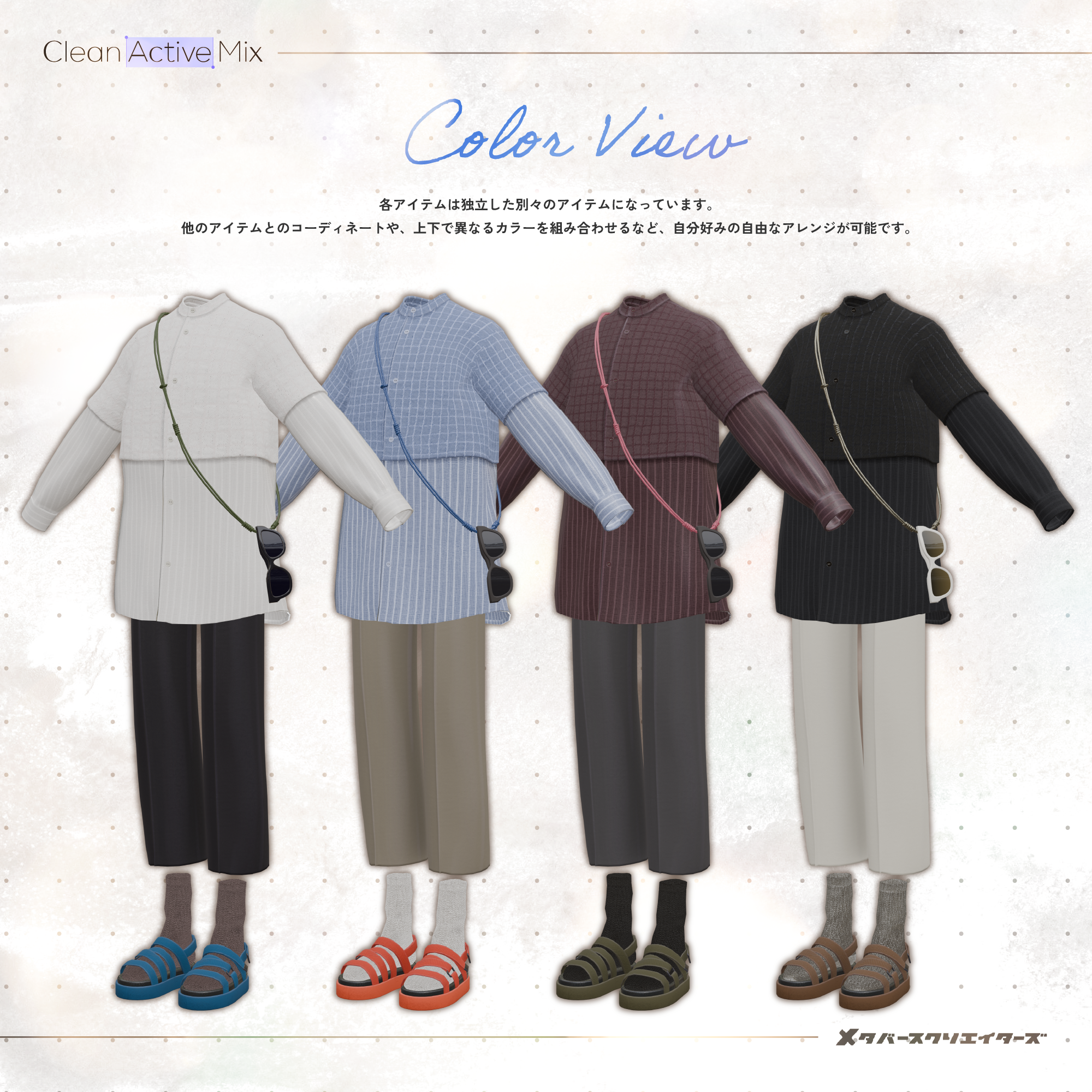
Each item is provided as an independent, separate item, allowing you to freely mix and match them with other clothing or combine different colors for the top and bottom.
◆ Colors
Top
White
Black
Bordeaux
Sax Blue
Bottom
White
Black
Gray
Beige
Sandals
Blue
Orange
Brown
Khaki
Socks
Beige
White
Black
Silver
Please note: This product is a clothing model for avatars. The avatar itself is not included.
Due to the nature of downloadable products, returns and refunds are not available. Please read and agree to the product description and Terms of Use before purchasing.
◆ Item Details
Contents
CleanActiveMix.Unitypackage
CleanActiveMix_Material.Unitypackage
ReadMe.txt
Shader Used
lilToon
https://lilxyzw.booth.pm/items/3087170
Required Asset
Modular Avatar
https://modular-avatar.nadena.dev/ja/docs/intro
Model Data
Total: 20,666 polygons
Top: 4,326 polygons
Pants: 2,352 polygons
Sandals: 7,028 polygons
Socks: 1,520 polygons
Glasses Holder: 5,440 polygons
Meshes: 5
Materials: 4
PhysBone Components: 1
GlassesHolder: 1
Import path:
Assets > MetaverseCreators_CP > MDR > CleanActiveMix
◆ Compatible Avatars
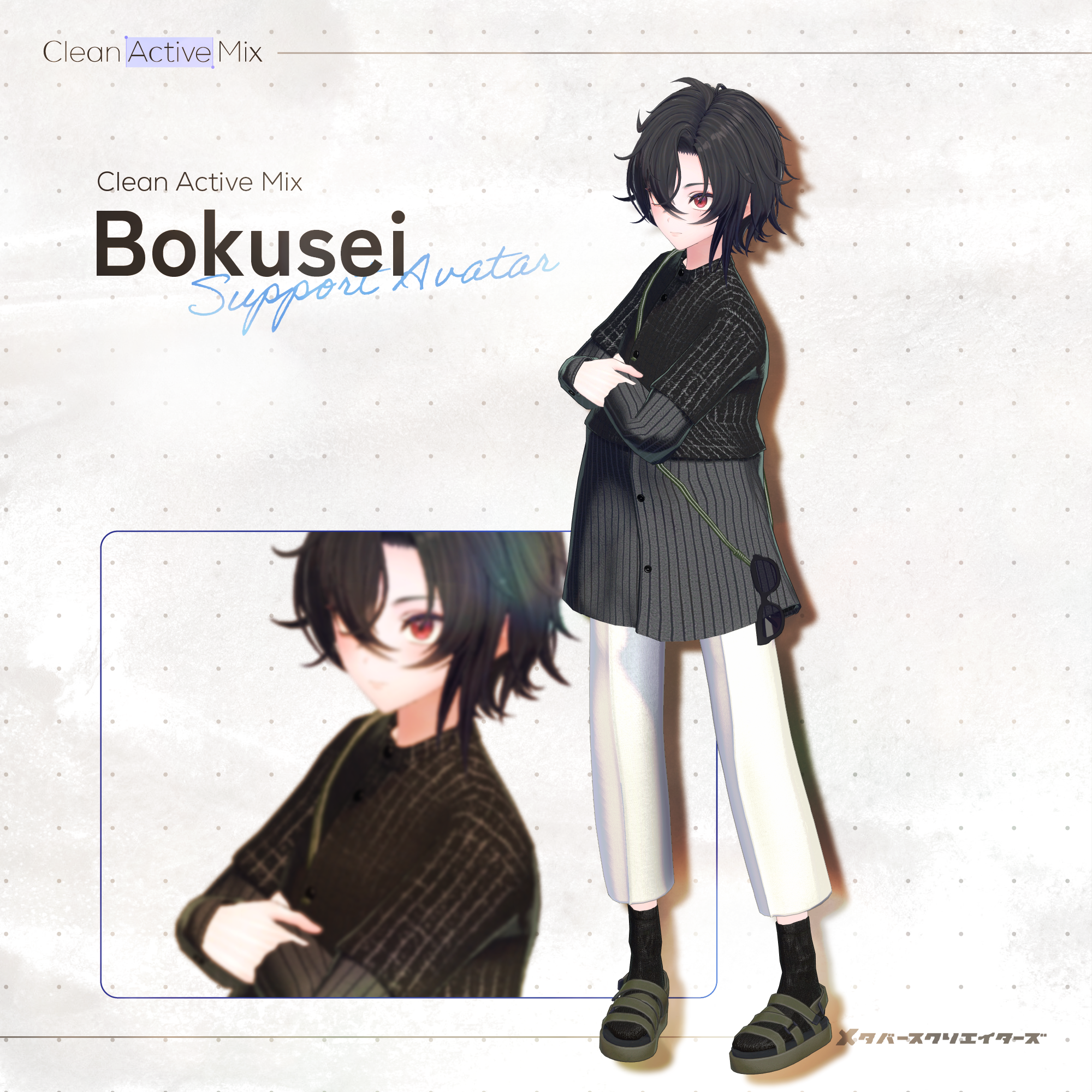
Komano — Original 3D Model
https://booth.pm/ja/items/5260363
Bokusei — PlusHead Body
https://booth.pm/ja/items/5727810
Hanka — Original 3D Model
https://booth.pm/ja/items/6970249
Licht (凛仁) — Original 3D Model
https://metacreatorstyo.booth.pm/items/7430852
When wearing this outfit, a Shape Key that hides/reshapes the avatar's body will be used.
Shape Keys
Pants
Shrink-waist → Narrows the waist of the pants when layering clothing
Shrink-hip → Narrows the hips of the pants when layering clothing
◆ Installation
Set up the latest VRChat SDK through VCC.
Install lilToon and Modular Avatar through VCC.
Import the latest package for the avatar you want to dress.
Import this product's Material package.
Import the package corresponding to your avatar.
Place the avatar (and any dressing/customization Prefab, if applicable) into the Scene Hierarchy.
If necessary, hide unnecessary avatar clothing such as default outfits or underwear, or set them to Editor Only.
Drag OutfitName_AvatarName.Prefab directly under the avatar.
Upload the avatar through the VRChat SDK.
MA Shape Changer
This outfit includes Modular Avatar's MA Shape Changer.
When the outfit is placed directly under the avatar, the avatar's body Shape Keys are automatically adjusted. This may make the body thinner or hide mesh areas affected by the Shape Keys, helping prevent clipping between the outfit and the avatar body.
If you do not need the preconfigured MA Shape Changer, you may delete or modify the components as desired.
PlusHead note: Depending on the avatar, the MA Shape Changer may not work correctly if the body's mesh has a different name. This product uses PlusHead as the configured mesh name. If necessary, rename the body mesh or manually adjust the Shape Keys.
After dressing the avatar, if any part of the body appears unintentionally thinner, set the corresponding body Shape Key back to 0 and check the avatar with the body fully visible.
◆ Color Customization
Replace the color-variation materials in:
Common > Material
You can also customize the colors using the included PSD or CLIP files.
◆ Terms of Use
https://drive.google.com/drive/folders/1qRMXoIxM1ZgacBPfwOigQRtXP1vCbNMn?usp=sharing
Please also follow the Terms of Use of the original avatar you are using.
◆ Development Environment
Modeling: Blender 4.5.8
Textures: Substance Painter 12.0.3
Setup: Unity 2022.3.22f1
VRChat SDK - Avatars: 3.10.4 (VCC)
lilToon: 2.3.4
Modular Avatar: 1.17.1
◆ Credits
Creator: MDR
Personal BOOTH:
https://mn3design.booth.pm/
For inquiries and support, please contact us via BOOTH messages.