
Darts Together V2 | VRChat Soft-Tip Darts Machine
Produktbeschreibung
Dieses Produkt enthält KI-generierte Inhalte.
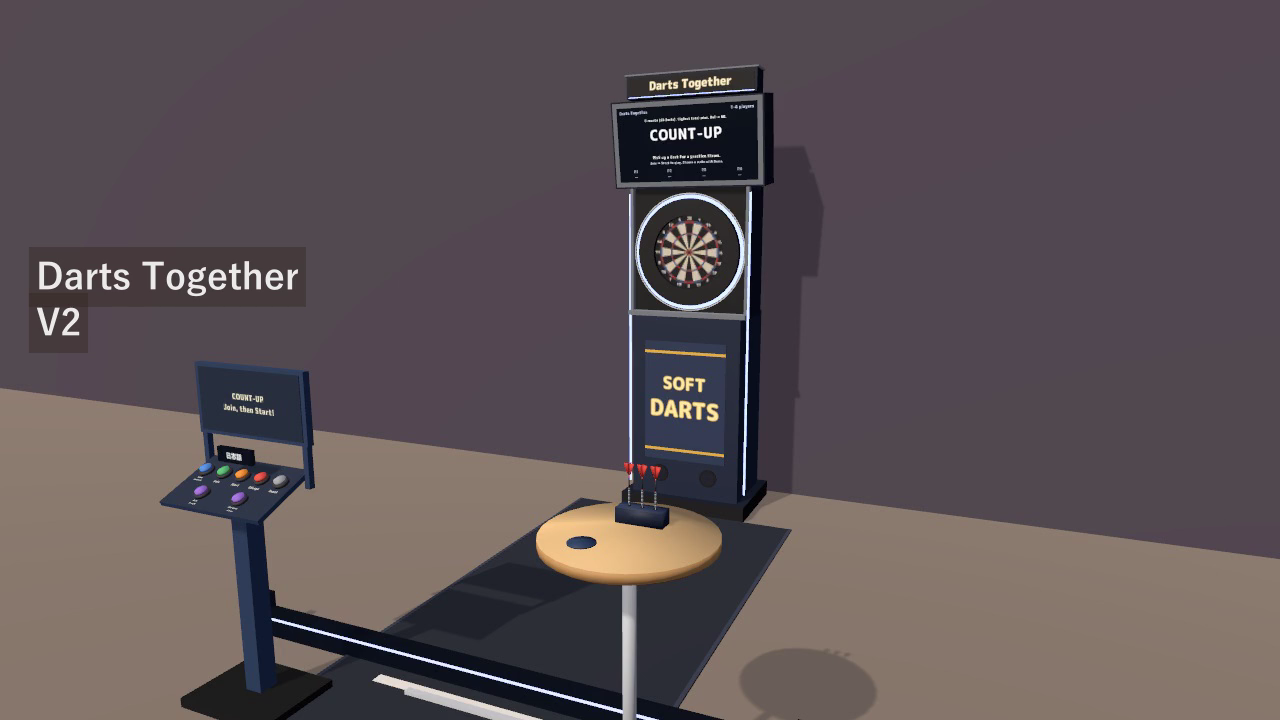
Give your VRChat world a place to play one more round. Pick up a dart, take aim, and throw. Darts Together brings a complete soft-tip darts machine to your bar, lounge, or game room, with automatic scoring and up to four players.
Play COUNT-UP, 301, 501, 701, and CRICKET, practice between matches, and celebrate good turns with illuminated awards and sound effects. Every visitor can use English or Japanese while sharing the same game.
Watch it in action
Watch the English Darts Together V2 gameplay preview on YouTube
Five games, solo or with friends
- COUNT-UP: build the highest score across eight rounds.
- 301, 501, and 701: count down to exactly zero, with BUST handling and optional double-out and separate-bull settings.
- CRICKET: close 20 through 15 and the bull, then outscore your opponents.
- One to four players: join a match, or press Start with no entries to play solo. Three darts per turn, automatic returns, and automatic turn changes keep play moving.
- Practice anytime: pick up a dart and throw without starting a match.
Make every good throw count
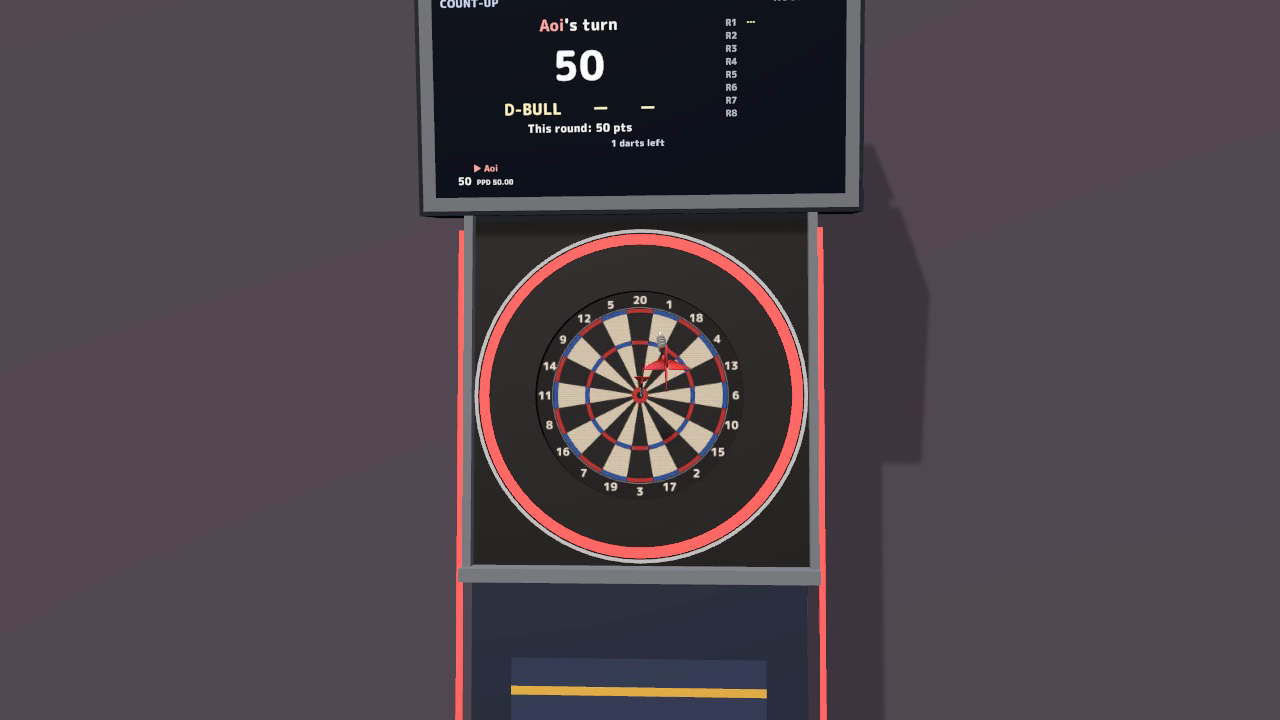
The board highlights each hit and shows results such as T20 and BULL. Turn awards include TON 80, HAT TRICK, THREE IN THE BLACK, WHITE HORSE, and more. The screen and illuminated ring celebrate the result, while PPD and MPR track performance.
Scores, game progress, dart flights, and landing positions are shared with the instance, including visitors who join during a game. Seventeen included sound effects cover hits, awards, BUST, turns, and results.
Easy to start in VR or on desktop
VR: pick up a dart, swing your arm, and release. Adjustable aim assistance and personal grip/power settings help visitors find a comfortable throw.
Desktop: hold the pickup input to aim, watch the green aiming mark settle, and release to throw. Each visitor can choose their preferred aiming sway.
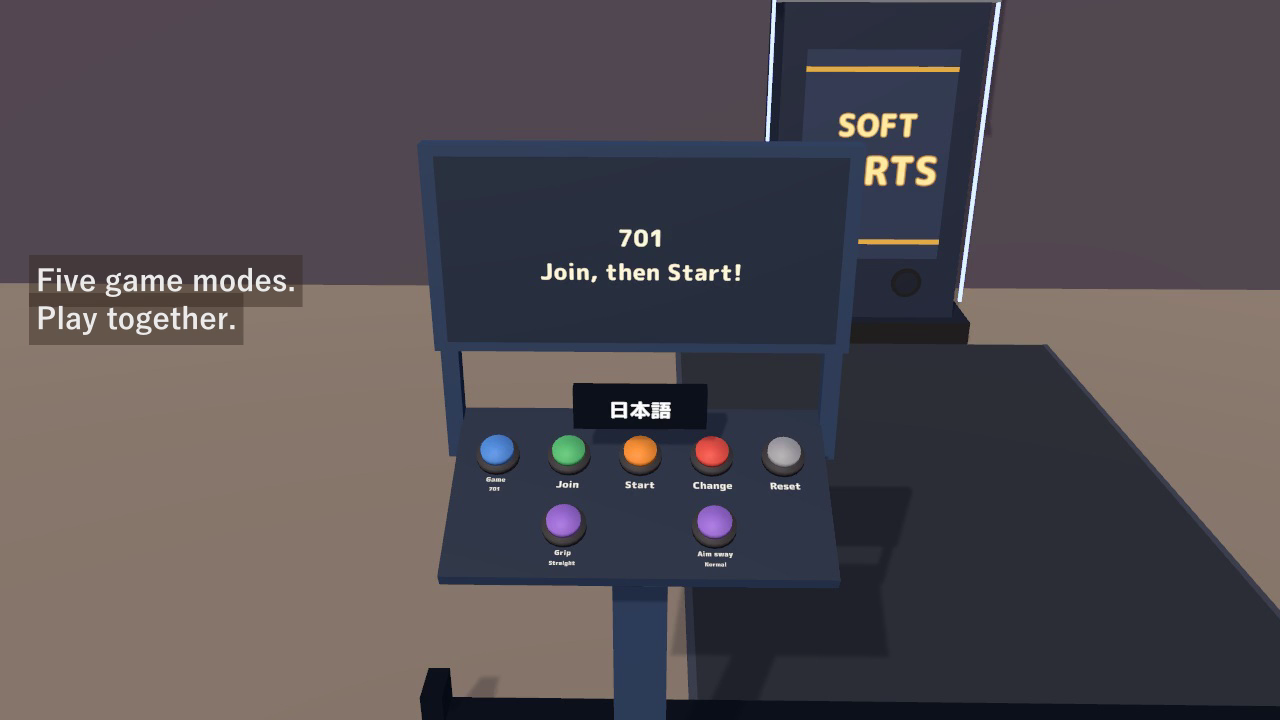
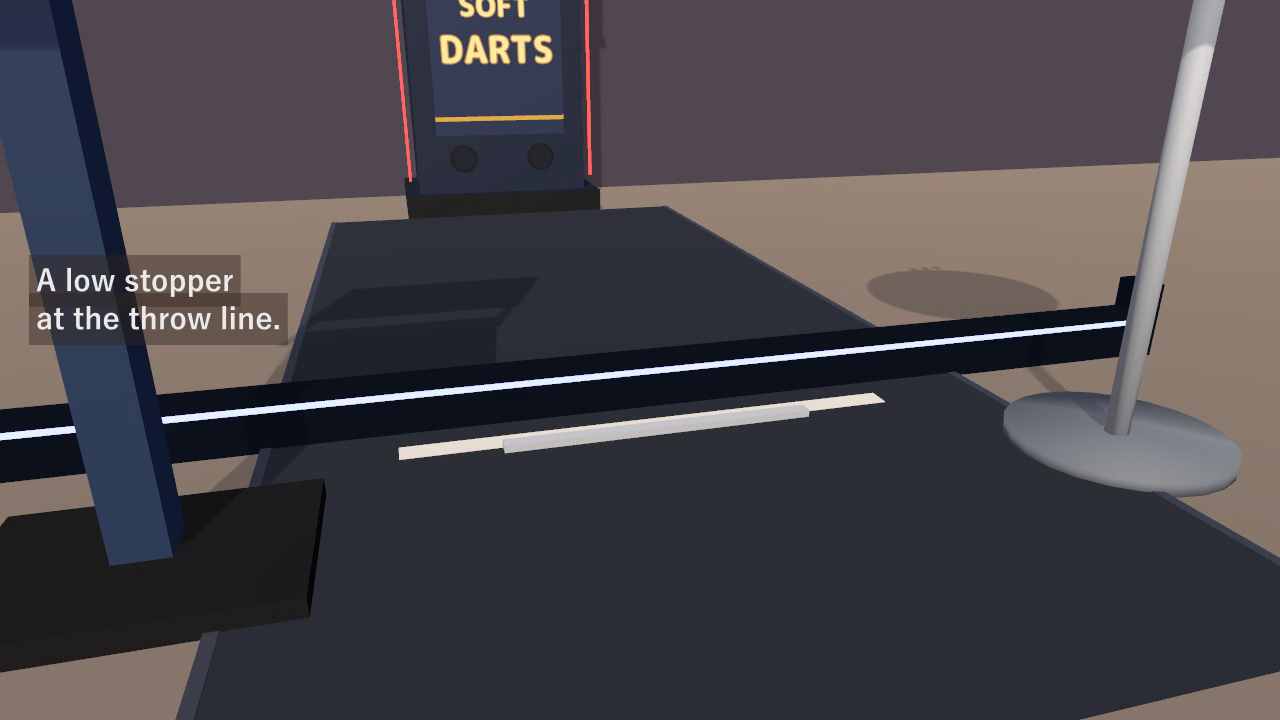
For a match, select a game, press Join, then Start. The low rail marks the throwing boundary and stops forward movement before the line; visitors can leave the area to either side or behind them.
English and Japanese for each visitor
The first display follows the visitor's VRChat language. A dedicated language key changes the screen, panel labels, prompts, and dart names locally, even during a match. Other players' language choices, scores, and game progress stay as they are. Both manuals are included in the same download.
A complete machine for your world
- Soft-tip layout: bull center at 1.73 m and throw line 2.44 m from the board face.
- Machine, illuminated ring, control panel, three darts, dart table, mat, and throw-line rail.
- Approximately 4,700 triangles in the placed set; no added lights.
- Complete footprint approximately 2.6 m wide × 3.9 m deep × 2.9 m high.
- Inspector settings for rounds, 01 rules, turn timing, awards, VR aim assistance, and desktop aiming sway.
Included files
- SoftDarts v2.0 Unity package: ready-to-place prefab, sample scene, scripts, models, materials, and 17 sound effects.
- English and Japanese manuals with setup, controls, rules, and customization.
- Blender source v1.0: editable .blend file, FBX models, board artwork, and palette texture.
- Quest/Android material variants using VRChat/Mobile shaders.
Setup
Use Unity 2022.3.22f1, VRChat SDK3 Worlds 3.10.x (including UdonSharp), and TextMesh Pro.
- Open a VRChat Worlds project created with Creator Companion. If needed, run Window > TextMeshPro > Import TMP Essential Resources.
- Import the Unity package, then place Assets/SoftDarts/SoftDarts.prefab in your scene.
- Move and rotate the complete prefab to fit your world. Keep its scale at 1 to preserve the board and throwing distances.
- For Quest/Android, use the included mobile materials as described in the manual.
The example scene is Assets/SoftDarts/Sample/SoftDarts_Sample.unity.
Terms of use
- You may include this asset in published VRChat worlds, including paid, business and event worlds.
- Modification is permitted. Credit is optional and appreciated.
- Redistribution or resale of the asset data, including modified versions, and bundling the data for sale as part of another asset are prohibited.
- Please contact us before using the asset outside VRChat, such as in another game or video work.
The included M PLUS Rounded 1c font uses the SIL Open Font License 1.1. See Fonts/OFL.txt in the Unity package.
Current release
v2.0: automatic English/Japanese display, a personal language key, translated screens and interaction hints, an English manual, and the throw-line boundary rail.