
Produktbeschreibung
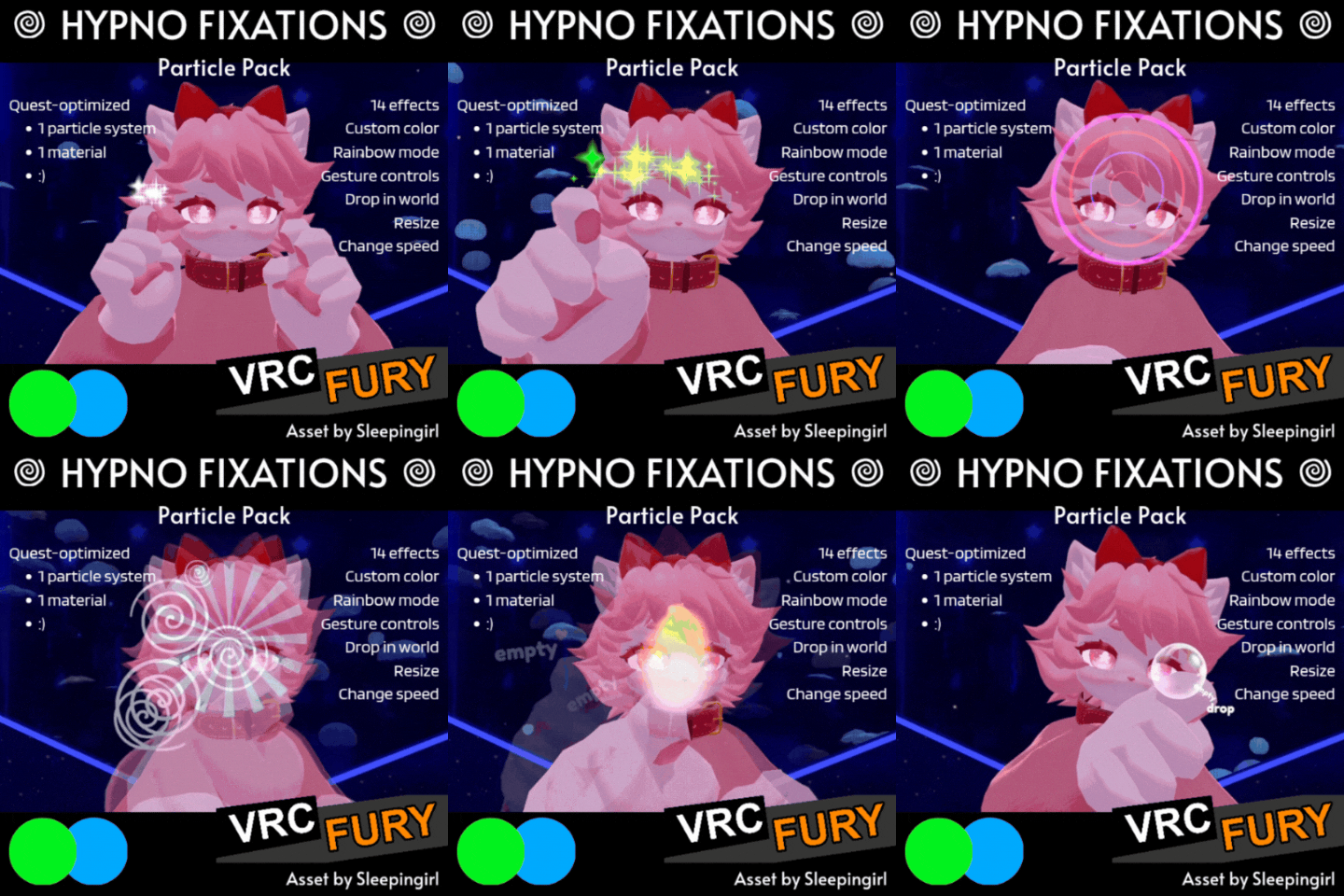
Fascinate or hypnotize your friends with 14 customizable effects all on ONE particle emitter and ONE material! Excellent stim toy and fixation :)
- Made for Quest -- fully compatible and optimized, no separate version, all promos recorded on Quest! (And of course VERY optimized for PCVR!)
- Very simple installation with VRCFURY
Read TOS please! Please just generally be cool and don’t share this with people who haven’t purchased it! This work is what allows me to buy food, pay bills, etc!
Features (see video!):
- 14 distinct effects: sparkles, flame, smoke, hearts, 3 particle effects, 3 spiral effects, 4 hypnotic words modes
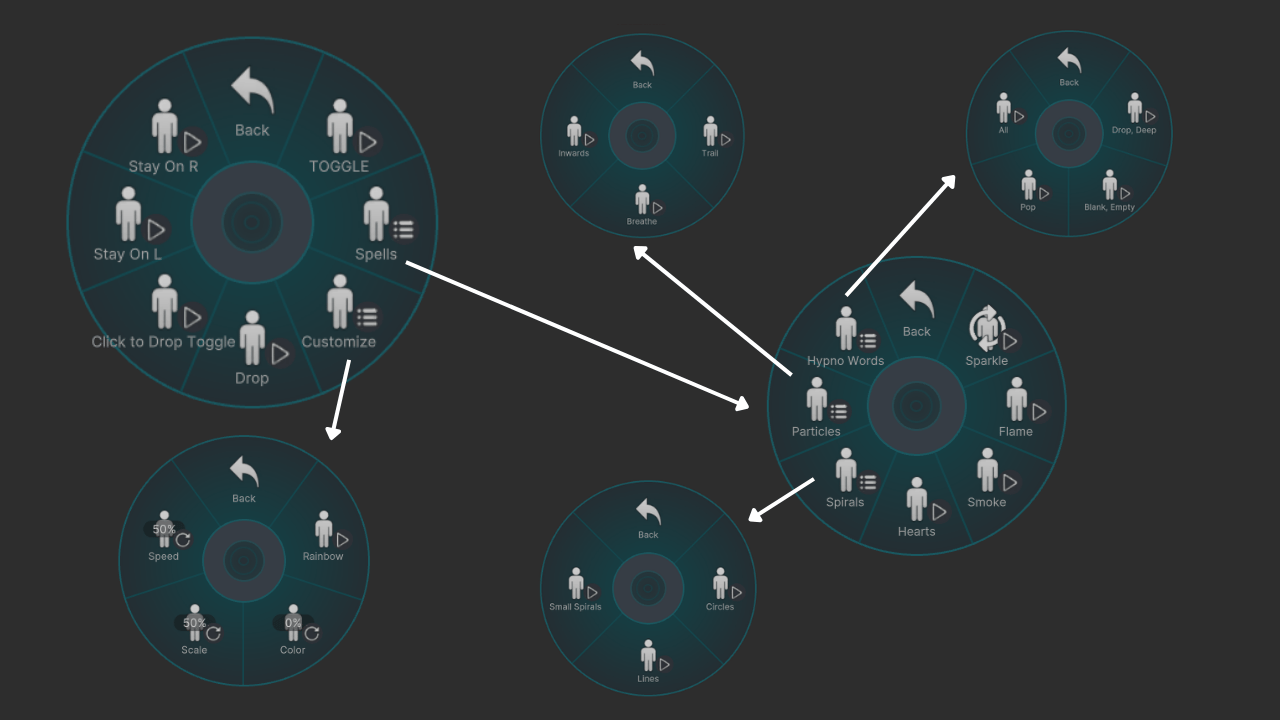
- In-game customizable color plus rainbow mode
- In-game control over the size and speed of the effects
- Intuitive gesture controls (point your finger to emit, pass from hand to hand!) OR stay-on menu controls
- Click-to-drop feature for easy fixation -- easily drop in world by doing a fist gesture (you can turn this off!)
Specifications:
- 1 particle emitter
- 1 material (default 2k -- works well even set to 1k)
Contents:
- UnityPackage file
- Installation text file
- License text file
Requirements:
- VRC SDK Version 3.9 or higher -- under “Manage Project” in VCC, just make sure your SDK is up to date!
- VRCFURY: https://vrcfury.com/
- Please have basic Unity knowledge before purchasing -- while you can contact me with bugs/etc, I cannot provide installation help!
--
General Terms:
- Please just generally be cool and don’t share this with people who haven’t purchased it! This work is what allows me to buy food, pay bills, etc!
- If you are unsure of your specific case, please don’t hesitate to reach out and ask!
- By purchasing this asset, you agree to the terms of use based on the version you purchase
- By purchasing this asset, you agree that I am not responsible for any potential issues caused by its use
- By purchasing this asset, you agree that these terms are subject to change and be updated as needed
Personal Use Terms:
- You MAY upload this asset on any private avatars on YOUR account
- You MAY freely make any edits you like to this asset for your own use
- You MAY use this asset on YOUR avatars for commercial activity such as paid sessions, streaming, etc
- You MAY create and distribute (share/sell) your own original TEXTURES for the materials of this asset provided you are not sharing or selling the original asset or parts of it
- You MAY NOT upload this asset on public avatars, free avatars, commissioned avatars, avatars for sale
- You MAY NOT redistribute parts or whole of this asset whatsoever, including sharing or selling edits
- You MAY NOT use this asset on commissions or avatars you are selling
- You MUST credit me as the creator of this asset in cases where you are listing credits, even if you make edits to it
Commercial Use Terms:
- You MAY upload this asset on any private avatars on your account, commissioned avatars, and avatars for sale
- You MAY create and distribute (share/sell) your own original TEXTURES for the materials of this asset provided you are not sharing or selling the original asset or parts of it
- You MAY freely make any edits you like to this asset for personal use or use on for-sale avatars (but you MUST still credit!)
- You MAY NOT use this asset on public avatars or free avatars
- You MAY NOT otherwise redistribute parts or whole of this asset, including sharing or selling edits of the asset itself that you made
- You MUST credit me as the creator of this asset, even if you make edits to it
- You MUST tell your customers that if they acquire an avatar from you with this asset on it, they MUST purchase their own license in order to use this asset on other avatars they own
--
Installation:
- Import: Drag unitypackage file into your project asset space in Unity.
- Install: Open “Sleepingirl’s Assets” folder and navigate to find the “FINGERTIP MAGIC” prefab. Drag prefab to your avatar root -- NOT into your armature!
- Scale: Select “FINGERTIP MAGIC” in your hierarchy. If you have gizmos showing, the two red gizmos should be in approximately the position where your hands are if your avatar is in a generic T pose. Resize “FINGERTIP MAGIC” so that these gizmos are in approximately the correct position apart.
- Fine-tune: Expand “FINGERTIP MAGIC” in your hierarchy and locate the two objects called “Right Fingertip (MOVE ME)” and “Left Fingertip (MOVE ME).” Select “Right Fingertip (MOVE ME)” in your hierarchy and in the viewport, position it to the tip of your right index finger. Do the same with “Left Fingertip (MOVE ME).”
- Done!
- Optional/sometimes needed: By default, the particles are constrained to the intermediate (middle) index finger bones. If your model has DISTAL finger bones (the fingertip), you may find you want to constrain to those bones instead. Click on the “Left Fingertip (MOVE ME)” object and look in the inspector to locate the VRCFURY armature link component. Change the target in the “Link To (Avatar):” dropdown to “Left Index Distal” and do the same for the right hand.
- Optional/sometimes needed: If the particles feel like they’re the wrong size even playing with the scale in-game, you will need to resize the “FINGER MAGIC” prefab, which will require you to then reposition your “Left Fingertip (MOVE ME)” and “Right Fingertip (MOVE ME)” constraints.
How to Use:
- Turn on or off the whole system with the “TOGGLE” option.
- Use a fingerpoint gesture to turn on the particles on that finger. You can seamlessly go from finger to finger, or do the fingerpoint gesture on both hands to hold it in the middle between them.
- If you don’t want to use gestures, you can toggle the particles on and off with the “Stay On L/R” toggles for each finger.
- While “Click to Drop Toggle” is on, you can drop the particles in the world by holding a fingerpoint gesture with one hand and then quickly making a fist gesture with your other hand. For example, hold fingerpoint with your right hand, then at the same time make a fist with your left hand. The particles will drop into the world. Don’t hold the fist gesture for too long or it won’t stay dropped! To return the particles back to your fingers, make a fist gesture with either hand. You can turn this feature off by turning off “Click to Drop Toggle” in the menu.
KNOWN ISSUES/LIMITATIONS:
- The speed slider does NOT affect the in/out speed of the “Breathing” particle effect.
- Any setting or toggle that prevents gesture controls (such as some face tracking add-ons) will also prevent these gesture controls from being used.
- Rainbow mode only works when Color is set to 0%.
- Using the manual Drop toggle can mess with the Click to Drop logic, which can require toggling again or resetting.
Credits:
- Asset and texture by me (Sleepingirl)
Feel free to contact me by email at [email protected]m if you have any questions or you find a bug (or -- if you love it, or have ideas for improvements/other projects!). I cannot provide basic installation help but I try to be available to support! Please note: I cannot respond and am not available from Friday night to Saturday night (Eastern time).