
VRC Scene Backup [Editor Tools] VRCHAT
Produktbeschreibung
Requirements
- Unity 2022.3 (the version used by the VRChat SDK)
- VRChat SDK 3 (com.vrchat.base)
Installation
Option 1: VRChat Creator Companion (recommended)
Open https://sweetforest.github.io/VPM/ and click Add to VCC (or copy the listing URL and add it manually in VCC under Settings → Packages → Add Repository) Open your project in VCC Find VRC Scene Backup in the package list and click + to add it That's it. No setup is needed.
Option 2: Manual
Download the .zip and extract it into your project's Packages folder.
Features
- Saves a backup automatically before every VRChat Build & Test and Publish
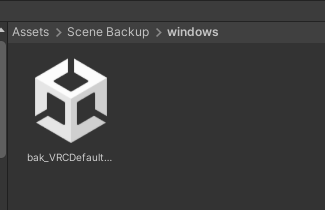
- Separate folder for each platform (Windows, Android, iOS)
- Timestamped file names, so older backups are never overwritten
- Automatically deletes the oldest backups beyond a limit you choose
- Never blocks or cancels your build, even if the backup fails
- Does not touch the scene you have open (the backup is saved as a copy)
- Backup Now button and menu items for manual backups
How it works
Before every VRChat build, it saves a copy of your scene first. So if something goes wrong during the build, you still have the scene exactly as it was right before it started.
Assets/
└── Scene Backup/
├── windows/
│ └── bak_MyWorld_2026-11-13_15-55-44.unity
├── android/
│ └── bak_MyWorld_2026-11-13_16-20-10.unity
└── ios/
Versions
1.0.0:
- release
My Game
All VIEW
Support me