Kotokoto Lab
/konabe
Level 7
Small Unity editor tools for VRChat avatars.
One click to fit accessories — chokers, tails, wings, horns and more.
Every tool has a Free version, and each tool was tested on popular free avatars before release.
Questions and bug reports are welcome.
10Follower
58Gefällt-mir-Angaben
9Produkte
One-click Auto Fit tools
Try the Free versions first. Fits accessories to your avatar in Unity with one click.
![Collider Auto Fit — PhysBone colliders sized to your avatar's body, connected to hair, skirt and tail in one click [VRChat / Unity] (Free version available)](https://jinxxy-c.jinxxy-cdn.com/cdn-cgi/image/format=auto,onerror=redirect/84357feb-5a72-58df-92ab-e2bcd0028ed7/4009662944609568270/1031426061220241408.png)
![Shape Key Finder — Search Japanese shape keys in English, click the face to find keys [VRChat / Unity] (Free version available)](https://jinxxy-c.jinxxy-cdn.com/cdn-cgi/image/format=auto,onerror=redirect/84357feb-5a72-58df-92ab-e2bcd0028ed7/4009660132429399141/1031427565846001664.png)
![Bracelet Auto Fit — Fit a bracelet or bangle to your avatar's wrist in one click [VRChat / Unity] (Free trial available)](https://jinxxy-c.jinxxy-cdn.com/cdn-cgi/image/format=auto,onerror=redirect/84357feb-5a72-58df-92ab-e2bcd0028ed7/4009578243064595584/1031377529357158400.png)
![Paint Mesh Remover — Paint the parts of your avatar mesh you want gone. Removed on upload, non-destructive [VRChat / Unity / NDMF]](https://jinxxy-c.jinxxy-cdn.com/cdn-cgi/image/format=auto,onerror=redirect/84357feb-5a72-58df-92ab-e2bcd0028ed7/4009564766883284238/1031368582934165504.png)
![Auto Hide Body Under Clothes — Remove the hidden body polygons under your avatar's clothes [VRChat / Unity / AAO]](https://jinxxy-c.jinxxy-cdn.com/cdn-cgi/image/format=auto,onerror=redirect/84357feb-5a72-58df-92ab-e2bcd0028ed7/4008923142910117501/1031205795667719168.png)
![Horn Auto Fit — Attach horns to the top of your avatar's head in one click [VRChat / Unity]](https://jinxxy-c.jinxxy-cdn.com/cdn-cgi/image/format=auto,onerror=redirect/84357feb-5a72-58df-92ab-e2bcd0028ed7/4008862659511321746/1031205272070747136.png)
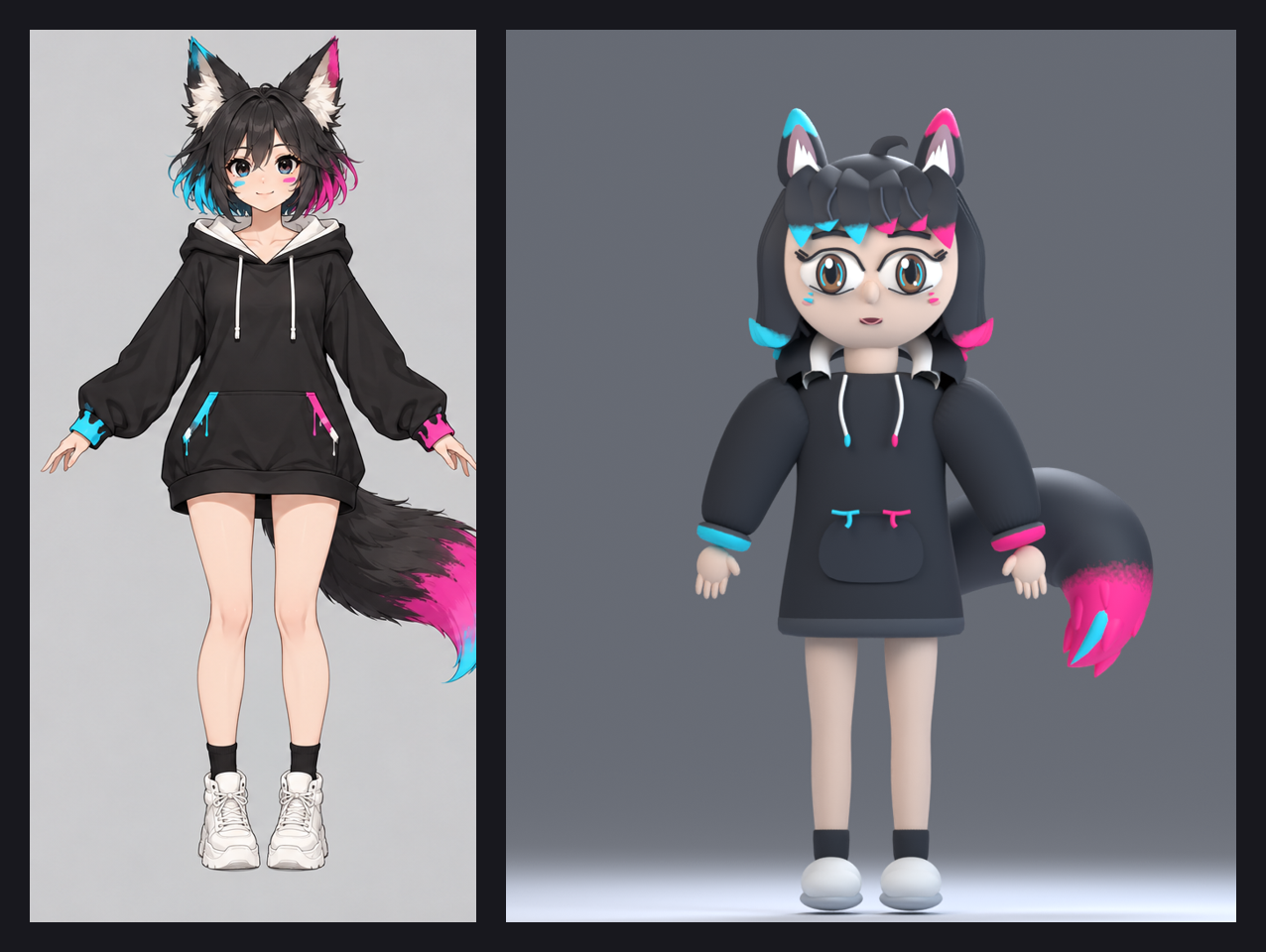
I make Unity tools for VRChat avatars, and now I'm trying to make my own avatar too. Left: the concept. Right: the first 3D try in Blender. 😭 How did it end up like this?! Any tips for going from concept to a cute 3D model? 🦊💗💙